Latest Version
September 06, 2026
Telematics Solution
Tools
Android
7
Free
com.track.zoomtrack
Report a Problem
More About Zoom Tracker – GPS Device Monitoring App
What is Zoom Tracker?
Zoom Tracker is a free Android application developed by Telematics Solution that provides a central hub for watching the location of GPS‑enabled devices. It does not depend on a specific brand of tracker, so you can connect any compatible GPS unit that supports standard data sharing.
Main features
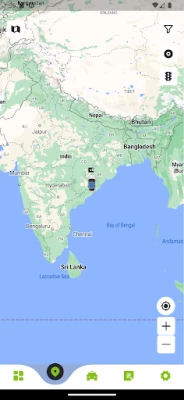
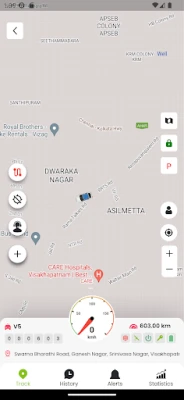
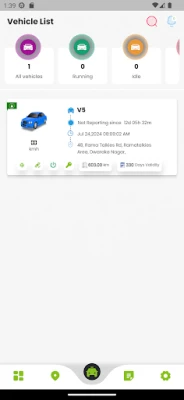
- Live location view – See the current position of a device on a map as it moves.
- History playback – Review routes recorded over the past weeks, with a default window of up to two months.
- Geofence alerts – Define virtual boundaries and receive notifications when a device enters or leaves them.
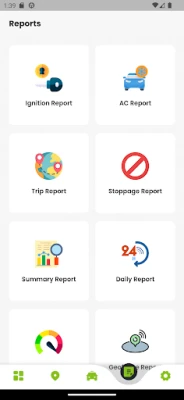
- Reports – Generate simple summaries of distance travelled, speed and stop times.
- Remote engine control – When supported by the hardware, lock or unlock the engine directly from the app.
- Push notifications – Get timely alerts on your phone or via the web interface.
How it works
Each GPS device transmits its coordinates to a server managed by Telematics Solution. The Android app authenticates with that server, pulls the latest data and displays it on an interactive map. When you set up a geofence, the server monitors the device’s position and sends a notification back to the app as soon as the boundary is crossed.
Practical uses
- Fleet managers can keep an eye on vehicles, ensuring routes are followed and idle time is minimized.
- Parents may track a teenager’s bike or scooter for added peace of mind.
- Outdoor enthusiasts can record hiking or cycling routes and revisit them later.
- Small business owners can monitor delivery vans or service trucks without investing in a dedicated platform.
Installation information
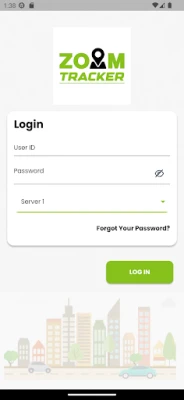
Zoom Tracker is available through the standard Android package name com.track.zoomtrack. Install it from a trusted source, grant the required location permissions, and log in with the credentials provided by your GPS device provider.
Things to know before installing
- Make sure the GPS hardware you intend to monitor supports the data format used by Zoom Tracker.
- The app requires an active internet connection to retrieve live positions and send commands.
- Battery usage will increase while the map is active and when frequent updates are requested.
Who may find it useful?
Anyone who needs a straightforward way to view and manage the whereabouts of GPS‑enabled assets – from logistics teams and small‑business owners to families and hobbyists – will benefit from Zoom Tracker’s clean interface and essential feature set.
Frequently asked questions
Do I need a special phone model?
No. The app runs on any Android device that meets the basic system requirements for the Google Play Services map component.
Can I use Zoom Tracker without an internet connection?
Live tracking requires an online connection. However, previously downloaded history data can be viewed offline.
Is my data private?
Data is transmitted over encrypted channels to the provider’s server. Review the provider’s privacy policy for details on storage and sharing.
Rate the App
User Reviews
Other Apps in This Category







Popular Apps










 Games
Games Entertainment
 Communication
 E-mail
 Security
 Tools
Tools Media
Media Internet
 Finance
 Design
 Education
 IT Tools
 Travel & Local
 Android
 Windows
 Linux
Linux