Latest Version
September 19, 2026
One Stop Apps
Tools
Android
90
Free
com.smartswitchdatatransfer.transferdatacontenttransfer.copymydata
Report a Problem
More About Data Transfer – Copy My Data: Move Your Files Between Phones
What the app does
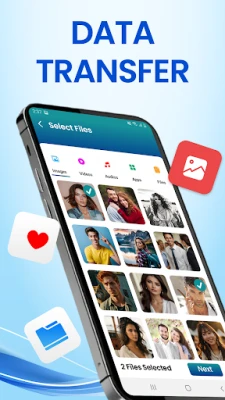
Data Transfer – Copy My Data, developed by One Stop Apps, is a free utility designed to move personal content from one smartphone to another. It focuses on copying data such as photos, videos, contacts, documents and even installed apps, allowing a quick switch to a new device.
Key capabilities
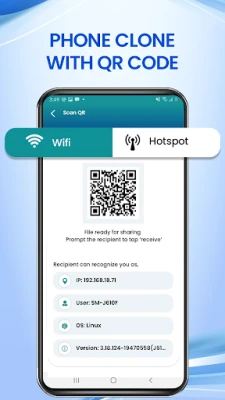
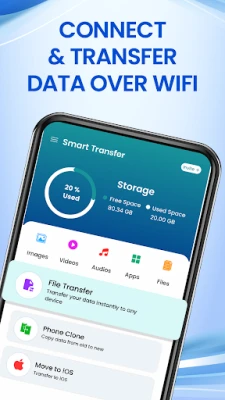
- Phone clone: Replicates the contents of a source phone onto a target device.
- Contact transfer: Moves address‑book entries without manual re‑entry.
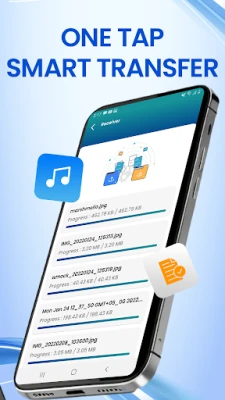
- File transfer: Sends large media files, music, documents and other data over a local Wi‑Fi connection.
- App migration: Copies installed applications and their associated data where possible.
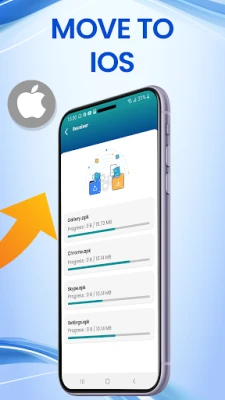
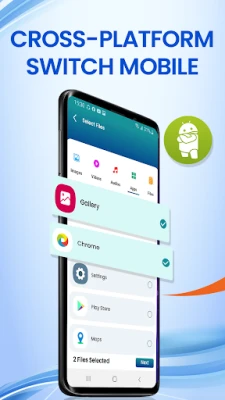
- Cross‑platform support: Works between Android phones and iPhones, using the same Wi‑Fi‑based method.
How it works
Both devices must be on the same Wi‑Fi network. After launching the app, you select the source and target phones, choose the categories of data to move, and start the transfer. The process runs locally, so no internet traffic is required beyond the Wi‑Fi link.
Installation and compatibility
The app is distributed as a free Android package. No specific Android version, size or hardware requirements are listed, so it should install on most devices that can run standard Android applications.
Things to consider before installing
- Both phones need to stay on the same Wi‑Fi network for the duration of the transfer.
- Large media libraries may take several minutes depending on network speed.
- The app does not replace a full device backup; it moves selected content only.
Frequently asked questions
Can I transfer data from an Android phone to an iPhone?
Yes. The app supports cross‑platform moves, allowing you to copy photos, contacts and other files from Android to iPhone using the same Wi‑Fi‑based method.
Do I need a cable or internet connection?
No cable is required. The transfer occurs over the local Wi‑Fi network, and no external internet connection is needed.
Is the app safe to use?
The app is offered as a free download from its developer, One Stop Apps. No additional security claims are provided, so users should review permissions during installation.
Will my apps retain their data after migration?
The app attempts to copy installed applications and their data where possible, but results may vary depending on the target device and operating system.
Rate the App
User Reviews




Popular Apps






 Games
 Entertainment
 Communication
 E-mail
 Security
 Tools
 Media
 Internet
 Finance
 Design
 Education
 Android Firmwares
 Travel & Local
 Android
 Windows
 Linux