
Latest Version
September 18, 2026
Splashtop
Tools
Android
93
Free
com.splashtop.streamer.wavelink
Report a Problem
More About Splashtop Streamer for Ivanti – Remote Android Access
What is Splashtop Streamer for Ivanti?
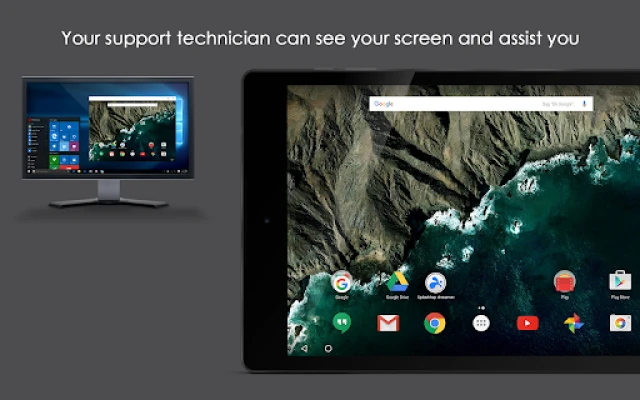
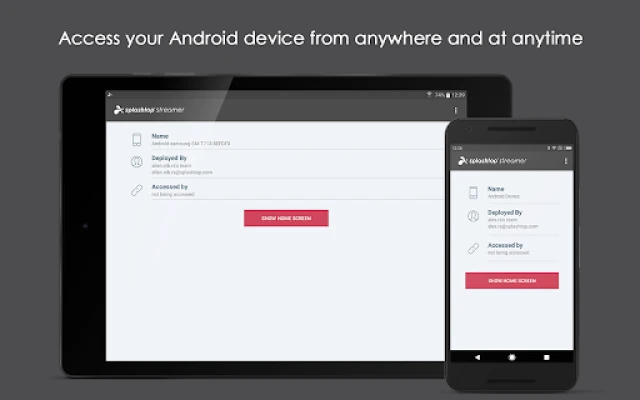
Splashtop Streamer for Ivanti is a companion app that lets you connect to Android devices from a remote console. It works with the Splashtop Enterprise on‑premise solution, allowing administrators to view and interact with a device as if they were holding it.
Main capabilities
- Remote screen viewing – See the live display of a managed Android device.
- Touch and input control – Navigate apps, type, and perform gestures from the remote side.
- Device administration integration – Uses Android’s Device Admin permission to enable control features.
How it works
After the Splashtop Center Gateway is installed on your network, the Streamer app registers the device with the gateway. From the Splashtop Enterprise console you can then select any registered Android device and start a remote session. The connection is routed through the gateway, so no direct internet exposure of the device is required.
Practical uses
- IT help desks can troubleshoot app issues without asking users to hand over the phone.
- Field technicians can verify configurations on devices that are physically inaccessible.
- Device fleets in corporate environments can be audited or updated remotely.
Installation information
Download the app from the Google Play Store, launch it, and follow the on‑screen prompts to grant Device Admin permission. The app will then appear in the list of devices managed by your Splashtop Enterprise gateway.
Compatibility notes
The app requires Android 5.0 (Lollipop) or newer because it relies on the Device Admin API introduced in that version. It is designed for devices that are part of an enterprise-managed environment.
Things to know before installing
- You must have a Splashtop Enterprise deployment with the Center Gateway component already set up.
- Device Admin permission is mandatory; without it remote control functions will not be available.
- The app does not provide a standalone remote‑control solution – it works only in conjunction with the enterprise server.
Who may find it useful?
System administrators, support engineers, and managed service providers who need to access Android devices for troubleshooting, configuration, or monitoring will benefit most from this tool.
Frequently asked questions
Do I need an internet connection on the Android device?
The device must be able to reach the Splashtop Center Gateway, which can be on the same LAN or reachable through a VPN. Direct internet access is not required.
Is any user data transmitted during a remote session?
The remote session mirrors the device screen and input; no additional data is collected by the app itself.
Can I control multiple devices at once?
Each remote session is limited to a single device, but you can open separate sessions for different devices from the console.
Rate the App
User Reviews














Popular Apps










 Games
Games Entertainment
 Communication
 E-mail
 Security
 Tools
Tools Media
Media Internet
 Finance
 Design
 Education
 Android Firmwares
 Travel & Local
 Android
 Windows
 Linux
Linux