

Latest Version
Latest
May 16, 2026
TikTok Pte. Ltd.
Communication
Android
1,117
Free
com.zhiliaoapp.musically
Report a Problem
More About TikTok – Videos, Shop & LIVE
What is TikTok – Videos, Shop & LIVE?
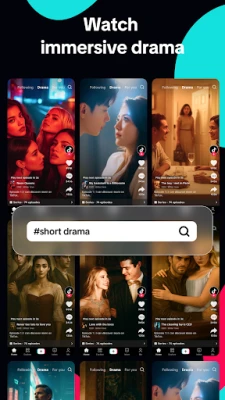
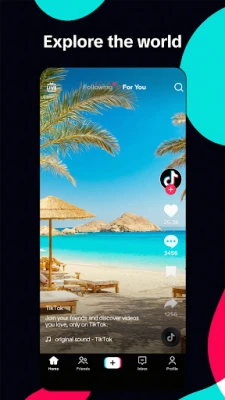
TikTok is a free social platform that lets users watch short‑form videos, shop products featured in clips, and interact with creators through live broadcasts. The app tailors each feed to individual interests, making discovery effortless.
Key features
- Personalised For You feed – an algorithmic stream that updates as you like, share or comment.
- Video creation tools – trim, merge, add text, stickers, filters and a library of royalty‑free sounds.
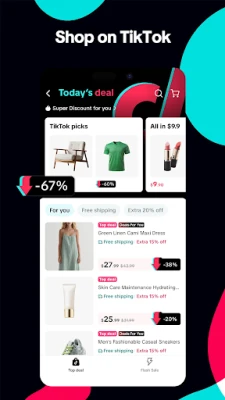
- TikTok Shop – browse and purchase items shown in videos without leaving the app.
- Live streaming – host real‑time broadcasts, receive viewer gifts and run polls.
- Safety & privacy – private accounts, content filters, screen‑time limits and Family Pairing.
How the application works
When you open TikTok, the For You page displays a mix of videos based on your previous interactions. You can swipe up to move to the next clip, double‑tap to like, or tap the share icon to send it to friends. To create a video, press the “+” button, record up to 60 seconds (or stitch multiple clips), then choose effects, music and captions before publishing.
Shopping works through embedded product cards. Tapping a card opens a product page where you can read details, select options and complete the purchase using the built‑in checkout.
Installation information
Download the APK from the Google Play Store or a trusted marketplace. Tap “Install” and grant the requested permissions (camera, microphone, storage, and location for shopping). The initial setup asks you to choose a language, set a username and optionally link other social accounts.
Compatibility
The app requires Android 5.0 (Lollipop) or newer and at least 2 GB of RAM for smooth playback. It runs best on devices with a modern processor and a screen resolution of 720 p or higher.
Things to know before installing
- Data usage can be high; enable Wi‑Fi‑only streaming in settings if you have a limited mobile plan.
- Parental controls are available through Family Pairing, allowing you to restrict content and set screen‑time limits.
- All purchases are processed through TikTok’s secure payment gateway; you can view order history in the “Shop” tab.
Frequently asked questions
Is TikTok free? Yes, the app can be downloaded and used without charge. Some optional in‑app purchases are available for virtual gifts.
Can I delete my account? Yes, go to Settings → Manage account → Delete account and follow the prompts.
How do I report inappropriate content? Tap the share icon on the video, select “Report”, and choose the reason that best describes the issue.
Rate the App
User Reviews















Popular Apps










 Games
Games Entertainment
 Communication
 E-mail
 Security
 Tools
Tools Media
Media Internet
 Finance
 Design
 Education
 Android Firmwares
 Travel & Local
 Android
 Windows
 Linux
Linux