

Latest Version
Latest
September 18, 2026
Karpeles Lab Inc.
Tools
Android
187
Free
com.unixshells.devbrowser
Report a Problem
More About Developer Tools Browser – Chrome DevTools on Android
What is Developer Tools Browser?
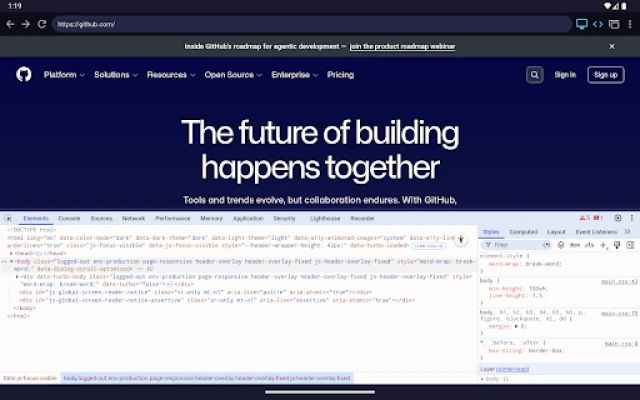
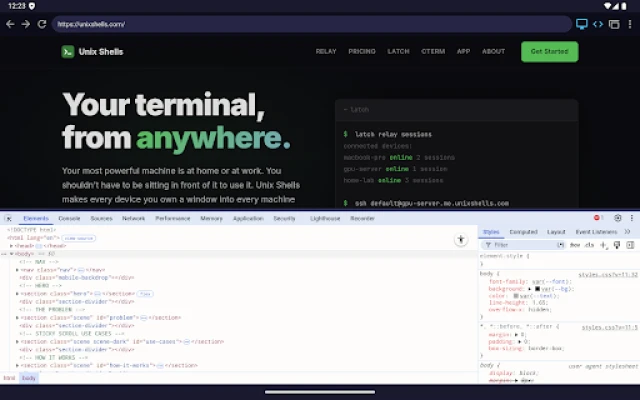
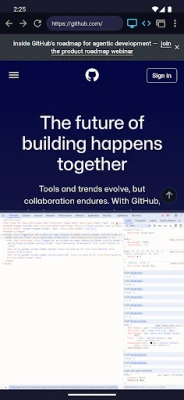
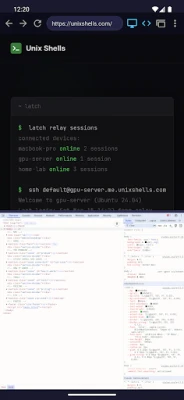
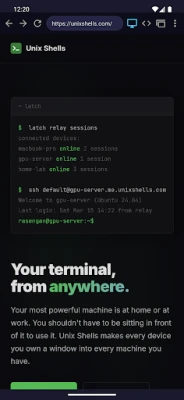
Developer Tools Browser is a free Android app from Karpeles Lab Inc. that brings the familiar Chrome DevTools interface to your mobile device. It lets you open a web page and immediately access inspection panels such as Elements, Console, Network and more, without needing a desktop computer or a USB connection.
Main features
- Complete DevTools set – Elements, Console, Sources, Network, Performance, Lighthouse and other panels you expect from Chrome on the desktop.
- Live HTML/CSS editing – Modify page markup and styles in real time and see the results instantly.
- JavaScript debugging – Use the Console to run commands, view errors and step through scripts.
- Network monitoring – Track requests, response codes and payload sizes while the page loads.
- User‑agent switching – Test how a site behaves in desktop or mobile mode from the same device.
- Multiple tabs – Open several pages and inspect each independently.
- Dockable panels – Position the DevTools pane at the bottom or on the right side of the screen.
How it works
The app runs two WebView instances side by side. One displays the target website, while the other hosts the Chrome DevTools frontend compiled from the Chromium source. A lightweight local proxy translates interactions between the page and the DevTools panels using the Chrome DevTools Protocol, keeping everything on the device.
Practical uses
- Quickly check layout issues on a phone without switching to a laptop.
- Debug JavaScript errors that appear only on Android browsers.
- Inspect network performance for mobile‑first optimizations.
- Run Lighthouse audits to get performance and accessibility suggestions directly on the device.
Who may find it useful?
Web developers who code on Android tablets or phones, QA testers checking mobile behavior, and students learning front‑end debugging can all benefit from having a full‑featured DevTools suite in their pocket.
Installation information
The app is distributed as a free download from the Google Play Store. After installation, launch the app, enter a URL, and the DevTools pane will appear automatically. No additional configuration or external tools are required.
Things to know before installing
- The app requires Android devices that support WebView rendering; most modern phones and tablets meet this requirement.
- Because the DevTools interface is resource‑intensive, performance may vary on low‑end hardware.
- All debugging happens locally; no data is sent to external servers unless you explicitly load remote resources.
Rate the App
User Reviews














Popular Apps










 Games
Games Entertainment
 Communication
 E-mail
 Security
 Tools
Tools Media
Media Internet
 Finance
 Design
 Education
 Android Firmwares
 Travel & Local
 Android
 Windows
 Linux
Linux