
Latest Version
Latest
September 19, 2026
PigeonCast
Tools
Android
111
Free
com.pigeoncast.screen.mirroring
Report a Problem
More About Screen Mirroring: PigeonCast – Wire‑free Casting for Android
What the app does
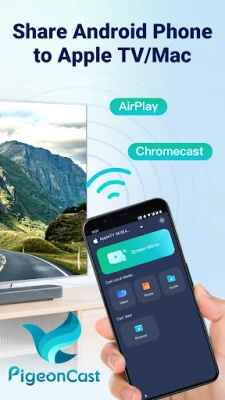
Screen Mirroring: PigeonCast is a free utility that turns an Android device into a source for wireless video, photo and file casting. It supports the major casting standards – Apple AirPlay and Google Cast – and also includes a self‑developed transmission method that works with a broad range of smart‑TV and computer receivers.
Key capabilities
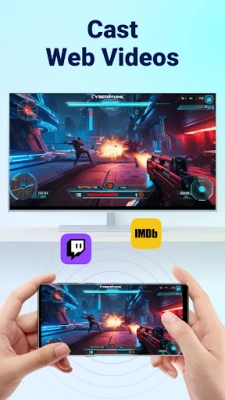
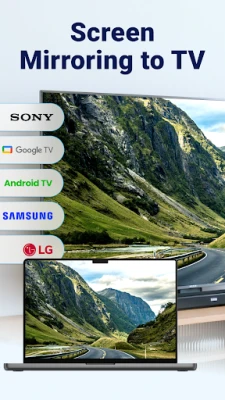
- Screen mirroring: Show the phone’s screen on a TV or PC with low latency, suitable for movies, games or presentations.
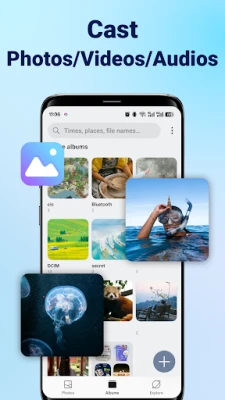
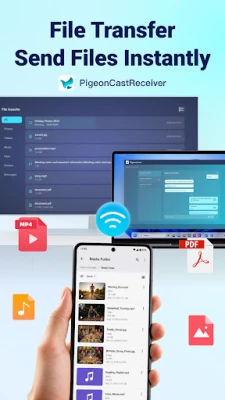
- Media casting: Send photos, videos, music or documents directly to a compatible display.
- Cross‑platform support: Works with Apple TV, Chromecast, Google TV, Android TV, Windows PCs, Macs and many smart‑TV brands.
- Resolution and frame rate: Up to 2K resolution at 60 fps is advertised.
How to start
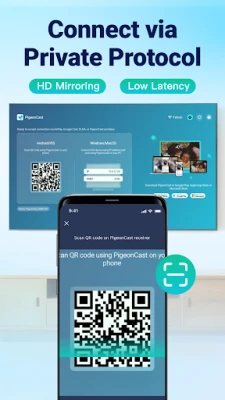
Install the app, launch it, and follow the on‑screen QR‑code or device‑selection prompt to connect to a receiver that runs the PigeonCast Receiver component. No cables or complex configuration are required.
Things to consider before installing
- The app is listed as free; no pricing details are provided.
- Specific Android version requirements are not disclosed, so compatibility should be verified on the device.
- Because the app relies on network connectivity, a stable Wi‑Fi connection will affect performance.
Frequently asked questions
Which casting protocols does PigeonCast support?
It implements Apple AirPlay, Google Cast (Chromecast) and a proprietary wireless protocol that extends compatibility to additional devices.
Can I use it for presentations?
Yes. The low‑latency screen mirroring mode is suitable for meetings, online classes or any situation where you need to display the phone’s screen on a larger display.
What devices can receive the cast?
Receivers include Apple TV, Chromecast‑enabled TVs, Android TV, Windows PCs, Macs, Chromebooks and most major smart‑TV brands such as Samsung, LG, Sony, TCL, Roku, Xiaomi, Vizio and Hisense.
Is any special hardware required?
No additional adapters are needed; the connection is made over the local Wi‑Fi network.
Rate the App
User Reviews

Popular Apps





 Games
 Entertainment
 Communication
 E-mail
 Security
 Tools
 Media
 Internet
 Finance
 Design
 Education
 Android Firmwares
 Travel & Local
 Android
 Windows
 Linux