

Latest Version
September 18, 2026
TELUS
Tools
Android
95
Free
com.telus.TELUS_Visual_Support
Report a Problem
More About TELUS Visual Support – Diagnose Your Home Internet
What is TELUS Visual Support?
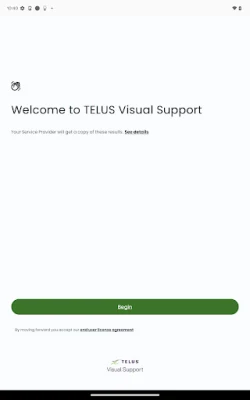
TELUS Visual Support is a free Android utility created by the Canadian telecom provider TELUS. It is designed to help customers quickly pinpoint the cause of common home‑network problems, such as slow speeds, buffering video, or spotty Wi‑Fi coverage. The app guides you through a series of visual tests and offers step‑by‑step suggestions to improve your connection.
Main capabilities
- Network performance checks – Runs speed and latency tests to give you a clear picture of current bandwidth.
- Wi‑Fi coverage analysis – Shows signal strength in different rooms, helping you locate weak spots.
- Device‑specific diagnostics – Identifies whether a particular device is struggling to stay online.
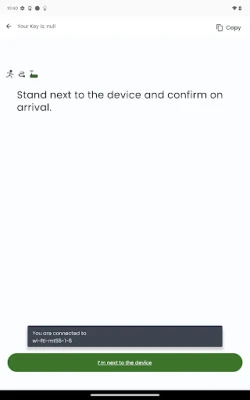
- Guided troubleshooting – Provides visual instructions for common fixes, such as restarting the modem, repositioning routers, or adjusting channel settings.
How it works
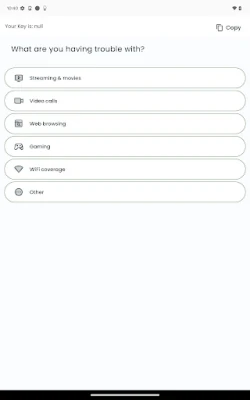
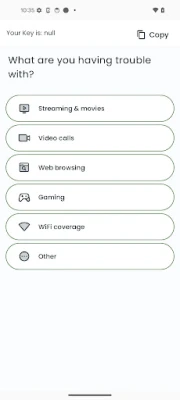
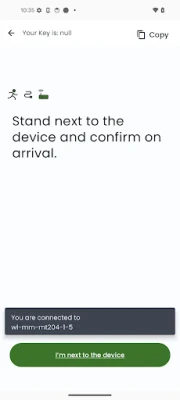
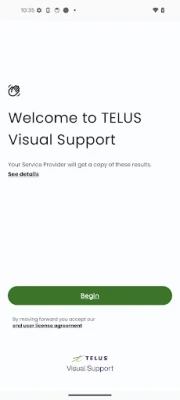
When you launch the app, you are presented with a simple home screen that lists the most frequent issues. Selecting an issue starts an automated test that runs in the background while you watch a short visual guide. Results are displayed in plain language, and the app suggests the next action—whether it’s a quick reboot, checking cable connections, or contacting TELUS support for further assistance.
Practical uses
- Streaming problems – If movies keep buffering, the app can verify whether the bottleneck is your ISP, your Wi‑Fi signal, or the device itself.
- Gaming latency – Run a ping test to see if high latency is due to network congestion or router placement.
- New device setup – Connect a new smart TV or console and use the diagnostics to ensure it receives a strong signal.
- Routine checks – Perform a monthly health check to catch issues before they affect daily usage.
Installation information
The app is available through the Google Play Store. Search for TELUS Visual Support or use the package name com.telus.TELUS_Visual_Support. Installation follows the standard Android process: tap Install, grant any required permissions, and open the app once the download completes.
Things to know before installing
- The app is free and does not contain in‑app purchases.
- It may request permission to access your device’s network state and location to perform accurate Wi‑Fi mapping.
- All diagnostics are performed locally; no personal data is sent to third‑party servers.
Who may find it useful?
Anyone who relies on a stable home internet connection can benefit—families streaming video, remote workers attending video calls, gamers, and even small‑business owners managing cloud services. The visual, step‑by‑step approach is especially helpful for users who are not comfortable with technical networking jargon.
Frequently asked questions
Do I need a TELUS account to use the app?
No. The diagnostic tools work independently of your account status, though having an active TELUS service may provide more tailored suggestions.
Will the app slow down my internet while testing?
Tests run briefly and use a modest amount of bandwidth. They are designed not to interfere with regular usage, but you may notice a short dip in speed during a speed test.
Can I share the test results with TELUS support?
Yes. The app includes an option to export a summary that can be sent to TELUS support staff for faster assistance.
Rate the App
User Reviews















Popular Apps










 Games
Games Entertainment
 Communication
 E-mail
 Security
 Tools
Tools Media
Media Internet
 Finance
 Design
 Education
 Android Firmwares
 Travel & Local
 Android
 Windows
 Linux
Linux