
Latest Version
Latest
September 19, 2026
Yaroslav Syrytsia
Tools
Android
102
Free
ua.com.streamsoft.pingtools
Report a Problem
More About PingTools Network Utilities – Comprehensive Android Network Toolkit
Overview
PingTools Network Utilities, developed by Yaroslav Syrytsia, is a free Android application that aggregates numerous network‑related tools into a single package. It is aimed at users who need to diagnose, monitor, or explore network conditions directly from their mobile device.
Key Features
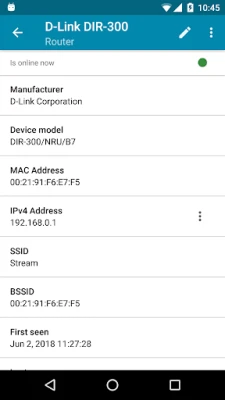
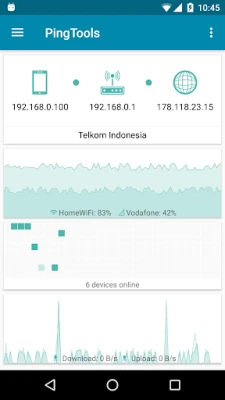
- Info: Displays basic information about the device’s network configuration.
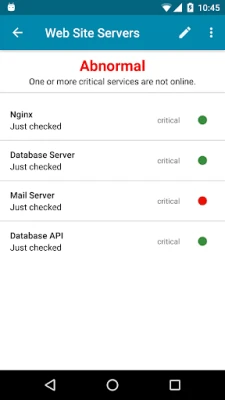
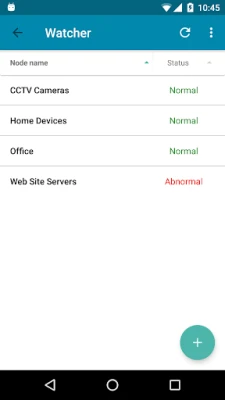
- Watcher: Continuously monitors remote resources for status changes.
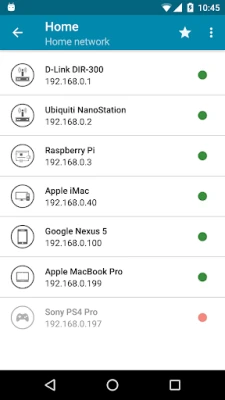
- Local‑Area Network: Lists all devices detected on the local network.
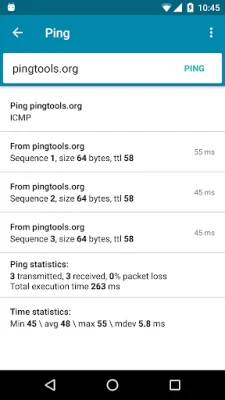
- Ping: Supports ICMP, TCP, and HTTP ping tests.
- GeoPing: Checks resource availability from multiple geographic locations.
- Traceroute: Offers UDP or ICMP traceroute functionality.
- iPerf and SpeedTest: Measure network performance and speed using iPerf protocols.
- Port scanner: Scans TCP ports on target hosts.
- Whois: Retrieves registration data for domain names.
- UPnP scanner: Detects UPnP/DLNA devices on the network.
- Bonjour browser: Finds services advertised via Apple’s Bonjour protocol.
- Wi‑Fi scanner and Subnet scanner: Identify nearby Wi‑Fi networks and subnet hosts.
- DNS Lookup: Resolves domain names to IP addresses.
- Wake on LAN: Sends magic packets to power on compatible devices.
- IP Calculator: Performs subnet calculations and IP address conversions.
When Might You Use It?
The toolkit is useful for IT professionals, network enthusiasts, and anyone troubleshooting connectivity issues. Whether you need to verify that a server is reachable, map devices on a home network, or assess bandwidth, PingTools provides the necessary utilities without requiring a PC.
Installation and Compatibility
PingTools Network Utilities is distributed as a free Android package (package name ua.com.streamsoft.pingtools). Specific version, size, and Android version requirements are not supplied, so prospective users should check the Play Store listing for current compatibility details before installing.
Things to Consider Before Installing
- The app aggregates many tools, which may require permissions such as network access and location to perform scans.
- Some functions (e.g., Wi‑Fi scanning) depend on device hardware and Android version support.
FAQs
Is PingTools free to use?
Yes, the application is offered under a free license.
Can I use PingTools to test internet speed?
Yes, the SpeedTest feature leverages iPerf to measure download and upload performance.
Does the app include a port scanner?
It provides a TCP port scanner that can probe remote hosts for open ports.
What kind of network information does the Info tool show?
It reports basic details about the device’s current network configuration, such as IP address and connection type.
Rate the App
User Reviews














Popular Apps










 Games
 Entertainment
 Communication
 E-mail
 Security
 Tools
 Media
 Internet
 Finance
 Design
 Education
 Android Firmwares
 Travel & Local
 Android
 Windows
 Linux