

Latest Version
Latest
September 18, 2026
Beem Development
Tools
Android
89
Free
com.beemdevelopment.aegis
Report a Problem
More About Aegis Authenticator – Open‑Source 2FA Manager
What is Aegis Authenticator?
Aegis Authenticator is a free Android application developed by Beem Development that lets you keep all of your two‑factor authentication (2FA) tokens in one place. It is open source, which means its code is publicly available for review, and it focuses on keeping your one‑time passwords (OTPs) private and easy to access.
Main features
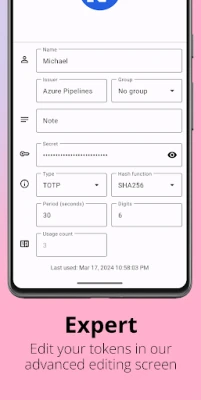
- Support for HOTP and TOTP – Aegis works with both counter‑based (HOTP) and time‑based (TOTP) algorithms, the same standards used by Google Authenticator and many other services.
- Encrypted vault – All stored tokens are saved inside a vault that can be protected with a master password. The vault is encrypted with strong cryptography, making the data unreadable without the password.
- Biometric unlock – If your device has a fingerprint sensor or facial recognition, you can enable biometric unlocking for quicker access while still keeping the vault encrypted.
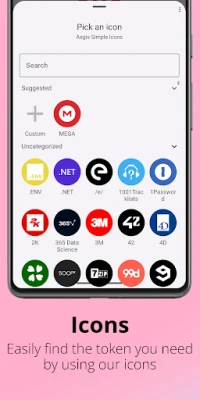
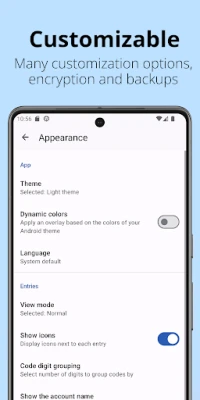
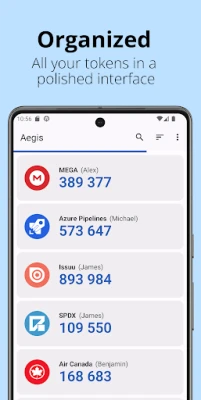
- Organisation tools – Assign custom icons, group entries, and use the built‑in search to locate a specific token quickly.
- Backup options – Export the vault manually or set up automatic backups to a location you choose, including cloud services that support Android’s Storage Access Framework.
- Import from other authenticators – Aegis can import tokens from several popular 2FA apps, easing the transition if you are switching from another solution.
How it works
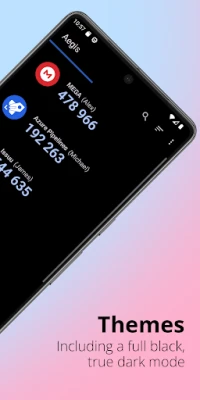
When you add a new account, Aegis stores the secret key that generates the OTPs. The app then calculates the current code based on the selected algorithm (HOTP or TOTP) and displays it on demand. Because the vault is encrypted, the secret keys are never exposed on the device’s file system without your master password or biometric confirmation.
Practical uses
Any online service that offers 2FA via an authenticator app can be managed with Aegis – from email providers and social networks to banking apps and developer platforms. By consolidating all tokens, you reduce the need to carry multiple devices or switch between different authenticator apps.
Installation information
The app is available through the standard Android package manager. Search for “Aegis Authenticator” or use the package name com.beemdevelopment.aegis to locate the correct listing. After installation, you will be prompted to create a master password and optionally enable biometric unlocking.
Things to know before installing
- Because the vault is encrypted, losing the master password means you cannot recover the stored tokens. Keep the password in a safe place.
- Biometric unlocking does not replace the master password; it merely provides a convenient way to open the vault after the password has been set.
- Regular backups are recommended, especially if you rely on many accounts. Choose a backup location you trust and verify that you can restore the vault if needed.
Who may find Aegis useful?
Anyone who uses two‑factor authentication on Android devices will benefit from Aegis. It is particularly appealing to users who value open‑source software, want full control over their security data, or need flexible backup options.
Frequently asked questions
Is Aegis free?
Yes, the app is offered at no cost.
Can I use Aegis without a password?
A master password is required to encrypt the vault. You can enable biometric unlock for convenience, but the password remains the primary security layer.
Does Aegis work with services that support Google Authenticator?
Yes. Because it implements the standard HOTP and TOTP algorithms, any service that works with Google Authenticator will also work with Aegis.
How do I restore a backup?
From the app’s settings, choose the restore option and point to the previously exported vault file. You will need to enter the master password used when the backup was created.
Rate the App
User Reviews














Popular Apps










 Games
Games Entertainment
 Communication
 E-mail
 Security
 Tools
Tools Media
Media Internet
 Finance
 Design
 Education
 Android Firmwares
 Travel & Local
 Android
 Windows
 Linux
Linux