

Latest Version
Latest
May 15, 2026
Truecaller
Communication
Android
958
Free
com.truecaller
Report a Problem
More About Truecaller: Spam Call Blocker
What is Truecaller: Spam Call Blocker?
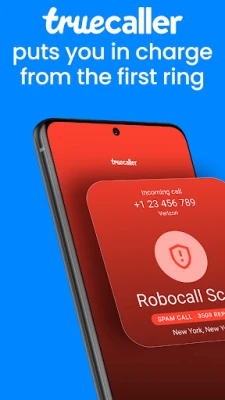
Truecaller is a free Android app that combines caller identification with a powerful spam‑call blocker. By leveraging a community‑driven database, it can recognize numbers that aren’t saved in your contacts and label them as personal, business, or potential spam. The app runs in the background, so you get real‑time alerts before you answer.
Key features
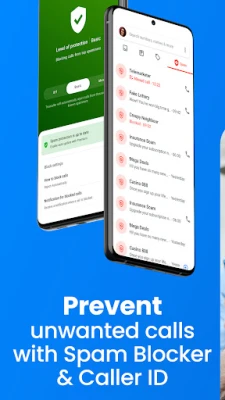
- Instant caller ID – Shows the name or business associated with an incoming number, even if it isn’t in your address book.
- Spam and scam blocking – Automatically rejects telemarketing, robocalls, and known fraud numbers.
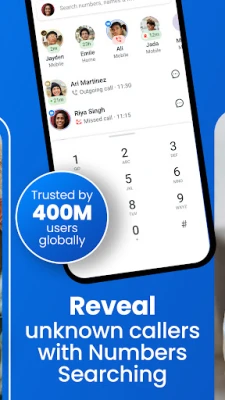
- Reverse number lookup – Tap a saved or unknown number to see detailed information about the caller.
- AI‑powered call scanner – Analyzes voice patterns to warn you when a call might be generated by a synthetic voice or bot.
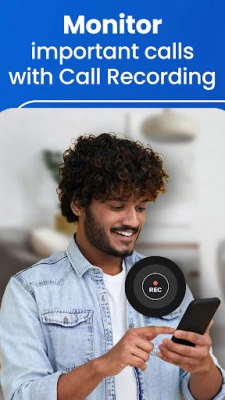
- Call recording – Saves incoming and outgoing conversations with automatic transcription and subject generation.
- Truecaller Assistant – An optional AI assistant that answers calls, asks for the caller’s purpose, and filters out unwanted callers.
- Family protection – Manage block lists and receive alerts for family members from a single dashboard.
How the application works
When a call arrives, Truecaller checks the number against its cloud‑based spam database, which is continuously updated by millions of users worldwide. If the number matches a known spam pattern, the app displays a warning and can block the call automatically. For unknown numbers, the app performs a reverse lookup, pulling publicly available information to present a name or business label.
The AI call scanner runs a lightweight analysis of the audio stream. It compares voice characteristics to a model of human speech versus synthetic speech, then notifies you if the call appears to be generated by a bot. This feature works without sending the audio to external servers, preserving privacy.
Call recording is optional and can be enabled per contact or globally. Recorded files are stored locally, and the built‑in transcript generator creates a short summary, making it easy to locate important moments later.
Installation information
Download Truecaller from the Google Play Store, then grant the required permissions: phone, contacts, microphone (for call recording), and storage (for saving recordings). After the initial setup, the app will ask you to choose a default dialer; selecting Truecaller enables the full suite of features, but you can keep your existing dialer and still benefit from caller ID and spam blocking.
Compatibility
Truecaller supports Android 6.0 (Marshmallow) and newer. The app works on most smartphones and tablets, and it adapts to different screen sizes. Features such as call recording may be limited on devices that restrict background audio capture for privacy reasons.
Things to know before installing
- Truecaller does not upload your personal contact list to public servers; it only uses the data to improve identification for numbers you interact with.
- The free version includes ads; a premium subscription removes ads and adds extra tools like Ghost Call and Incognito Mode.
- Some carriers may block call‑recording functionality due to regional regulations.
- To get the most accurate spam detection, keep the app updated regularly.
Frequently asked questions
Is my contact list shared?
No. Truecaller processes your contacts locally and only shares anonymized data needed for caller identification.
Can I block a specific number manually?
Yes. Open the call log, tap the number, and choose “Block” to add it to your personal block list.
Does the app work without an internet connection?
Basic caller ID works offline for numbers already in your contacts, but spam detection and reverse lookup require an internet connection.
How does the AI call scanner protect me?
It flags calls that use AI‑generated voices, which are often used in phishing scams, giving you a visual warning before you answer.
Rate the App
User Reviews















Popular Apps










 Games
Games Entertainment
 Communication
 E-mail
 Security
 Tools
Tools Media
Media Internet
 Finance
 Design
 Education
 Android Firmwares
 Travel & Local
 Android
 Windows
 Linux
Linux