
Latest Version
Latest
May 13, 2026
Meta Platforms, Inc.
Communication
Android
996
Free
com.facebook.orca
Report a Problem
More About Meta Messenger: Stay Connected with Friends and Family
What is Messenger?
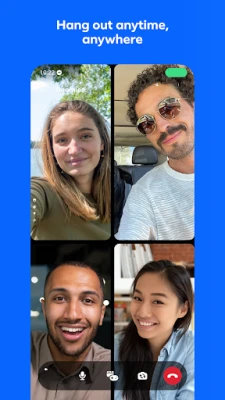
Messenger is a free messaging app developed by Meta Platforms, Inc. that allows users to connect with friends and family around the world. It offers a variety of features to help you stay in touch, including text messaging, voice and video calls, photo and video sharing, and more. With Messenger, you can easily share your favorite moments with your loved ones, no matter where they are.
Key features
- Chat and call anyone, anywhere: Find and connect with your friends and family on Facebook and Messenger, no phone number needed.
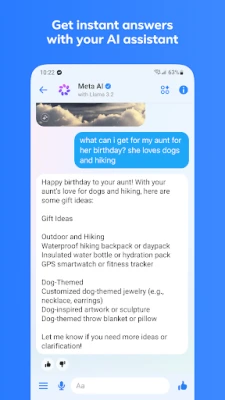
- Get instant answers from your AI assistant: Meta AI is your assistant that can answer any questions, give you advice, help with homework, and more.
- Send your photos in high definition: Send and receive clearer, crisper picture of your favorite moments with Messenger.
- Create shared albums: From a recent summer vacation to your grandma’s 80th birthday, create albums of photos and videos to share, organize and reminisce over important moments in your group chats.
- Easily add new connections with QR codes: Connect with people you meet in real life by scanning their Messenger QR code or sharing yours via a link.
- Share large files directly in chat: Whether it’s a Word, PDF, or Excel doc, you can send large files up to 100MB right inside of Messenger.
- Edit and unsend messages: Hit send too soon? You can edit the message up to 15 minutes after sending.
- Disappearing messages: Some things aren’t meant to last forever. Choose how long your end-to-end encrypted chats stick around after they’ve been read.
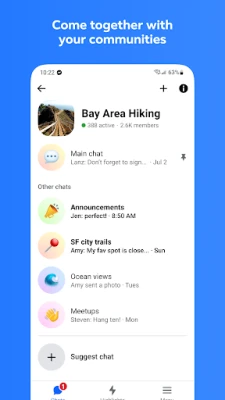
- Come together with your communities: Meaningfully connect with people like you from your school, neighborhood, and interest groups.
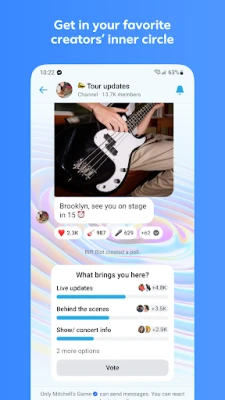
- Get in your favorite creators’ inner circle: Stay in the know with creators by joining their broadcast channels for authentic and casual content.
- Unleash your imagination with Meta AI: Tap into your go-to creative partner to create, edit, animate images and more.
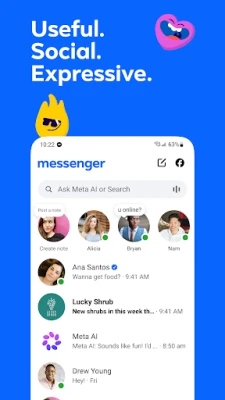
- Capture everyday moments on Stories: Highlight moments of your day using photos and videos that disappear after 24 hours in Stories.
- Drop a note with your thoughts: Stay connected with your friends by sharing quick updates that disappear after 24 hours.
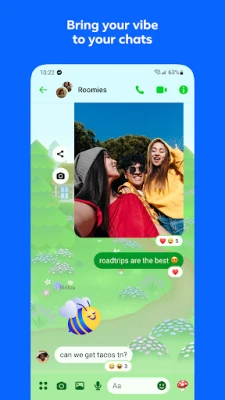
- Bring your vibe to your chats: Sometimes words just don’t cut it. Tap into more ways to express yourself with animated stickers, GIFs, reactions and more.
- Set the mood of your chat with themes: Customize your chat with a large and constantly evolving list of themes featuring popular artists, holidays, and more.
How the application works
Messenger is a free messaging app that allows you to connect with friends and family around the world. You can easily find and connect with your friends and family on Facebook and Messenger, no phone number needed. Once you’re connected, you can send text messages, make voice and video calls, share photos and videos, and more. Messenger also offers a variety of features to help you stay in touch, including Meta AI, which can answer any questions, give you advice, help with homework, and more. You can also create shared albums, share large files directly in chat, and edit and unsend messages. Messenger also offers disappearing messages, which allow you to choose how long your end-to-end encrypted chats stick around after they’ve been read. You can also join your favorite creators’ broadcast channels and capture everyday moments on Stories. Messenger also offers a variety of themes to customize your chat, and you can bring your vibe to your chats with animated stickers, GIFs, reactions, and more.
Installation information
Messenger is available for download on the Google Play Store. To install Messenger, simply search for “Messenger” in the Google Play Store and follow the instructions to download and install the app. Messenger is compatible with most Android devices running Android 5.0 or later.
Compatibility
Messenger is compatible with most Android devices running Android 5.0 or later. However, some features may not be available on all devices. To check if Messenger is compatible with your device, you can check the app’s compatibility information on the Google Play Store.
Things to know before installing
Before installing Messenger, there are a few things you should know. First, Messenger requires a Facebook account to use. Second, Messenger may not be available in all countries. Third, Messenger may not be available on all devices. Fourth, Messenger may not be available on all operating systems. Finally, Messenger may require an internet connection to use.
Frequently asked questions
Here are some frequently asked questions about Messenger:
- Is Messenger free? Yes, Messenger is free to download and use.
- Do I need a Facebook account to use Messenger? Yes, you need a Facebook account to use Messenger.
- Is Messenger available in my country? Messenger is available in most countries, but it may not be available in all countries. To check if Messenger is available in your country, you can check the app’s availability information on the Google Play Store.
- Is Messenger available on my device? Messenger is available on most Android devices running Android 5.0 or later. However, some features may not be available on all devices. To check if Messenger is available on your device, you can check the app’s compatibility information on the Google Play Store.
- Is Messenger available on my operating system? Messenger is available on most Android devices running Android 5.0 or later. However, some features may not be available on all operating systems. To check if Messenger is available on your operating system, you can check the app’s compatibility information on the Google Play Store.
- What features does Messenger offer? Messenger offers a variety of features, including text messaging, voice and video calls, photo and video sharing, Meta AI, shared albums, large file sharing, message editing and unsending, disappearing messages, broadcast channels, Stories, and themes.
Rate the App
User Reviews















Popular Apps










 Games
Games Entertainment
 Communication
 E-mail
 Security
 Tools
Tools Media
Media Internet
 Finance
 Design
 Education
 Android Firmwares
 Travel & Local
 Android
 Windows
 Linux
Linux