




Latest Version
Latest
September 01, 2026
Direct Cursus Computer Systems Trading LLC
Tools
Android
3
Free
com.yandex.browser.beta
Report a Problem
More About Yandex Browser (beta) – Test Upcoming Features Early
What is Yandex Browser (beta)?
Yandex Browser (beta) is a pre‑release version of the Yandex web browser for Android. It lets users experience upcoming changes, UI tweaks, and experimental tools before they are rolled out to the public version. Because it is a beta, the app may contain bugs or unfinished features, making it most suitable for users who enjoy testing and providing feedback.
Main aspects of the beta build
- Early access to new features – Get a first look at design updates, performance improvements, and experimental integrations that Yandex plans to add to the stable browser.
- Parallel installation – The beta can coexist with the regular Yandex Browser, allowing you to compare both versions without uninstalling your current app.
- Feedback channel – Built‑in options let you report issues directly from the browser settings, helping the development team refine the product.
How it works
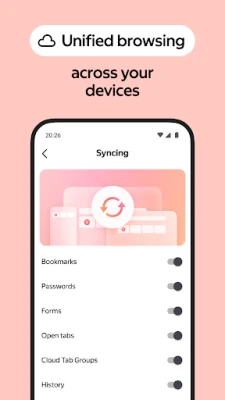
After installing the beta, the browser operates like the standard version: you can browse the web, manage tabs, use bookmarks, and sync with a Yandex account if you choose. The key difference is that you will encounter features that are still under development. These may appear as new menu items, experimental settings, or altered UI elements.
Practical uses
- Stay ahead of the curve by testing upcoming web‑technology integrations.
- Contribute to the product’s stability by reporting bugs and suggesting improvements.
- Compare performance and usability between the beta and the stable release to decide which version best fits your workflow.
Installation information
The app is distributed as a free download. Because it is a beta, the Play Store listing may indicate that the version is intended for “experienced users.” Install it like any other Android application, then launch it to begin exploring.
Things to know before installing
- The beta may be less stable than the official release; occasional crashes or unexpected behavior are possible.
- Data such as bookmarks and saved passwords are stored separately from the stable version, so you may need to import or re‑enter them.
- Feedback is encouraged. Use the in‑app feedback option or email mbrowser-beta@support.yandex.com to share your experience.
Who may find it useful?
Enthusiasts who like to experiment with new software, developers interested in web‑browser trends, and Yandex users who want to influence the future direction of their browser will benefit most from the beta.
Frequently asked questions
Can I keep the stable Yandex Browser installed?
Yes. The beta is designed to run alongside the regular version, so you can switch between them as needed.
Will my bookmarks sync with my Yandex account?
Sync works when you sign in, but the beta maintains its own data set. You may need to re‑sync after installing.
How do I report a bug?
Open the browser’s settings, locate the feedback section, and follow the prompts, or send an email to the address provided above.
Rate the App
User Reviews















Popular Apps










 Games
Games Entertainment
 Communication
 E-mail
 Security
 Tools
Tools Media
Media Internet
 Finance
 Design
 Education
 IT Tools
 Travel & Local
 Android
 Windows
 Linux
Linux