




Latest Version
Latest
September 03, 2026
Direct Cursus Computer Systems Trading LLC
Tools
Android
5
Free
com.yandex.browser.alpha
Report a Problem
More About Yandex Browser (alpha) – Experimental Chromium‑based web browser
What is Yandex Browser (alpha)?
Yandex Browser (alpha) is an early‑access version of Yandex’s web browser for Android. Developed by Direct Cursus Computer Systems Trading LLC, this build lets tech‑savvy users try out upcoming changes before they reach the stable release. It is offered free of charge and follows the same core principles as the regular Yandex Browser – speed, simplicity, and integration with Yandex services.
Main characteristics
- Chromium foundation – The browser is built on the open‑source Chromium engine, which ensures compatibility with modern web standards.
- Extension support – Users can install extensions from compatible stores such as the Chrome Web Store, expanding functionality beyond the default set.
- Privacy options – Includes an incognito mode that does not retain browsing history, cookies, or passwords for the session.
- Reader‑friendly view – A reader mode strips away unnecessary page elements to present clean, readable text and images.
How it works
When you launch Yandex Browser (alpha), it operates like any Chromium‑based browser: you enter a URL or search term, and the engine renders the page. Because it is an alpha build, the interface may show experimental toggles or settings that let you enable or disable new features. Extensions installed from supported stores are loaded in the same way they appear in Chrome, giving you familiar control over ad‑blocking, password management, and other utilities.
Practical uses
- Testing upcoming web‑technology features before they become mainstream.
- Trying out new UI tweaks or performance improvements that are not yet in the stable version.
- Using Chrome extensions on an Android device without switching browsers.
Installation information
The app can be installed directly from the Appitika page. After tapping the install button, Android will handle the download and installation process. Because the package is labeled as an alpha version, the Play Store may not list it; users should ensure they enable installation from unknown sources only if they trust the source.
Things to know before installing
- As an experimental build, occasional crashes or UI glitches are possible.
- Features may change frequently between updates, so settings you adjust today might be reset later.
- Since the app is free, there is no cost to try it, but it does not include a formal support channel beyond the in‑app feedback option.
Who may find it useful?
Developers, power users, and anyone interested in the evolution of Yandex’s browsing experience will benefit from this alpha release. It is especially helpful for users who want to experiment with extensions on Android without compromising their primary browser.
Frequently asked questions
Is the alpha version safe to use?
It is safe in the sense that it is a legitimate build from the official developer, but because it is experimental, you may encounter bugs.
Can I sync my bookmarks with the regular Yandex Browser?
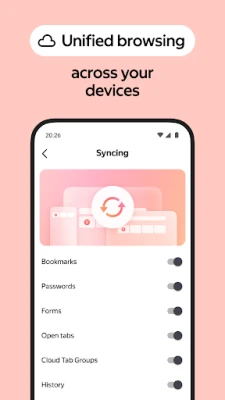
Sync functionality depends on the specific build; check the settings menu for any available account integration.
Do I need a Yandex account?
An account is not required to browse, but signing in can enable optional features such as personalized recommendations.
Rate the App
User Reviews















Popular Apps










 Games
Games Entertainment
 Communication
 E-mail
 Security
 Tools
Tools Media
Media Internet
 Finance
 Design
 Education
 IT Tools
 Travel & Local
 Android
 Windows
 Linux
Linux