

Latest Version
Latest
August 29, 2026
WhatsTool Tech: Toolkit for Business & WhatsApp
Tools
Android
98
Free
com.whatstools.statussaver.directchat.trendingstatus.searchprofile
Report a Problem
More About WhatsTool for Bulk Messaging – Simple WhatsApp Outreach
What is WhatsTool for Bulk Messaging?
WhatsTool for Bulk Messaging, developed by WhatsTool Tech, is a free Android utility that helps individuals and small businesses use WhatsApp for outreach. The app focuses on making it easy to compose a message once and deliver it to multiple recipients, saving the time required for repetitive manual sending.
Main features
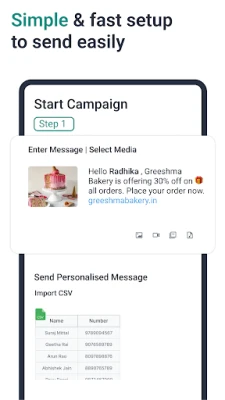
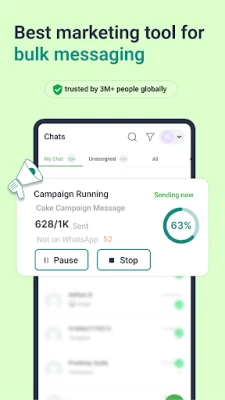
- Bulk message sending – Choose a list of contacts and send the same text to all of them in a single action.
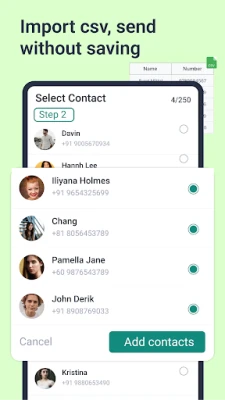
- Contact selection – Pull contacts directly from your phone’s address book or add numbers manually.
- Message templates – Save frequently used texts so you can reuse them without retyping.
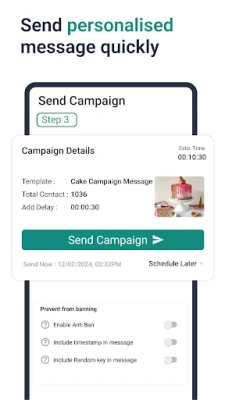
- Scheduling – Set a future time for a message to be sent, useful for timed promotions or reminders.
- Media attachment – Attach photos, videos, or files to a bulk message, allowing richer communication.
How it works
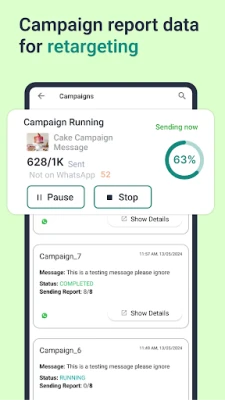
After installing the app, you open it and grant the permissions it requests to access your contacts and WhatsApp. You then create a new campaign by selecting the recipients, writing or choosing a template, and optionally attaching media. If you need the message to go out later, you set a date and time in the scheduling screen. When the campaign is ready, the app hands the prepared message over to WhatsApp, which handles the actual delivery.
Practical uses
The tool is suited for a range of everyday scenarios:
- Small business promotions – Announce a new product, a sale, or a special event to your customer list.
- Event reminders – Send a reminder to participants of a meetup, workshop, or class.
- Community updates – Keep members of a club, neighborhood group, or volunteer team informed.
- Personal announcements – Share birthday wishes, travel plans, or other personal news with many friends at once.
Installation information
The app is available as an APK that can be installed on Android devices. Because the official store link is not provided here, ensure you download the file from a reputable source and enable installation from unknown sources in your device settings if required.
Things to know before installing
- The app works with the standard WhatsApp client; it does not replace WhatsApp.
- Bulk sending is limited by WhatsApp’s own policies, so very large lists may trigger rate limits.
- All messages are sent through your own WhatsApp account, so recipients will see your regular profile information.
Who may find it useful?
Anyone who regularly needs to share the same information with multiple contacts on WhatsApp can benefit—from local shop owners and freelance professionals to community organizers and friends planning group activities.
Frequently asked questions
Is the app safe to use?
WhatsTool for Bulk Messaging is a free utility that does not claim any special security guarantees. It operates by interacting with the WhatsApp app you already have installed, and it does not store your messages on external servers.
Do I need a paid WhatsApp account?
No. The app works with the regular free version of WhatsApp.
Can I send messages to numbers not saved in my phone?
You can add numbers manually for a campaign, but the app still requires WhatsApp to recognize the number as a valid contact.
Will the app work on all Android versions?
The app targets recent Android releases, but exact version requirements are not listed. If your device runs Android 6.0 (Marshmallow) or newer, the app should install and run.
Rate the App
User Reviews















Popular Apps










 Games
 Entertainment
 Communication
 E-mail
 Security
 Tools
 Media
 Internet
 Finance
 Design
 Education
 Android Firmwares
 Travel & Local
 Android
 Windows
 Linux