

Latest Version
Latest
September 16, 2026
iMediaStar
Tools
Android
71
Free
fast.private.secure.browser
Report a Problem
More About Web Browser – Fast & Private
What is Web Browser – Fast & Private?
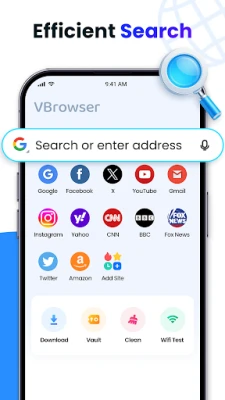
Web Browser – Fast & Private is a free Android application developed by iMediaStar. It provides a straightforward way to surf the web while keeping the experience fast and offering optional privacy‑focused features such as private tabs and data‑saving options.
Main features
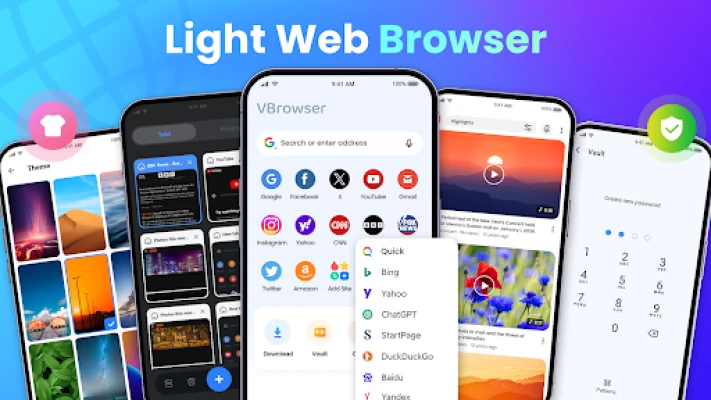
- Speed‑oriented rendering – The browser is built to load pages quickly on typical mobile connections.
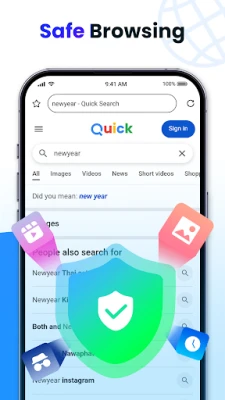
- Private browsing – Users can open private tabs that do not store history, cookies, or form data after the session ends.
- Data‑saving mode – A toggle reduces bandwidth usage by compressing images and limiting background activity.
- Night mode – A dark theme helps reduce eye strain in low‑light environments.
- Adjustable text size – Readers can increase or decrease font size for comfortable reading.
- Bookmark and history management – Simple tools let users save favorite sites and revisit recent pages.
- Basic download support – Files can be saved to the device using the built‑in downloader.
How it works
The browser uses the standard Android WebView component, which means it inherits the security updates provided by the operating system. When a user opens a regular tab, the page is cached locally for faster subsequent loads. Private tabs operate in a separate sandbox that clears stored data when the tab is closed.
Practical uses
- Quickly checking news or social media without the overhead of larger browsers.
- Browsing sensitive topics while ensuring no trace remains on the device.
- Saving mobile data on limited plans by enabling the data‑saving mode.
- Reading articles at night with the dark theme to reduce glare.
Installation information
The app can be installed from the Appitika store. It requires Android and will request standard permissions for internet access and storage when needed for downloads. No additional configuration is required to start browsing.
Things to know before installing
- The browser does not include a built‑in ad blocker; users who need that functionality may need a separate extension or app.
- Advanced features such as custom user‑agent strings or flash support are not advertised, so expectations should be limited to core browsing functions.
Who may find it useful?
Anyone looking for a lightweight alternative to larger browsers, especially users who value a simple interface and occasional private browsing, will benefit from this app. It is also suitable for devices with modest hardware resources.
Frequently asked questions
Is my browsing data stored?
In normal tabs, history and cookies are saved like any standard browser. Private tabs automatically clear this data when closed.
Can I download files?
Yes, the browser includes a basic downloader that saves files to the device’s default download folder.
Does the app work on Android 11 and newer?
The app runs on recent Android versions. Certain permissions, such as storage access, may be requested to enable file‑related features.
Rate the App
User Reviews















Popular Apps










 Games
 Entertainment
 Communication
 E-mail
 Security
 Tools
 Media
 Internet
 Finance
 Design
 Education
 Android Firmwares
 Travel & Local
 Android
 Windows
 Linux