
Latest Version
Latest
September 03, 2026
Wallet Assistant
Tools
Android
124
Free
com.walletcards.wallet.digitalwallet.passbook
Report a Problem
More About Wallet – Digital Card Wallet
What is Wallet – Digital Card Wallet?
Wallet – Digital Card Wallet is a free Android application designed to replace the clutter of physical cards and scattered screenshots. It provides a single, organized space on your phone where you can keep credit and debit card details, loyalty cards, barcodes, QR codes and travel passes. The app focuses on local storage, meaning all information stays on your device and is not uploaded to external servers.
Main features
- Local encrypted storage – Card numbers, expiration dates and security codes are saved only on the device inside a private, encrypted area.
- Password protection – You can set a login password to keep the wallet locked when the app is not in use.
- Quick copy and paste – Tap a stored card to copy its number, expiry date or CVV to the clipboard for fast entry in checkout forms.
- Barcode and QR display – Show loyalty barcodes, QR codes or boarding passes on screen for scanning at a point of sale or airport gate.
- Offline ready – All data is available without an internet connection, making the app useful in travel situations or low‑signal areas.
- Lightweight design – The app runs only when you open it, minimizing battery and memory impact.
How it works
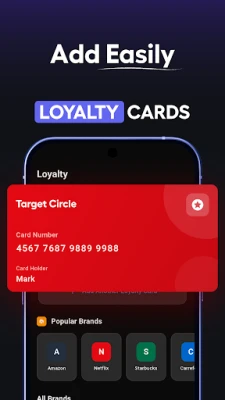
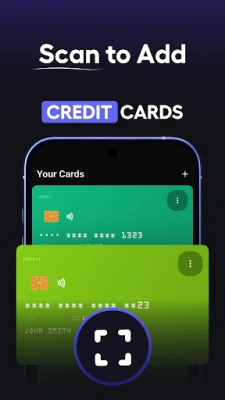
When you first launch the app, you are prompted to create a password. This password protects the encrypted vault where your card data is stored. Adding a new card or pass is a matter of tapping the “Add” button, selecting the type (credit, loyalty, travel, etc.), and entering the required details. For barcodes and QR codes you can either type the code manually or use the built‑in scanner to capture it from an existing card.
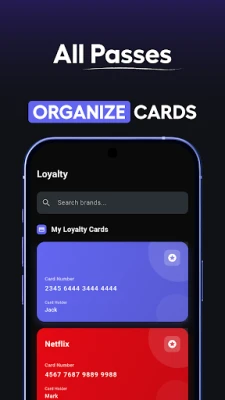
All entries are listed in a card‑style view that mimics a physical wallet. Tapping an entry expands it, revealing options to copy individual fields, edit the information, or display the barcode/QR code full‑screen for scanning.
Practical uses
- Everyday shopping – Keep your most frequently used credit or debit card handy for quick copy‑and‑paste during online purchases.
- Loyalty programs – Store loyalty cards from supermarkets, coffee shops or gyms and present the barcode at checkout without digging through a paper wallet.
- Travel planning – Add boarding passes, train tickets or event passes so you can open them instantly at security checkpoints.
- Emergency backup – In case you lose a physical card, you still have the essential details on your phone to re‑order or report the loss.
Who may find it useful?
The app is suited for anyone who prefers a paper‑less approach to managing personal cards. It is especially handy for frequent travelers, shoppers who use multiple loyalty programs, and users who want a simple, offline‑first solution for storing payment information without relying on cloud services.
Things to know before installing
- The app does not act as a payment processor; it only stores information for reference and copying.
- All data remains on the device; there is no automatic backup to the cloud.
- Because the vault is password‑protected, losing the password may require reinstalling the app and re‑entering your cards.
Frequently asked questions
Is my data encrypted?
Yes. The app encrypts all stored card details in a private area that can only be accessed after you enter your password.
Can I use the app without an internet connection?
All stored information is available offline. The app only needs a connection for optional updates.
Does the app support NFC payments?
No. Wallet – Digital Card Wallet is intended for storage and quick copy, not for contactless payments.
How do I delete a card?
Open the card entry, tap the edit icon, and choose the delete option. The data is removed from the encrypted vault immediately.
Rate the App
User Reviews















Popular Apps










 Games
 Entertainment
 Communication
 E-mail
 Security
 Tools
 Media
 Internet
 Finance
 Design
 Education
 Android Firmwares
 Travel & Local
 Android
 Windows
 Linux