
Latest Version
Latest
September 25, 2026
VPNHouse
Tools
Android
137
Free
com.vpnhouse
Report a Problem
More About VPNHouse – Fast & Secure VPN for Android
What is VPNHouse?
VPNHouse is a free Android application that creates a virtual private network (VPN) tunnel between your device and the internet. By routing traffic through encrypted servers, it masks your real IP address and protects the data you send and receive.
Main features
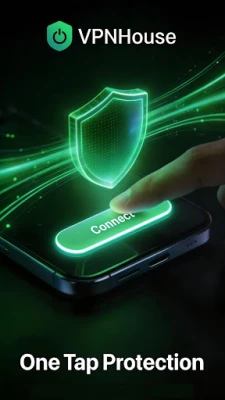
- One‑tap connection: Open the app and tap a button to start a secure tunnel.
- IP masking: Your public IP is replaced with an address from the VPN server, reducing the ability of sites and advertisers to track you.
- Encryption: Traffic is encrypted, which adds a layer of protection when you use public Wi‑Fi or other untrusted networks.
- Free to use: No purchase is required to download and activate the basic VPN service.
How it works
When you enable VPNHouse, the app establishes a secure tunnel to a VPN server operated by the developer. All outgoing and incoming data passes through this tunnel, where it is encrypted using standard VPN protocols. The server then forwards the traffic to its destination on the internet, and the response follows the same encrypted path back to your device.
Practical uses
VPNHouse can be helpful in several everyday situations:
- Public Wi‑Fi security: When you connect to coffee‑shop or airport Wi‑Fi, the encryption helps keep passwords, messages, and other personal data private.
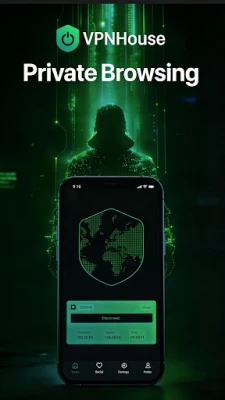
- Privacy while browsing: Masking your IP address makes it harder for websites to build a profile based on your location or device.
- Accessing region‑restricted content: By selecting a server in a different country, you may reach services that are otherwise limited to that region.
Installation information
To install VPNHouse, locate the app in the Android marketplace, tap Install, and grant the required VPN permission when prompted. After installation, launch the app, tap Connect, and the VPN will be active. You can disconnect at any time with the same button.
Things to know before installing
- The app requires permission to create a VPN connection, which is standard for any VPN client on Android.
- Performance may vary depending on your network speed and the distance to the selected VPN server.
- Because the service is free, there may be limits on bandwidth or server selection compared with paid VPN solutions.
Who may find VPNHouse useful?
Anyone who wants a quick, no‑cost way to add encryption to their Android device can benefit from VPNHouse. It is especially suited for travelers, remote workers, and users who frequently join public Wi‑Fi networks.
Frequently asked questions
Is VPNHouse safe to use?
The app uses standard VPN encryption to protect data in transit. As with any free service, you should review the developer’s privacy policy for details on data handling.
Do I need technical knowledge to use it?
No. The interface is designed for a single‑tap connection, so you can start protecting your traffic without configuring protocols or servers.
Can I choose a specific server location?
The free version typically connects to an automatically selected server. More advanced location choices may be offered in a paid tier, which is not covered here.
Rate the App
User Reviews















Popular Apps










 Games
Games Entertainment
 Communication
 E-mail
 Security
 Tools
Tools Media
Media Internet
 Finance
 Design
 Education
 Android Firmwares
 Travel & Local
 Android
 Windows
 Linux
Linux