

Latest Version
Latest
August 29, 2026
App X Tech
Tools
Android
134
Free
com.vpn.fast.connect.safe.vpn
Report a Problem
More About VPN - Secure VPN Proxy Master
What is VPN - Secure VPN Proxy Master?
VPN - Secure VPN Proxy Master is a free Android application that creates a virtual private network between your device and the internet. By routing your traffic through an encrypted tunnel, the app helps keep your data private and makes it harder for third parties to monitor your online activity.
Main features
- Encryption of traffic – All data sent from your phone is encrypted before it leaves the device, adding a layer of protection on public Wi‑Fi and other unsecured connections.
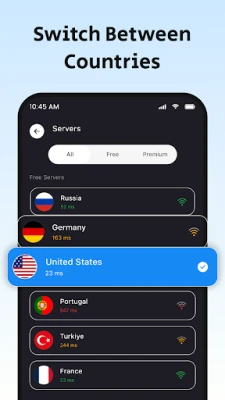
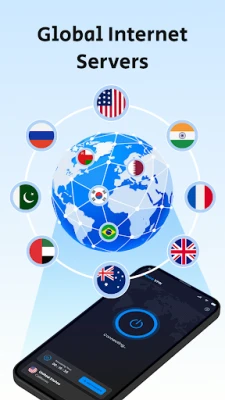
- Server selection – The app provides a list of server locations that you can switch between, allowing you to appear as if you are browsing from another region.
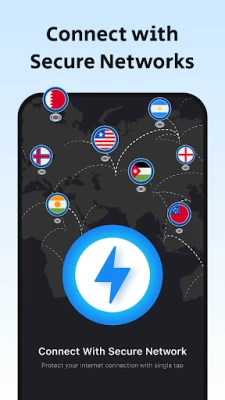
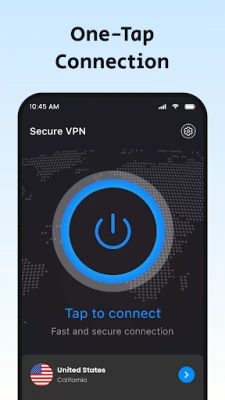
- Simple on/off control – A single tap enables or disables the VPN, making it easy to protect your connection only when you need it.
- Basic split tunneling – You can choose which apps use the VPN and which connect directly, helping you manage performance and data usage.
How it works
When you activate the VPN, the app establishes a secure tunnel to one of its servers. Your phone’s internet requests travel through this tunnel, where they are encrypted, then exit the server toward the destination website or service. The response follows the same path back to your device, remaining encrypted the whole way.
Practical uses
- Public Wi‑Fi security – Protect passwords, messages, and other sensitive information when you connect to coffee‑shop or airport networks.
- Accessing region‑restricted content – By selecting a server in a different country, you can view content that may be limited to that location.
- Privacy while browsing – Hiding your real IP address makes it more difficult for advertisers or trackers to build a profile of your online habits.
Installation information
Download the APK from a trusted source, then open the file on your Android device. The system will prompt you to allow installations from unknown sources if you have not enabled this setting. Follow the on‑screen instructions to grant the necessary VPN permission, and the app will be ready for use.
Compatibility
The app is built for Android devices that support the standard VPN API. While specific version requirements are not listed, it typically runs on devices running Android 5.0 (Lollipop) and newer. Users should ensure their device has sufficient storage and a stable internet connection for optimal performance.
Things to know before installing
- Because the service is free, you may encounter occasional ads or prompts to upgrade to a premium option.
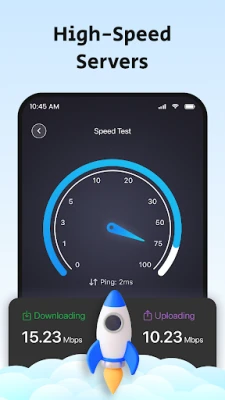
- The free tier may have limits on server choice or connection speed, which is common for VPN apps that offer a no‑cost version.
- Always review the permissions requested during installation; the app needs permission to create a VPN connection but should not request unrelated access.
Who may find it useful?
Anyone who frequently uses public Wi‑Fi, travels and needs to access content from different regions, or simply wants an extra layer of privacy while browsing on Android will benefit from this app. It is also suitable for users who prefer a straightforward, free VPN solution without complex configuration.
Frequently asked questions
Is the VPN connection truly private?
The app encrypts traffic between your device and its servers, which helps protect data from eavesdropping on local networks. However, the level of privacy also depends on the provider’s logging policies, which are not disclosed in the free version.
Can I use the VPN for streaming services?
Changing your apparent location can allow access to some region‑locked streams, but performance may vary based on server load and the streaming service’s detection methods.
Will the VPN drain my battery?
Running any VPN continuously uses additional processing power and network resources, which can modestly affect battery life. Turning the VPN off when not needed can help conserve power.
Do I need a separate account?
No separate account is required; the app can be used directly after installation.
Rate the App
User Reviews















Popular Apps










 Games
Games Entertainment
 Communication
 E-mail
 Security
 Tools
Tools Media
Media Internet
 Finance
 Design
 Education
 Android Firmwares
 Travel & Local
 Android
 Windows
 Linux
Linux