
Latest Version
Latest
August 22, 2026
SECUREGUARD GROUP
Tools
Android
90
Free
free.vpn.unblock.proxy.vpn.master.pro
Report a Problem
More About VPN Proxy Master – Safer VPN for Android
What is VPN Proxy Master?
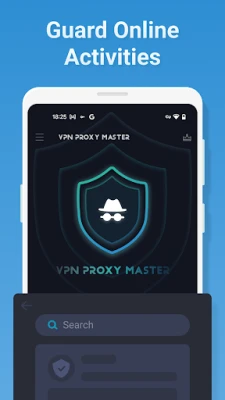
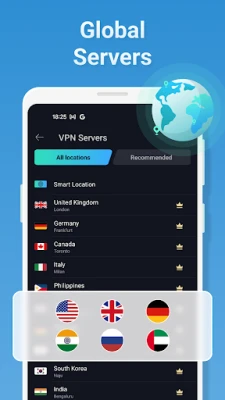
VPN Proxy Master – Safer VPN is a free Android application developed by SECUREGUARD GROUP. It provides a virtual private network (VPN) service that encrypts your internet traffic, helping you browse, stream, and communicate with greater privacy.
Main features
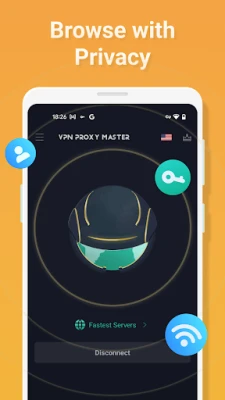
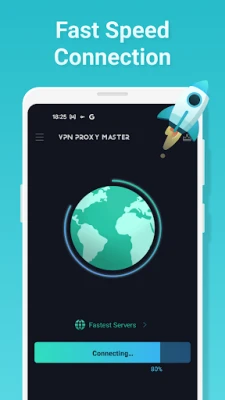
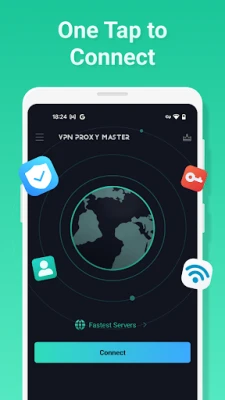
- One‑tap connection – Start a VPN session with a single tap, without navigating through complex settings.
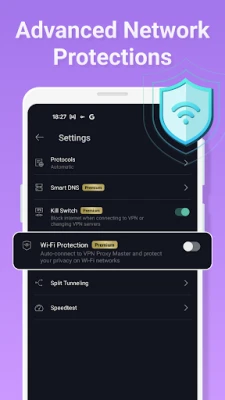
- Multiple protocol support – The app includes common VPN protocols such as IPsec, OpenVPN, and SSR, allowing it to adapt to different network conditions.
- Encryption – Uses AES‑128 encryption to protect data that passes through the tunnel.
- Wi‑Fi hotspot protection – Adds a layer of security when you connect to public or shared Wi‑Fi networks.
- Cross‑platform compatibility – While this page focuses on the Android version, the service can also be used on other operating systems through separate client apps.
How it works
When you enable VPN Proxy Master, the app establishes a secure tunnel between your device and a VPN server operated by the provider. All outgoing and incoming traffic is routed through this tunnel, where it is encrypted before leaving your device and decrypted when it reaches the destination server. This process masks your IP address and makes it difficult for third parties to monitor your online activity.
Practical uses
VPN Proxy Master can be helpful in several everyday scenarios:
- Public Wi‑Fi safety – Protect personal information while using coffee‑shop or airport Wi‑Fi.
- Accessing restricted content – Reach websites or services that may be blocked in your region.
- Secure communications – Add privacy to messaging, video calls, and email.
- Travel – Maintain a consistent internet experience when moving between networks.
Installation information
To install the app, open the Google Play Store on your Android device, search for "VPN Proxy Master – Safer VPN," and tap Install. The download size and required Android version are not specified, so ensure your device has sufficient storage and runs a recent version of Android.
Things to know before installing
- Because the app is free, it may display advertisements or offer optional in‑app purchases.
- Review the permissions requested during installation; a VPN app typically needs permission to create a VPN connection.
- Check the end‑user license agreement and privacy policy for details on data handling.
Who may find it useful?
Anyone who wants an easy way to add a basic layer of privacy to their Android device can benefit from VPN Proxy Master. It is especially suitable for users who travel frequently, rely on public Wi‑Fi, or simply prefer a straightforward VPN solution without a subscription fee.
Frequently asked questions
Is the service truly free?
The app is offered at no cost, but free VPN services often include ads or limited bandwidth. Review the app’s settings for any optional upgrades.
Will my data be logged?
The developer states a no‑log policy, but without an independent audit, users should consider the level of trust they place in the provider.
Can I use the VPN on multiple devices?
The description mentions compatibility with other platforms, suggesting that separate client apps are available for iOS, macOS, Windows, and Chrome. Each device would need its own installation.
How do I disconnect the VPN?
Open the app and tap the disconnect button, or use Android’s quick‑settings tile that appears when a VPN is active.
Rate the App
User Reviews















Popular Apps










 Games
 Entertainment
 Communication
 E-mail
 Security
 Tools
 Media
 Internet
 Finance
 Design
 Education
 Android Firmwares
 Travel & Local
 Android
 Windows
 Linux