

Latest Version
September 09, 2026
Midpoint Security FZCO-LLC
Tools
Android
10
Free
private.internet.access.vpn.lumos
Report a Problem
More About VPN Lumos: Fast VPN for Android
What is VPN Lumos?
VPN Lumos is a free Android application developed by Midpoint Security FZCO‑LLC. It provides a virtual private network (VPN) service that routes your internet traffic through encrypted tunnels, helping to keep your online activity private.
Main features
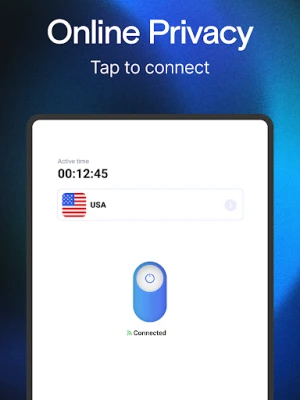
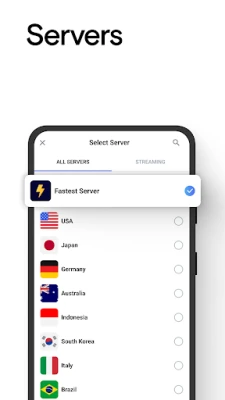
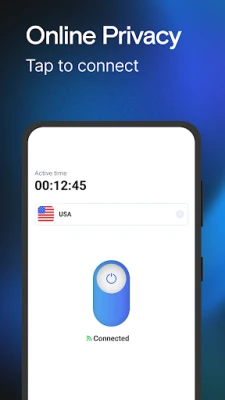
- One‑tap connection: Start or stop the VPN with a single tap, without navigating through complex menus.
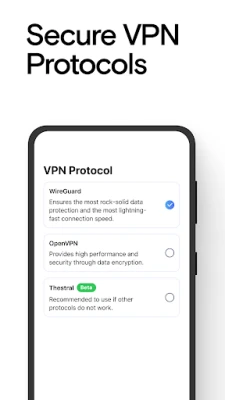
- Encryption: Uses standard VPN encryption protocols to protect data that travels between your device and the VPN server.
- Public Wi‑Fi safety: Adds a layer of protection when you connect to coffee‑shop, airport, or hotel networks.
- Cross‑device consistency: Designed to work the same way on any Android phone or tablet that meets the basic system requirements.
How it works
When you enable VPN Lumos, the app creates a secure tunnel between your device and a remote server operated by the provider. All data that leaves your phone is encrypted before it reaches the internet, making it difficult for third parties to intercept or read the traffic. The remote server then forwards the traffic to its destination, masking your original IP address.
Practical uses
VPN Lumos can be helpful in several everyday scenarios:
- Travel: When you’re abroad and want to access services that are restricted to your home country.
- Public hotspots: Protect passwords and personal messages while using free Wi‑Fi in cafés or airports.
- Streaming: Bypass basic regional restrictions for video or music services that allow VPN use.
Installation information
To install VPN Lumos, open the Google Play Store on your Android device, search for the app name, and tap “Install.” The download size and Android version requirements are not listed publicly, so the store will indicate whether your device is compatible during the installation process.
Things to know before installing
- Because the app is free, it may include optional in‑app purchases or subscription offers for additional server locations or higher speeds.
- The app requires permission to create a VPN connection, which is a standard requirement for any VPN client on Android.
- Performance can vary depending on your network, the distance to the selected server, and overall server load.
Who may find VPN Lumos useful?
Anyone who wants a quick way to add encryption to their mobile browsing can benefit from VPN Lumos. It is especially suitable for users who prefer a minimal setup and do not need advanced configuration options.
Frequently asked questions
Is VPN Lumos safe to use?
The app uses standard VPN encryption, which is generally considered safe for protecting data on public networks. As with any VPN service, you should review the provider’s privacy policy for details on data handling.
Do I need a separate subscription?
VPN Lumos is offered as a free download. The app may present optional subscription plans for expanded features, but basic VPN functionality works without a paid plan.
Can I use VPN Lumos on multiple devices?
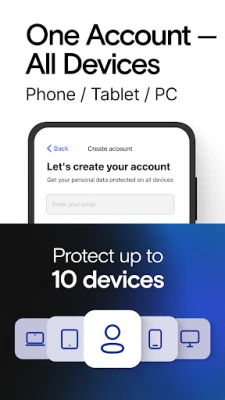
The app is designed for Android phones and tablets. If you have several Android devices, you can install the app on each one separately.
Will the VPN affect my internet speed?
Routing traffic through a VPN server adds a small amount of overhead. In most cases the impact is modest, but speed can vary based on server location and network conditions.
Rate the App
User Reviews













Popular Apps










 Games
Games Entertainment
 Communication
 E-mail
 Security
 Tools
Tools Media
Media Internet
 Finance
 Design
 Education
 IT Tools
 Travel & Local
 Android
 Windows
 Linux
Linux