
Latest Version
Latest
September 07, 2026
Anchorfree LLC
Tools
Android
7
Free
hotspotshield.android.vpn
Report a Problem
More About VPN Hotspot Shield: Proxy VPN – Secure Browsing on Android
What is VPN Hotspot Shield?
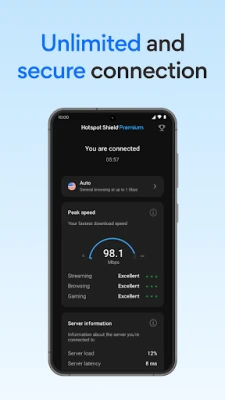
VPN Hotspot Shield is a free Android application developed by Anchorfree LLC that creates a virtual private network (VPN) connection on your device. By routing your internet traffic through an encrypted tunnel, the app helps keep your online activity private and shields it from casual eavesdropping on public or unsecured networks.
Main features
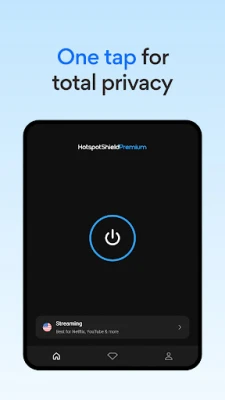
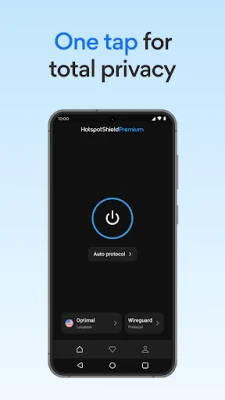
- One‑tap connection – Open the app and tap a button to activate the VPN without navigating through complex settings.
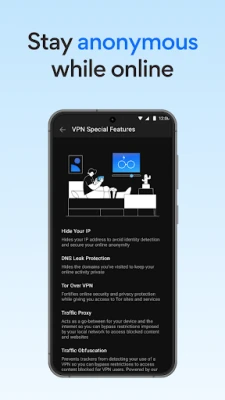
- Encryption – Traffic is encrypted before it leaves your device, making it harder for third parties to read the data.
- Proxy functionality – The app acts as a proxy server, masking your device’s IP address with one from the VPN network.
- Free tier – The basic version is available at no cost, supported by ads.
How it works
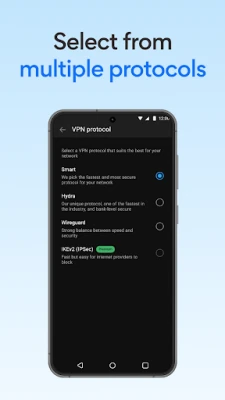
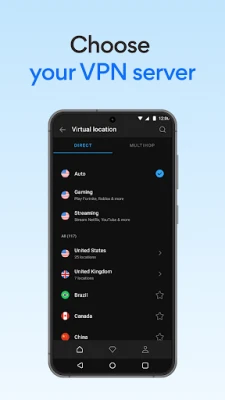
When you enable VPN Hotspot Shield, the app establishes a secure tunnel to a server operated by Anchorfree. All outbound and inbound data passes through this tunnel, where it is encrypted using standard VPN protocols. The server then forwards the traffic to its final destination, replacing your original IP address with the server’s address. This process helps protect data from interception on public Wi‑Fi hotspots and can also bypass simple geographic restrictions.
Practical uses
- Public Wi‑Fi security – Safeguard personal information when connecting to coffee‑shop or airport networks.
- Streaming and gaming – Reduce the risk of throttling or content blocks by routing traffic through the VPN.
- Privacy while browsing – Prevent casual observers from seeing which websites you visit.
Installation information
Search for "VPN Hotspot Shield: Proxy VPN" in the Google Play Store, then tap Install. The app requires standard Android permissions to create a VPN connection; these are requested the first time you activate the service. After installation, you can launch the app from your app drawer and follow the on‑screen prompts to enable the VPN.
Compatibility
The app is designed for Android devices that support the system‑level VPN API. Specific minimum Android version information is not provided, but the app will not appear in the Play Store for devices that lack the required API level.
Things to know before installing
- The free version includes advertisements, which help fund the service.
- Connection speed may vary depending on the chosen server and your own network conditions.
- Because the app routes all traffic through its servers, data usage may increase compared with a direct connection.
Who may find it useful?
Anyone who regularly uses public Wi‑Fi, wants a simple way to hide their IP address, or needs occasional privacy protection while browsing on Android can benefit from VPN Hotspot Shield. The one‑tap interface makes it accessible for users who prefer minimal configuration.
Frequently asked questions
Do I need to create an account?
No account is required to use the free version. Activation is handled within the app.
Will the VPN work with all apps?
Most apps that rely on standard network connections will work through the VPN. Some services that block VPN traffic may not function while the VPN is active.
Can I use the VPN on multiple devices?
The free tier is limited to a single device at a time. For multi‑device use, Anchorfree offers paid plans, but those details are not part of the free version.
Is my data logged?
The free version does not retain connection logs or browsing history, but standard privacy policies apply.
Rate the App
User Reviews
Other Apps in This Category














Popular Apps










 Games
Games Entertainment
 Communication
 E-mail
 Security
 Tools
Tools Media
Media Internet
 Finance
 Design
 Education
 IT Tools
 Travel & Local
 Android
 Windows
 Linux
Linux