
Latest Version
August 22, 2026
VNPAY
Tools
Android
100
Free
com.vnpay.ca
Report a Problem
More About VNPAY CA – Mobile Digital Signature Solution
What is VNPAY CA?
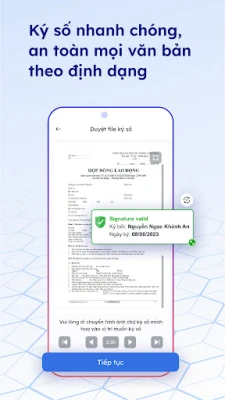
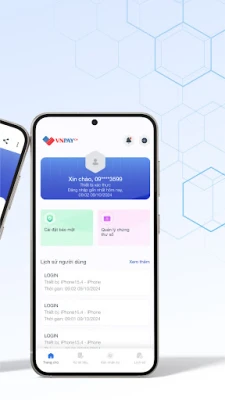
VNPAY CA is a mobile application that brings remote digital‑signature capabilities to Android devices. Developed by VNPAY, the app lets users generate, store, and apply qualified electronic signatures without needing a separate hardware token.
Main Features
- On‑the‑go signing – Create legally recognised signatures wherever you have an internet connection.
- Certificate management – View and organize your digital certificates within the app.
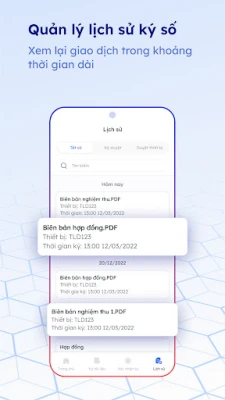
- Transaction log – Keep a record of signed documents for future reference.
How It Works
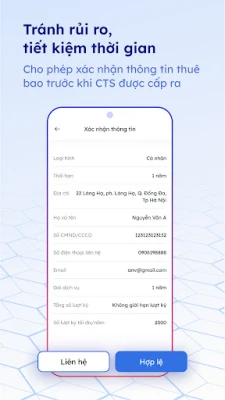
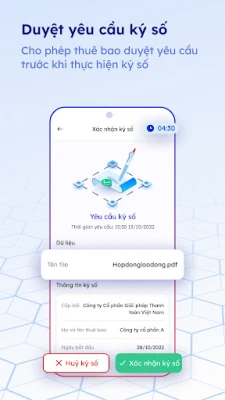
After installing the app, you register for a digital certificate provided by VNPAY. The certificate is stored securely on the device and can be used to sign PDFs, images, or other supported file types. When you initiate a signing request, the app applies the certificate and produces a signed file that complies with recognized e‑signature standards.
Practical Uses
The application is useful for professionals who need to approve contracts, government forms, or internal documents while away from a desktop. It also serves individuals who want a convenient way to sign receipts, agreements, or consent forms directly from their phone.
Installation Information
VNPAY CA is available as a free download from the Google Play Store. Search for the package name com.vnpay.ca or the app name and follow the standard installation steps. No additional software is required after the initial setup.
Things to Know Before Installing
- Ensure your device runs a recent version of Android that supports the app’s security libraries.
- You will need an internet connection for certificate issuance and verification.
- Keep your device’s operating system and the app updated to maintain compliance with security standards.
Who May Find It Useful?
Anyone who regularly signs documents electronically can benefit from VNPAY CA, including:
- Business professionals handling contracts and approvals.
- Legal practitioners needing to certify documents quickly.
- Government employees processing forms remotely.
- Freelancers and small‑business owners who prefer a mobile‑first workflow.
Frequently Asked Questions
Is the signature legally binding?
VNPAY CA follows eIDAS and local regulations, making the generated signatures qualified and legally recognised in many jurisdictions.
Can I use the app without a VNPAY account?
A digital certificate is required, which is issued through VNPAY’s registration process. The app guides you through obtaining one.
What file formats can I sign?
The app supports common document types such as PDF and image files. Additional formats may be added in future updates.
Is my personal data protected?
All certificate data is stored encrypted on the device, and communications with VNPAY servers use secure protocols.
Rate the App
User Reviews















Popular Apps










 Games
 Entertainment
 Communication
 E-mail
 Security
 Tools
 Media
 Internet
 Finance
 Design
 Education
 Android Firmwares
 Travel & Local
 Android
 Windows
 Linux