

Latest Version
September 09, 2026
VeePN Corp.
Tools
Android
5
Free
com.vpnproxy.connect
Report a Problem
More About VeePN – Secure VPN & Antivirus
What is VeePN?
VeePN is a free Android application developed by VeePN Corp. that combines a virtual private network (VPN) with basic antivirus‑like safeguards. Its primary purpose is to create an encrypted tunnel between your device and the internet, making it harder for third parties to monitor your online activity.
Main features
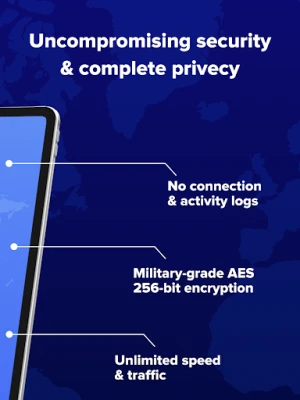
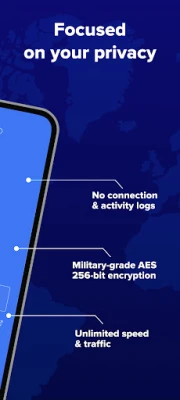
- Encryption – The app routes traffic through secure protocols that mask your IP address and encrypt data in transit.
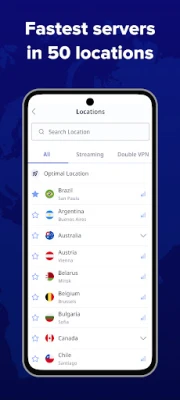
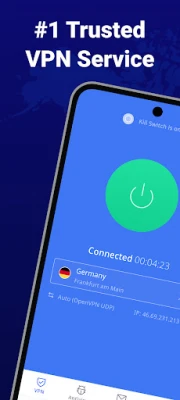
- Server selection – Users can choose from multiple server locations to improve speed or access region‑restricted content.
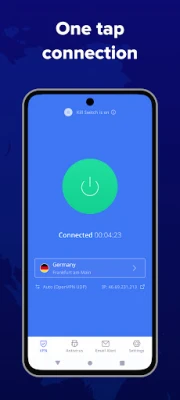
- One‑tap connection – The interface is designed for quick activation, allowing you to enable or disable the VPN with a single tap.
- Automatic configuration – VeePN detects your device settings and applies recommended options without requiring manual tweaks.
- Basic threat detection – The bundled antivirus component scans for common malware signatures and warns you about suspicious files.
How it works
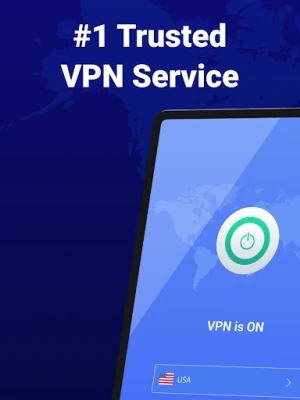
When you launch VeePN, the app establishes a secure tunnel to a selected server. All outbound and inbound traffic passes through this tunnel, where it is encrypted using industry‑standard algorithms. Because the data is encrypted, Wi‑Fi hotspots, ISPs, and other network observers cannot easily read the contents of your communications.
Practical uses
VeePN can be helpful in several everyday scenarios:
- Public Wi‑Fi security – Protects your credentials when you connect to coffee‑shop or airport networks.
- Streaming and browsing – Allows you to reach services that may be restricted in your region.
- Privacy‑focused browsing – Hides your real IP address from websites and advertisers.
Installation information
The app is distributed as a free download. After installing, you will be prompted to grant the VPN permission that Android requires for tunnel creation. Once granted, you can start the service from the main screen.
Compatibility
VeePN is built for Android devices. Specific version requirements are not listed, but the app follows the standard Android VPN API, which is supported on most devices running recent versions of the operating system.
Things to know before installing
- Because the service is free, you may encounter occasional ads or prompts to upgrade to a premium tier.
- The free tier may limit the number of server locations or simultaneous connections.
- Performance can vary depending on the distance to the chosen server and the current load on that server.
Who may find VeePN useful?
Anyone who wants a straightforward way to add encryption to their mobile internet usage can benefit from VeePN. It is especially suitable for users who travel frequently, rely on public Wi‑Fi, or simply prefer an extra layer of privacy without a complex setup.
Frequently asked questions
Is VeePN safe to use?
The app uses standard VPN encryption, which is generally considered safe for protecting data in transit. As with any free service, you should review the privacy policy to understand how connection logs are handled.
Do I need to be an expert to configure VeePN?
No. The automatic configuration feature selects appropriate settings for you, and the interface is designed for users with minimal technical background.
Can I use VeePN to access geo‑blocked content?
Changing your apparent location by connecting to a server in a different country can help you reach some region‑restricted services, though success depends on the specific service’s detection methods.
Rate the App
User Reviews














Popular Apps










 Games
Games Entertainment
 Communication
 E-mail
 Security
 Tools
Tools Media
Media Internet
 Finance
 Design
 Education
 IT Tools
 Travel & Local
 Android
 Windows
 Linux
Linux