

Latest Version
Latest
September 05, 2026
Doorvi Technologies Private Limited
Tools
Android
3
Free
com.vani.meeting
Report a Problem
More About Vani Meetings – Simple Mobile Screen Sharing
What is Vani Meetings?
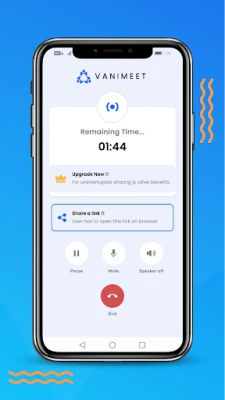
Vani Meetings, developed by Doorvi Technologies Private Limited, is a free Android tool that lets you broadcast your mobile screen to other people through a shareable link. The app focuses on quick, hassle‑free collaboration, allowing friends, family, or colleagues to view what’s on your device without the need for accounts or complex setup.
Main Features
- Instant link‑based sharing – generate a unique URL and send it to anyone.
- Live chat alongside the screen – type messages while the screen is being viewed.
- Voice chat integration – speak with participants in real time without leaving the app.
- Cross‑platform viewing – participants can join from another smartphone or a desktop browser.
How It Works
When you start a session, Vani Meetings creates a temporary link that points to a live stream of your screen. You share that link through any messaging app, email, or QR code. Viewers open the link in a web browser; they see your screen in real time and can type messages in the built‑in chat window. If you enable voice chat, a lightweight audio channel opens so you can talk while sharing.
Practical Uses
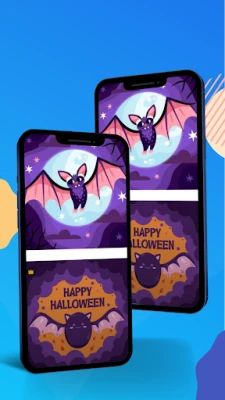
- Shopping together – show product pages to a friend and discuss options instantly.
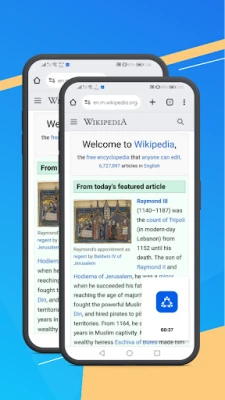
- Reading or browsing – explore articles or websites together, perfect for remote study groups.
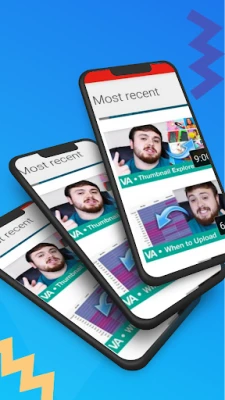
- Gaming assistance – let a teammate see your mobile game screen for strategy tips.
- Technical support – demonstrate a problem to a support person without needing screen‑recording apps.
Installation Information
The app is available as a free download from the Google Play Store. Installation follows the standard Android process: tap Install, grant the requested permissions (screen capture and microphone for voice chat), and launch the app.
Things to Know Before Installing
- Screen sharing requires the Display over other apps permission and access to the device’s microphone if you plan to use voice chat.
- The generated link is temporary and expires when you end the session.
- Because the app does not store recordings, all data stays on your device and is transmitted only while the session is active.
Who May Find It Useful?
Anyone who needs to show their Android screen to another person quickly – from casual users sharing a video or article, to small teams collaborating on mobile‑first projects, to families staying connected across distances.
Frequently Asked Questions
Do I need an account?
No. Vani Meetings works without sign‑ups or logins.
Can I limit who joins my session?
The link is the only gatekeeper; sharing it only with trusted contacts is the recommended approach.
Is my data stored on a server?
The screen stream is relayed in real time; the app does not retain recordings after the session ends.
What devices can view the shared screen?
Any device with a modern web browser – smartphones, tablets, or computers – can open the link and watch.
Rate the App
User Reviews











Popular Apps










 Games
Games Entertainment
 Communication
 E-mail
 Security
 Tools
Tools Media
Media Internet
 Finance
 Design
 Education
 IT Tools
 Travel & Local
 Android
 Windows
 Linux
Linux