

Latest Version
Latest
September 07, 2026
Erfan Rouhani
Tools
Android
6
Free
erfanrouhani.unseen.hidelastseen
Report a Problem
More About Unseen: No Blue Tick – Read Messages Privately
What is Unseen: No Blue Tick?
Unseen: No Blue Tick is a free Android utility that lets you view incoming messages from supported messaging apps without sending the usual read receipts. The app works as a middle layer, capturing notifications and displaying their content inside its own interface, so the original app never registers that you have opened the conversation.
Main features
- Hide read receipts – No blue ticks, double ticks, or last‑seen updates are sent to the sender.
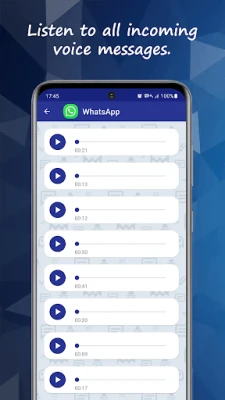
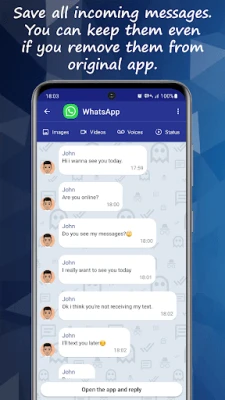
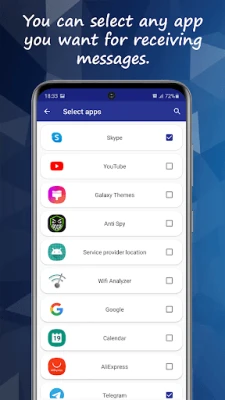
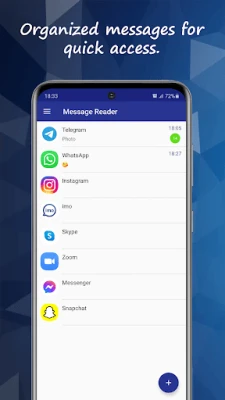
- Notification‑based preview – Messages appear inside Unseen as they arrive, allowing you to read them without opening the source app.
- Offline access – Captured messages are stored locally, so you can review them later even when you are offline.
- Search function – Quickly locate a conversation or keyword within the saved messages.
How it works
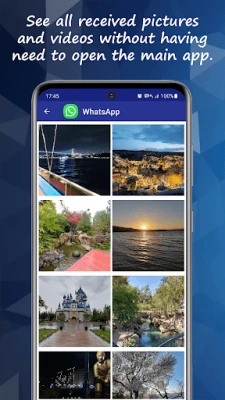
When a new message arrives, Android’s notification system forwards the content to Unseen. The app extracts the text (and, where possible, media thumbnails) and presents it in a separate list. Because the original messaging app is never opened, its internal read‑receipt mechanism is not triggered. The stored copy remains on your device until you choose to delete it.
Practical uses
- Maintain privacy in professional or personal settings where you need to stay discreet.
- Avoid pressure to reply immediately while still staying aware of incoming conversations.
- Keep a temporary record of messages for reference without opening the original app.
Installation information
Download the APK from a trusted source, enable installation from unknown sources if required, and follow the on‑screen prompts. After installation, grant notification access when prompted so the app can read incoming alerts.
Things to know before installing
- The app relies on notification content; if a messaging app hides message text in its notifications, Unseen may only show a generic preview.
- Read receipts are suppressed only when you view messages through Unseen; opening the original app will still send the usual indicators.
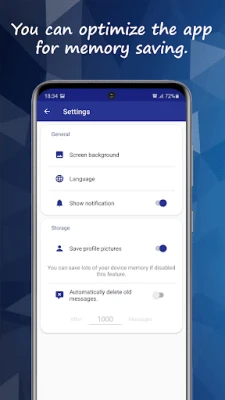
- Stored messages occupy device storage; you can manage or clear them within the app’s settings.
Who may find it useful?
Anyone who wants to stay informed without revealing their activity—students, professionals, or anyone who prefers a low‑profile messaging experience—can benefit from Unseen.
Frequently asked questions
Does Unseen work with all messaging apps?
It works with apps that provide readable content in their notifications. Some platforms may limit the amount of data shown.
Will using Unseen affect the normal operation of my messaging apps?
No. The original apps continue to function as usual; Unseen only reads notifications.
Is my data safe?
Messages are stored locally on your device and are not transmitted elsewhere. You can delete them at any time.
Rate the App
User Reviews













Popular Apps










 Games
Games Entertainment
 Communication
 E-mail
 Security
 Tools
Tools Media
Media Internet
 Finance
 Design
 Education
 IT Tools
 Travel & Local
 Android
 Windows
 Linux
Linux