

Latest Version
September 08, 2026
WorkerBee App
Tools
Android
1
Free
com.unseenchat.readmessage.tracker
Report a Problem
More About Unseen Chat: Read Messages – Private Message Preview
What is Unseen Chat: Read Messages?
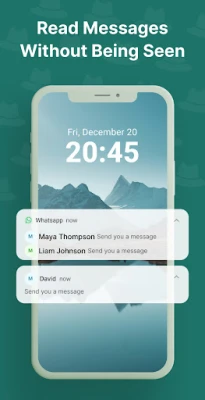
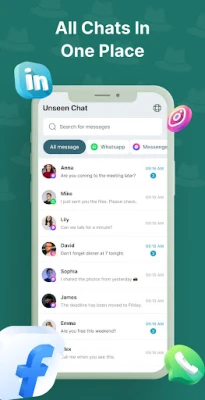
Unseen Chat: Read Messages is a lightweight utility that lets you view the content of incoming messages directly from the notification shade. By doing so, you can stay informed without opening the original chat app, which would normally send a read receipt.
Main Features
- Read without marking as seen – Preview text of new messages while keeping the sender’s read status unchanged.
- Full notification view – See the complete message body, not just a preview, straight from the notification panel.
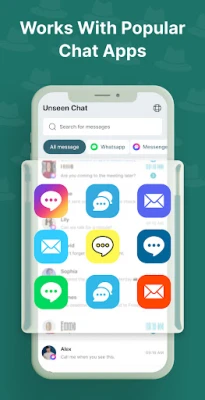
- Broad app support – Works with many popular messaging applications that use standard Android notifications.
- Privacy‑focused – The app only accesses notification data; it does not store or transmit personal information.
- Simple interface – Minimal setup and an intuitive layout make it easy to start using right away.
How It Works
The app requests notification access, which allows it to read the content of incoming notifications. When a new message arrives, Unseen Chat extracts the text and displays it within its own view. Because the original messaging app never receives an open‑chat command, the sender’s “seen” indicator remains unchanged.
Practical Uses
- Quickly glance at a message while driving or in a meeting without interrupting the conversation.
- Maintain privacy in shared environments where opening a chat app would be noticeable.
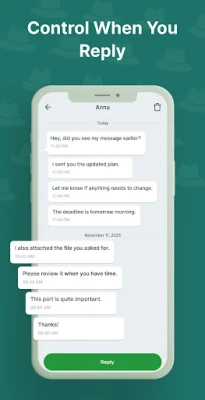
- Delay replying while still staying aware of important updates.
Installation Information
Install the app from the Google Play Store, grant notification access when prompted, and you’re ready to start previewing messages. No additional permissions beyond notification access are required.
Things to Know Before Installing
- The app relies on Android’s notification system; if a messaging app disables notifications, Unseen Chat cannot retrieve the message content.
- Only the text shown in the notification is available; media files, stickers, or encrypted content that are not part of the notification will not be displayed.
- Because the app does not store data, you won’t find a history of previously read messages within Unseen Chat.
Who May Find It Useful?
Anyone who wants to keep conversations discreet – professionals handling sensitive chats, parents monitoring device usage without intruding, or anyone who simply prefers to read messages without immediately responding.
Frequently Asked Questions
Does the app collect my personal data?
No. It only reads notification content temporarily to display it and does not retain or share that information.
Will using Unseen Chat affect battery life?
The app runs in the background only to listen for notifications, which has a minimal impact on battery consumption.
Can I use it with any messaging app?
It works with apps that deliver message content through standard Android notifications. Some proprietary or heavily encrypted apps may not provide full message text.
Rate the App
User Reviews














Popular Apps










 Games
Games Entertainment
 Communication
 E-mail
 Security
 Tools
Tools Media
Media Internet
 Finance
 Design
 Education
 IT Tools
 Travel & Local
 Android
 Windows
 Linux
Linux