

Latest Version
Latest
September 05, 2026
Authy
Tools
Android
0
Free
com.authy.authy
Report a Problem
More About Twilio Authy Authenticator – Secure Two‑Factor Codes on Android
What is Twilio Authy Authenticator?
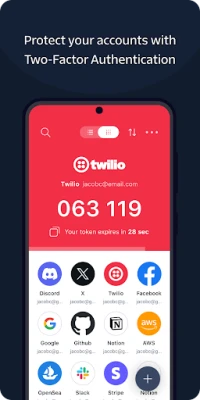
Twilio Authy Authenticator is a free Android application that creates time‑based one‑time passwords (TOTPs) for two‑factor authentication (2FA). By storing your authentication tokens locally, the app lets you add an extra layer of protection to online accounts without relying on SMS messages.
Main features
- Offline code generation – Tokens are produced on the device, so you can log in even when you have no cellular or Wi‑Fi connection.
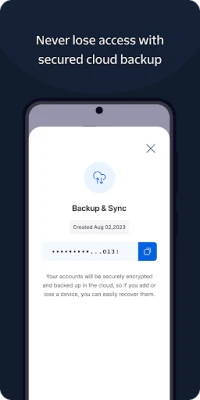
- Secure backup – Authy offers encrypted cloud backups, allowing you to restore your tokens if you change or lose a device.
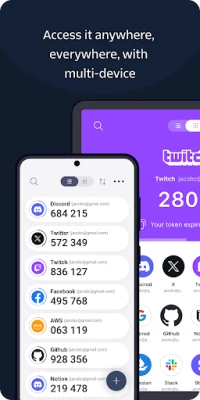
- Multi‑device sync – When you enable synchronization, the same set of tokens appears on each of your registered Android devices.
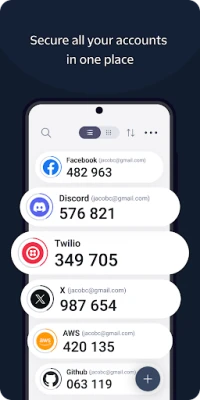
- Broad service support – The app works with any service that follows the standard TOTP algorithm, including popular platforms such as Google, Facebook, Dropbox, and many others.
How it works
When you enable 2FA on a website, the service provides a QR code or a secret key. You scan the QR code with Authy or manually enter the key. The app then combines this secret with the current time to generate a six‑digit code that changes every 30 seconds. During login, you type the displayed code alongside your regular password, confirming that you possess the registered device.
Practical uses
Authy is useful for anyone who wants to protect personal or professional accounts. It is especially handy for:
- Banking and financial services that require strong authentication.
- Cloud storage providers where data security is critical.
- Developers and IT professionals managing access to servers or code repositories.
Installation information
Search for "Twilio Authy Authenticator" in the Google Play Store, then tap Install. The app requires a standard Android device with sufficient storage for the app itself and any backups you choose to enable.
Things to know before installing
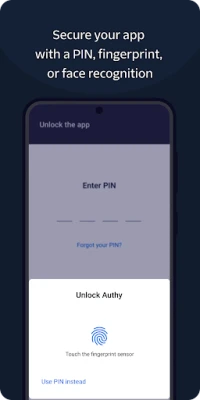
- Set up a backup password for encrypted cloud backups; this password is not stored by Twilio and cannot be recovered if lost.
- Enable multi‑device sync only on devices you trust, as each synchronized device can generate the same codes.
- Keep the app updated to benefit from security improvements and compatibility fixes.
Who may find it useful?
Anyone who uses online services that support TOTP‑based 2FA will benefit from Authy. It is particularly valuable for users who travel frequently, need offline access, or want a single app to manage tokens from many accounts.
Frequently asked questions
Is Authy free?
Yes, the app is offered at no cost.
Can I use Authy without an internet connection?
Yes. Once a token is set up, the app generates codes locally, so no network connection is required.
How secure are the cloud backups?
Backups are encrypted on the device before being uploaded. Only you know the backup password, which Twilio does not store.
What should I do if I lose my device?
Install Authy on a new device, sign in with your phone number, and restore your encrypted backup using the backup password.
Rate the App
User Reviews















Popular Apps










 Games
Games Entertainment
 Communication
 E-mail
 Security
 Tools
Tools Media
Media Internet
 Finance
 Design
 Education
 IT Tools
 Travel & Local
 Android
 Windows
 Linux
Linux