


Latest Version
Latest
August 25, 2026
Secure Signal Inc.
Tools
Android
97
Free
com.fast.free.unblock.thunder.vpn
Report a Problem
More About Thunder VPN – Fast, Safe VPN for Android
What is Thunder VPN?
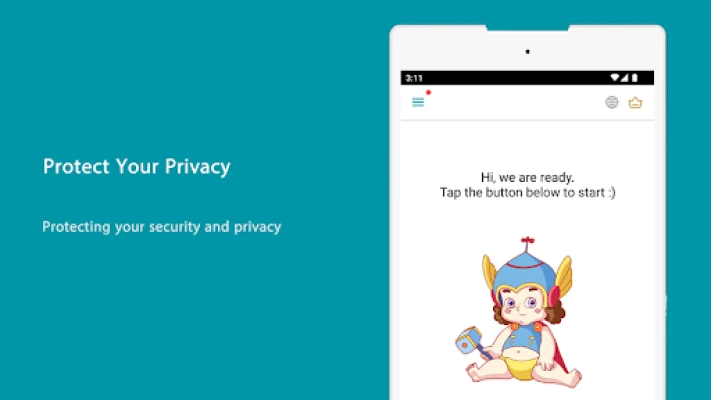
Thunder VPN is a free Android application that creates a virtual private network (VPN) connection for your device. By routing your traffic through an encrypted tunnel, it helps keep your online activity private, especially when you are on public Wi‑Fi or other unsecured networks.
Main features
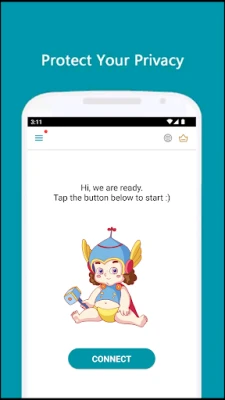
- One‑tap connection – Launch the app and connect with a single tap, no manual configuration required.
- Free service – The app does not require a subscription or registration.
- Broad network support – Works with Wi‑Fi, 4G/5G, LTE and other mobile data connections.
- Lightweight design – Minimal permissions and a small install footprint help keep the app fast.
- Simple interface – A clean UI lets you select a server location quickly.
How it works
When you activate Thunder VPN, the app establishes an encrypted tunnel between your device and a remote server. All data that passes through this tunnel is encrypted, preventing third parties such as network operators or malicious actors from reading the content. The remote server then forwards your traffic to its final destination, masking your real IP address.
Practical uses
- Secure browsing on coffee‑shop or airport Wi‑Fi.
- Accessing region‑restricted content while traveling.
- Protecting personal data when using public hotspots.
- Maintaining privacy for everyday app usage.
Installation information
Thunder VPN can be installed directly from the Google Play Store. Search for the app name or use the package identifier com.fast.free.unblock.thunder.vpn. After downloading, tap “Open” and follow the on‑screen prompts to grant the required VPN permission.
Compatibility
The app requires Android devices that support the built‑in VPN API. While the exact minimum version is not listed, most modern Android releases (Android 5.0 Lollipop and later) provide the necessary support.
Things to know before installing
- The app does not collect personal data beyond what is needed for the VPN connection.
- Because it is a free service, occasional non‑intrusive ads may appear.
- Connection speed depends on the selected server and your own network conditions.
Who may find it useful?
Anyone who wants a quick, no‑frills way to add a layer of privacy to their Android device will benefit from Thunder VPN. It is especially handy for travelers, students, and users who frequently connect to public Wi‑Fi.
Frequently asked questions
Do I need to create an account?
No. Thunder VPN works without registration; you can start using it immediately after installation.
Is there a data limit?
The free version does not impose a specific usage cap, but performance may vary based on server load.
Can I choose a specific country for the server?
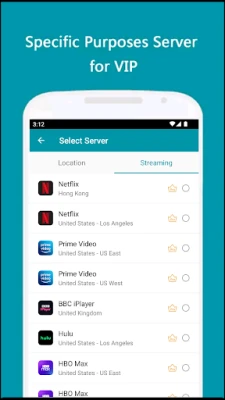
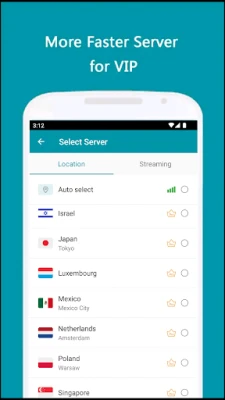
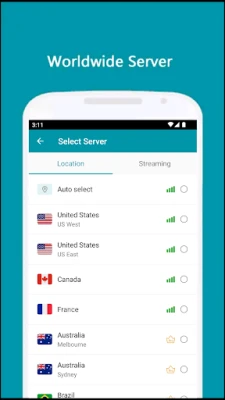
Yes. The app provides a list of available server locations that you can select before connecting.
Will the app affect battery life?
Running a VPN does use some additional power, but Thunder VPN’s lightweight design aims to keep the impact minimal.
Rate the App
User Reviews















Popular Apps










 Games
 Entertainment
 Communication
 E-mail
 Security
 Tools
 Media
 Internet
 Finance
 Design
 Education
 Android Firmwares
 Travel & Local
 Android
 Windows
 Linux