

Latest Version
Latest
September 15, 2026
T-Mobile USA
Tools
Android
6
Free
com.tmobile.fiber
Report a Problem
More About T-Mobile Fiber: Gigaspire – Manage Your Home Network
What is T‑Mobile Fiber: Gigaspire?
T‑Mobile Fiber: Gigaspire is an Android companion app provided by T‑Mobile USA for customers who have a T‑Mobile Fiber internet connection. The app gives you on‑the‑go access to the core settings of your home Wi‑Fi router, letting you adjust network details without needing a computer.
Main features
- Network identification – View and edit the SSID (network name) and password for your primary Wi‑Fi network.
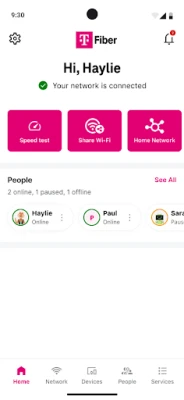
- Speed testing – Run a quick bandwidth test to see current download and upload speeds, helping you verify service performance.
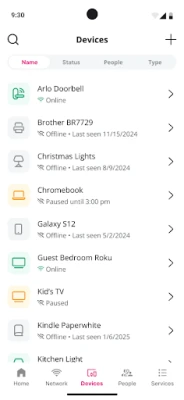
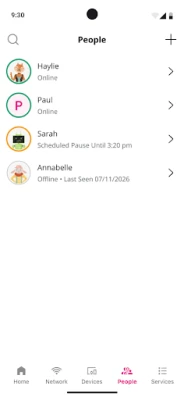
- Device management – See a list of devices currently connected to your network and assign them to custom groups or profiles.
- Guest and custom networks – Create separate SSIDs for guests, work‑from‑home setups, or any other purpose, keeping your main network secure.
- Parental controls – Schedule internet downtime for specific devices or set time limits, useful for managing screen time.
How it works
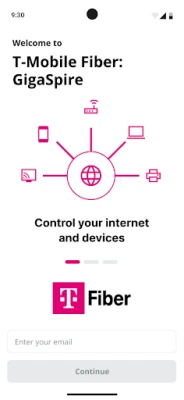
After installing the app, you sign in with your T‑Mobile account credentials. The app then communicates with your home router over the local network. From the main dashboard you can tap any setting to open a simple form, make changes, and apply them instantly. Speed tests are performed by sending data to a T‑Mobile test server and reporting the results within the app.
Practical uses
- Quick password change – If you suspect someone knows your Wi‑Fi password, you can generate a new one in seconds and push it to the router.
- Guest access – Create a temporary guest network for visitors, then disable it when they leave.
- Performance monitoring – Run a speed test after a firmware update or after adding new devices to confirm you’re still getting the advertised gigabit speeds.
- Family management – Use parental controls to enforce bedtime internet limits for children’s devices.
Installation information
The app is available for free on the Google Play Store. Search for "T‑Mobile Fiber: Gigaspire" or use the package name com.tmobile.fiber. Installation follows the standard Android process: tap Install, wait for download, then open the app and sign in.
Compatibility
The app requires an Android device capable of running the Google Play Services framework. Specific Android version requirements are not listed publicly, but the app is designed for modern smartphones and tablets.
Things to know before installing
- You must have an active T‑Mobile Fiber subscription to use the app’s features.
- The app works only with routers provided by T‑Mobile for the Fiber service.
- All changes are applied to your home network; ensure you have physical access to the router if you encounter connectivity issues.
Who may find it useful?
Homeowners who rely on T‑Mobile Fiber for high‑speed internet, small‑office users, and families that need simple ways to manage device access will benefit most from this app.
Frequently asked questions
Do I need a separate account for the app?
No. Use the same T‑Mobile credentials you use for billing and online account management.
Can I control the router from outside my home network?
The app is primarily intended for local‑network access. Remote management may be available for certain T‑Mobile Fiber plans, but that capability depends on the service configuration.
Is there a cost to use the app?
The app itself is free to download and use; any features are included with your existing T‑Mobile Fiber subscription.
Rate the App
User Reviews












Popular Apps










 Games
Games Entertainment
 Communication
 E-mail
 Security
 Tools
Tools Media
Media Internet
 Finance
 Design
 Education
 IT Tools
 Travel & Local
 Android
 Windows
 Linux
Linux