

Latest Version
September 14, 2026
Kolpolok Technologies
Tools
Android
66
Free
app.kismyo.vpn
Report a Problem
More About Symlex VPN: Fast & Secure VPN
What is Symlex VPN?
Symlex VPN is a free virtual private network application developed by Kolpolok Technologies for Android devices. It creates an encrypted tunnel between your device and the internet, masking your real IP address and shielding your data from prying eyes on public or private networks.
Main features
- Free access – No subscription or credit‑card information is required to start using the service.
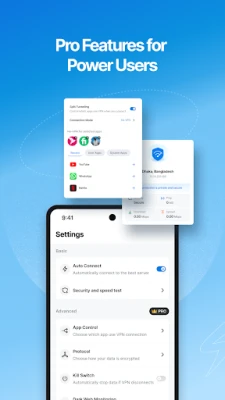
- Multiple protocol options – The app can automatically select from common VPN protocols such as OpenVPN, WireGuard, IKEv2, and Shadowsocks, aiming for a balance of speed and security.
- Encryption – Uses industry‑standard encryption to protect the data you send and receive.
- Kill switch – If the VPN connection drops, network traffic is halted to prevent accidental exposure.
- Split tunneling – Allows you to choose which apps use the VPN and which connect directly.
How it works
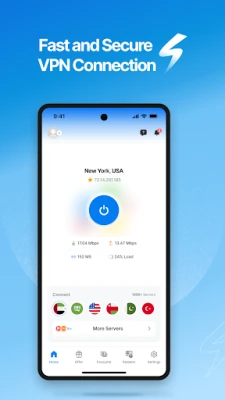
When you launch Symlex VPN, the app contacts its server network and selects a server based on factors such as latency and load. Once a connection is established, all outbound traffic from your device is routed through that server. The encryption layer scrambles the data, making it unreadable to anyone intercepting the traffic, including Wi‑Fi hotspot operators or ISPs.
Practical uses
- Secure browsing on public Wi‑Fi in cafés, airports, or hotels.
- Accessing content that may be restricted in your region.
- Protecting voice and video calls made through messaging apps.
- Keeping online banking or shopping sessions private.
Installation information
Search for "Symlex VPN: Fast & Secure VPN" in the Google Play Store, then tap Install. The download size and Android version requirements are not listed, so ensure your device has sufficient storage and runs a recent Android release. After installation, open the app, grant the required VPN permission, and follow the on‑screen prompts to connect.
Compatibility
Symlex VPN is designed for Android smartphones and tablets. The app may also be usable on Android TV devices that support VPN connections, though the user interface is optimized for touch screens.
Things to know before installing
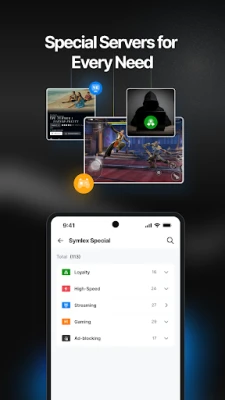
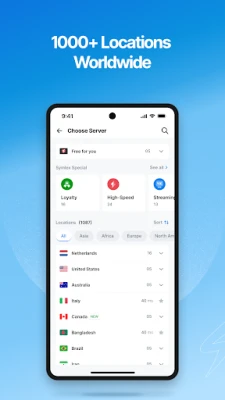
- The free version may limit the number of available server locations compared with any premium offering the developer might provide.
- Performance can vary depending on your network conditions and the distance to the selected server.
- As with any VPN, the app cannot guarantee absolute anonymity; it simply makes tracking more difficult.
Who may find it useful?
Anyone who regularly connects to public Wi‑Fi, travels across different regions, or simply wants an extra layer of privacy for everyday browsing will benefit from Symlex VPN. The free model makes it accessible for students, budget‑conscious users, and those testing VPN functionality before considering a paid solution.
Frequently asked questions
Do I need to create an account?
No. The app allows you to start a VPN session without registering an account.
Is my data logged?
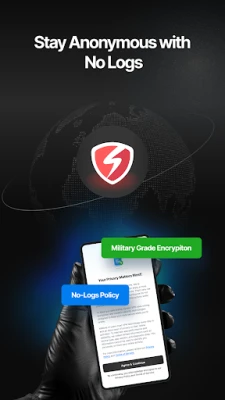
The developer states that the service does not keep logs of your browsing activity, but detailed policy information is not provided in the public description.
Can I use the VPN on multiple devices?
The free version is intended for a single Android device at a time. For multi‑device use, you would need to check whether the developer offers a separate plan.
What should I do if the connection drops?
The built‑in kill switch will block traffic until the VPN reconnects. You can also manually reconnect from the app’s main screen.
Rate the App
User Reviews















Popular Apps










 Games
 Entertainment
 Communication
 E-mail
 Security
 Tools
 Media
 Internet
 Finance
 Design
 Education
 Android Firmwares
 Travel & Local
 Android
 Windows
 Linux