

Latest Version
Latest
September 17, 2026
Paranoia Works
Tools
Android
3
Free
com.paranoiaworks.unicus.android.sse
Report a Problem
More About SSE – File & Text Encryption
What is SSE?
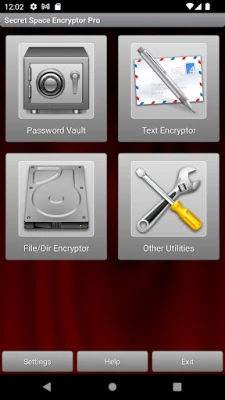
SSE (Secret Space Encryptor) is a free Android application that brings together file encryption, text encryption and an offline password vault in a single package. Developed by Paranoia Works, the app is aimed at users who want full control over the protection of their personal data without relying on cloud services.
Main features
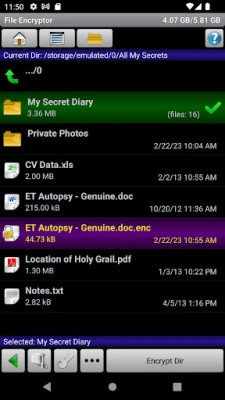
- File encryption – Select individual files or whole folders and encrypt them with a password of your choice.
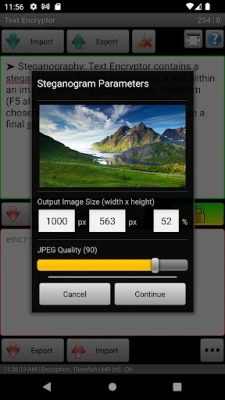
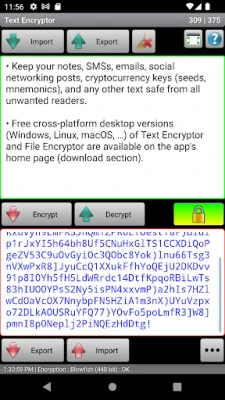
- Text encryption – Safely store notes, keys, or any short piece of text. Encrypted entries can be copied to other apps or kept inside the built‑in database.
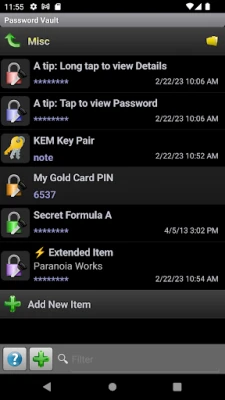
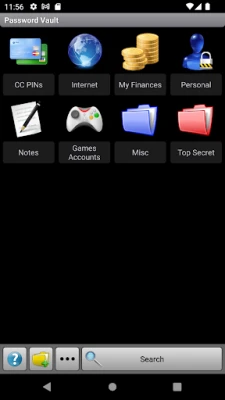
- Offline password manager – Keep passwords, PINs and other secrets in an encrypted vault that lives only on your device.
- Multiple passwords – Create separate passwords for different purposes, allowing you to compartmentalize sensitive information.
- Import / export – Export the vault as an encrypted file for backup or transfer, or use an unencrypted XML format for manual editing.
How it works
When you set a password, the app derives cryptographic keys from that password and uses them to transform your data. The encryption process is performed locally on the device, so no data is sent to external servers. Decryption requires the exact same password; if the password is lost, the encrypted content cannot be recovered.
Practical uses
- Protect confidential documents such as contracts, personal photos or financial statements.
- Securely store cryptocurrency seed phrases, private keys or other sensitive strings.
- Maintain a personal password vault that remains offline and under your sole control.
- Encrypt notes before sharing them through messaging apps or email.
Installation information
The app can be installed from the standard Android marketplace. It requires no special permissions beyond those needed to read and write files on the device. Because the application is free, there is no purchase or subscription required to access its core functions.
Things to know before installing
- Remember your master password. The encryption is strong, which also means that forgetting the password makes the data unrecoverable.
- The app is intended for users comfortable with managing their own security settings; it does not provide automatic backups or cloud sync.
- All encryption and decryption happen on the device, so performance may vary depending on the size of the files and the hardware of the phone.
Who may find SSE useful?
Anyone who prefers to keep sensitive information off the cloud and under direct control – journalists, developers, cryptocurrency enthusiasts, or anyone handling personal documents – will benefit from SSE’s straightforward, offline approach.
Frequently asked questions
- Is my data stored on any server? No. All encryption and decryption are performed locally, and the encrypted files remain on your device unless you choose to share them.
- Can I use more than one password? Yes. You can create separate passwords for different files, notes or vault entries.
- How do I back up my encrypted vault? Use the built‑in export function to save an encrypted backup file that can be restored later.
- What happens if I forget my password? The data cannot be recovered without the correct password.
Rate the App
User Reviews















Popular Apps










 Games
Games Entertainment
 Communication
 E-mail
 Security
 Tools
Tools Media
Media Internet
 Finance
 Design
 Education
 IT Tools
 Travel & Local
 Android
 Windows
 Linux
Linux