Latest Version
Latest
September 07, 2026
Splashtop
Tools
Android
107
Free
com.splashtop.streamer.csrs
Report a Problem
More About Splashtop Streamer – Remote Access for Android Devices
What is Splashtop Streamer?
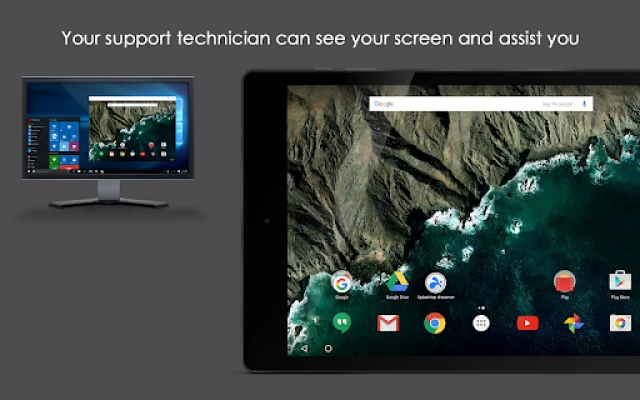
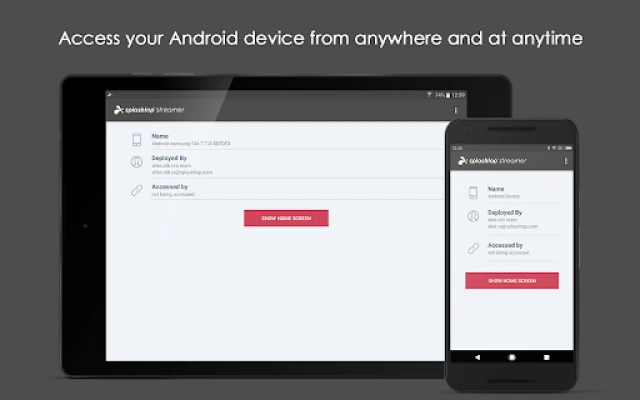
Splashtop Streamer is a lightweight Android component that works together with Splashtop’s remote‑support suite. Once installed on an Android device, it allows a technician or administrator to view the screen, interact with the UI, and move files without needing to be physically present.
Main capabilities
- Remote screen control – See the device’s display in real time and operate it as if you were holding it.
- File transfer – Send or receive files between the Android device and the remote console.
- Clipboard sync – Copy text on one side and paste it on the other, simplifying data entry.
- Voice communication – Use a built‑in voice channel to talk to the user while you work.
- Annotations – Draw on the remote screen to highlight areas during troubleshooting.
How it works
After installing Splashtop Streamer, you enter a deployment code that links the device to your Splashtop Business or Remote Support account. The app runs as a background service and, when needed, elevates its permissions (such as Device Admin or Accessibility) to enable full control. From a Windows, macOS, iOS or Android client, you select the target device and start a session. All interaction is encrypted and routed through Splashtop’s cloud infrastructure, so the device does not need to be on the same local network.
Practical uses
- IT help desks can resolve software issues on employee phones without asking users to perform complex steps.
- Field service teams can verify device configurations before deployment.
- Developers can test app behavior on multiple Android models from a single workstation.
Installation basics
1. Download Splashtop Streamer from the Google Play Store.
2. Open the app and follow the on‑screen prompts to grant the required permissions.
3. Enter the deployment code provided by your Splashtop account.
4. The app will appear in the device’s app list and run silently in the background.
Compatibility notes
The streamer works on most modern Android devices. It relies on either native remote‑control support (available on many Samsung models) or on the Accessibility service for devices that lack built‑in integration. Rooted devices also support full control. Minimum Android version is typically 5.0, but newer releases may require later versions.
Things to consider before installing
- Device‑admin or Accessibility permissions are necessary for remote control; review the permission dialogs carefully.
- The app does not function as a standalone remote‑desktop client; it must be paired with a Splashtop Business or Remote Support account.
- Network connectivity is required on both the Android device and the remote client for a stable session.
Who benefits most?
Small‑to‑medium businesses that provide on‑site support, managed service providers, and organizations with distributed workforces will find Splashtop Streamer especially useful. It reduces travel time, speeds up issue resolution, and provides a clear audit trail of support activities.
Frequently asked questions
Is my data protected during a remote session?
All traffic between the Android device and the remote console is encrypted using industry‑standard protocols. Splashtop does not store screen data on its servers.
Can I control a device that is locked?
Control is possible only when the device is unlocked or when the appropriate accessibility settings are enabled. Locked‑screen control is not supported for security reasons.
Do I need a separate license for each device?
Licensing is managed through your Splashtop account. The Streamer app itself is free, but remote‑support usage follows the terms of your Splashtop subscription.
Rate the App
User Reviews















Popular Apps










 Games
 Entertainment
 Communication
 E-mail
 Security
 Tools
 Media
 Internet
 Finance
 Design
 Education
 Android Firmwares
 Travel & Local
 Android
 Windows
 Linux