

Latest Version
Latest
August 30, 2026
Splashtop
Tools
Android
120
Free
com.splashtop.sos
Report a Problem
More About Splashtop SOS – Remote Support
What is Splashtop SOS?
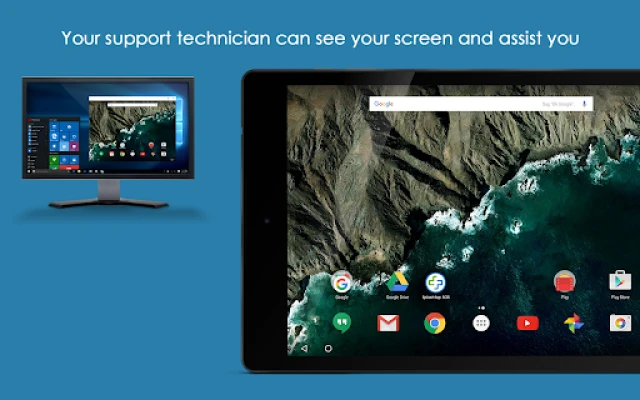
Splashtop SOS is a free Android application that lets you receive real‑time remote support from an IT professional or help‑desk technician. When you need help with a device, the app creates a temporary session that the technician can join to view your screen, exchange messages, and, with your permission, control the device to resolve issues.
Main features
- Live screen sharing – The technician can see exactly what you see, making it easier to diagnose problems.
- Two‑way chat – Communicate with the support person while the session is active.
- File access – Transfer files between your device and the technician when needed.
- Optional remote control – If you grant the required permission, the technician can control the device to perform actions on your behalf.
- Cross‑platform support – Sessions can be initiated from Android devices and accessed from desktops or other mobile devices.
How it works
- Install Splashtop SOS on the Android device that requires assistance.
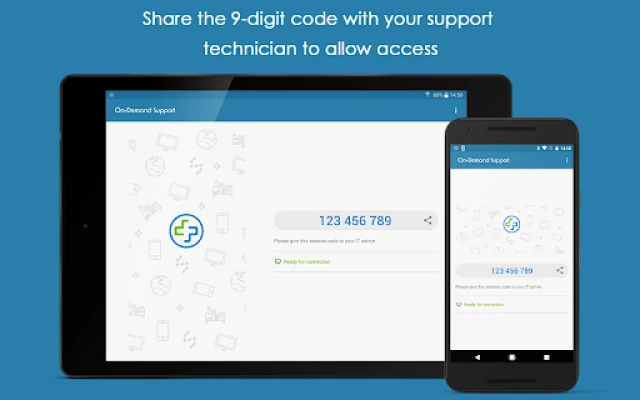
- Open the app and it will generate a unique session ID.
- Share the session ID with your support technician through a trusted channel (email, chat, etc.).
- The technician enters the ID on their end, and the connection is established.
- During the session you can watch the technician’s actions, chat, and end the session at any time.
Practical uses
The app is useful in a variety of scenarios, such as:
- Corporate IT departments helping employees resolve software glitches.
- Technical support for consumers troubleshooting apps or device settings.
- Remote training where an instructor guides a user through a process.
Installation information
Search for "Splashtop SOS – Remote Support" in the Google Play Store, then tap Install. The app does not require a paid license and can be used immediately after installation.
Things to know before installing
- The app will request permission to draw over other apps and, if you enable remote control, the Accessibility Service permission. These are required for screen sharing and optional control.
- Session IDs are short‑lived and change each time you start a new session, helping keep connections secure.
- Only share the session ID with people you trust; the code grants temporary access to your device.
Who may find it useful?
Anyone who needs on‑demand assistance with an Android device can benefit, including corporate employees, small‑business owners, educators, and personal users seeking help with apps, settings, or connectivity issues.
Frequently asked questions
Is the connection secure?
Splashtop SOS uses encrypted channels for the session data. The session ID is generated locally and expires after the session ends.
Do I need to be on the same network as the technician?
No. The connection works over the internet, so the technician can assist from anywhere.
Can I end the session at any time?
Yes. You control when the session starts and ends, and you can revoke remote‑control permission during the session.
Will the app work on all Android devices?
The app runs on devices that support the standard Android runtime and allow the required permissions. Specific version requirements are listed in the Play Store entry.
Rate the App
User Reviews















Popular Apps










 Games
 Entertainment
 Communication
 E-mail
 Security
 Tools
 Media
 Internet
 Finance
 Design
 Education
 Android Firmwares
 Travel & Local
 Android
 Windows
 Linux