


Latest Version
Latest
September 11, 2026
VPN - Fast Master Proxy Inc.
Tools
Android
9
Free
com.speedy.vpn
Report a Problem
More About Speedy Quark VPN – Fast Free VPN for Android
What is Speedy Quark VPN?
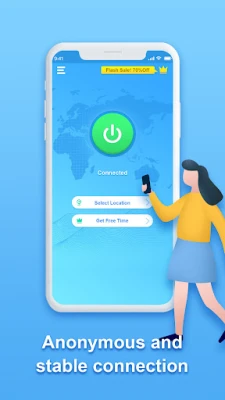
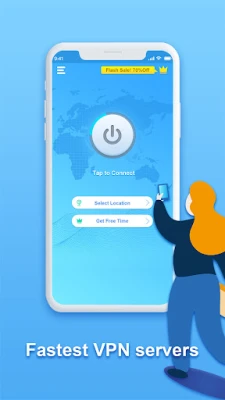
Speedy Quark VPN is a free Android application that creates a virtual private network (VPN) connection on your device. By routing your internet traffic through an encrypted tunnel, the app helps keep your online activity private and protects it from casual eavesdropping.
Main features
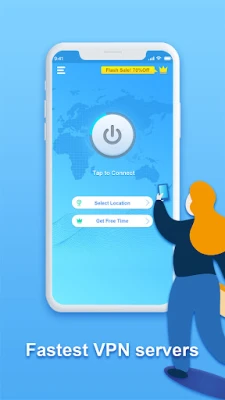
- One‑tap connection – Turn the VPN on or off with a single tap.
- Free usage – The app does not require a paid subscription to start protecting your traffic.
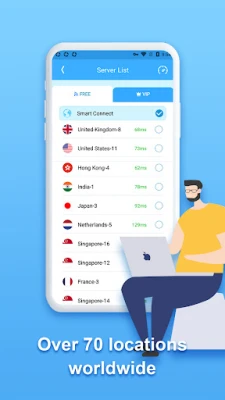
- Server selection – Choose from the available proxy servers by tapping the corresponding flag.
- Basic encryption – Traffic is encrypted while it passes through the VPN tunnel.
How it works
When you activate Speedy Quark VPN, the app establishes a secure tunnel between your device and a remote server operated by the developer. All data that leaves your phone is first encrypted, then sent to the server, which forwards it to the destination website or service. Because the data is encrypted, anyone monitoring the network – such as a public Wi‑Fi hotspot or an ISP – cannot read the contents.
Practical uses
The app can be useful in several everyday scenarios:
- Public Wi‑Fi safety – Protect passwords and personal messages when you connect to coffee‑shop or airport networks.
- Bypassing simple regional blocks – Access content that may be restricted in your current location by selecting a server in another country.
- Privacy‑focused browsing – Reduce the amount of data that third parties can collect about your browsing habits.
Installation information
To install Speedy Quark VPN, locate the app in the Android marketplace, tap Install, and follow the on‑screen prompts. After installation, you will be asked to grant the VPN permission, which is required for the app to create a virtual network interface.
Things to know before installing
- The app is offered free of charge, but it may display ads or offer optional in‑app purchases.
- Free VPN services often have usage limits or reduced speeds compared with paid plans; performance can vary depending on server load.
- Because the service is provided by a third‑party developer, review the privacy policy (if available) to understand how connection logs are handled.
Who may find it useful?
Anyone who wants a quick, no‑cost way to add a layer of encryption to their Android device can benefit from Speedy Quark VPN. It is especially handy for occasional travelers, students using campus Wi‑Fi, or users who prefer a lightweight solution without a subscription.
Frequently asked questions
Is Speedy Quark VPN safe to use?
The app encrypts traffic while it passes through the VPN tunnel, which adds a basic level of security. However, users should review the developer’s privacy statements to understand data handling practices.
Do I need a separate account?
No separate account is required; the app can be activated directly after installation.
Can I use the VPN on multiple devices?
The free version is designed for a single Android device. Using it on additional devices may require separate installations.
Will the VPN affect my internet speed?
Routing traffic through a VPN server can introduce some latency. Speed may vary depending on the selected server and current network conditions.
Rate the App
User Reviews











Popular Apps










 Games
Games Entertainment
 Communication
 E-mail
 Security
 Tools
Tools Media
Media Internet
 Finance
 Design
 Education
 IT Tools
 Travel & Local
 Android
 Windows
 Linux
Linux