
Latest Version
Latest
September 11, 2026
Zerogic Inc.
Tools
Android
9
Free
com.frzinapps.smsforward
Report a Problem
More About SMS Forwarder – Forward texts and notifications
What is SMS Forwarder?
SMS Forwarder is a free utility from Zerogic Inc. that lets you automatically send incoming text messages and certain push notifications to other destinations you choose. It runs on your Android device and forwards the content without needing a separate server.
Main features
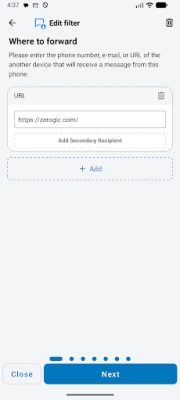
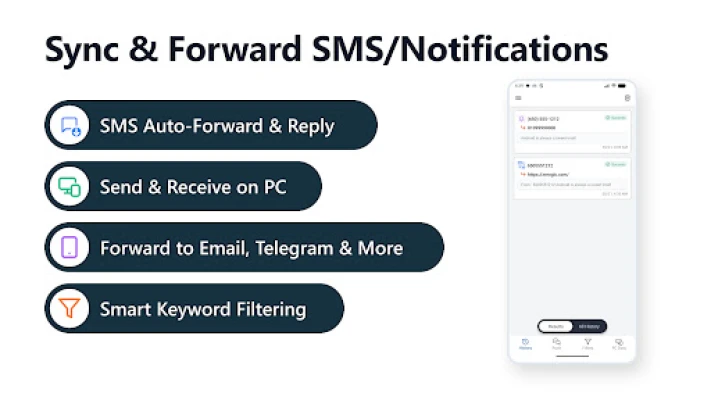
- Multiple output channels: forward to email, another phone number, a webhook URL, Telegram, or any push‑service identifier.
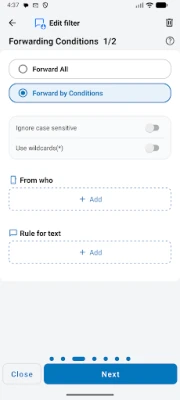
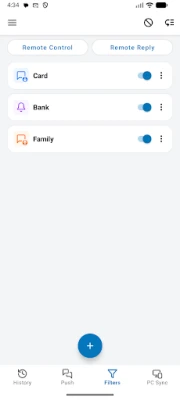
- Custom filtering: define keywords or sender numbers to decide which messages are forwarded.
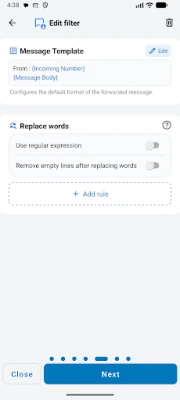
- Template support: adjust the format of the forwarded message to include original text, sender info, or timestamps.
- Dual‑SIM awareness: choose which SIM card’s messages are processed on devices with two lines.
- Operating‑hours schedule: limit forwarding to specific times, such as business hours.
- Backup & restore: export your filter settings and import them later or on another device.
How it works
When a new SMS arrives, the app reads the message (using the standard Android SMS permissions) and checks it against any filters you have created. If the message matches, the app formats it according to your template and sends it to the selected destination(s). All processing happens locally; the app does not store your messages on external servers.
Practical uses
- Keep a backup of important texts by emailing them to yourself.
- Receive work‑related messages on a desktop or web‑based notification service.
- Share alerts with a team chat in Telegram without manually copying each message.
- Route verification codes to a secondary device when you are away from your phone.
Installation information
Install SMS Forwarder from the Google Play Store. After installation, grant the permissions required for reading incoming SMS and, if you use email forwarding, access to contacts for name resolution. The app will guide you through creating your first forwarding rule.
Things to know before installing
- The app can only forward messages that arrive on the device where it is installed; it cannot retrieve messages from other phones.
- Permissions are limited to what is needed for forwarding (SMS read/write and optional contact access).
- All data, including filter configurations, is stored locally. Removing the app deletes this data.
Who may find it useful?
Anyone who needs to keep a record of texts, share notifications with a team, or route messages to a different device or service. It is especially handy for professionals who manage multiple communication channels or for users who want an automated backup of important SMS content.
Frequently asked questions
Can I forward messages to more than one destination?
Yes. A single rule can include several recipients, such as an email address and a Telegram chat.
Do I need an internet connection to forward messages?
Forwarding via email, webhook, or push services requires internet access. SMS‑to‑SMS forwarding works with the cellular network.
Is my data stored on external servers?
No. The app processes and forwards messages directly from your device; it does not retain copies on remote servers.
Rate the App
User Reviews












Popular Apps










 Games
Games Entertainment
 Communication
 E-mail
 Security
 Tools
Tools Media
Media Internet
 Finance
 Design
 Education
 IT Tools
 Travel & Local
 Android
 Windows
 Linux
Linux