

Latest Version
Latest
September 11, 2026
GawkAr
Tools
Android
7
Free
com.gawk.smsforwarder
Report a Problem
More About SMS Forwarder – Send Your Texts to Email, Telegram and More
What is SMS Forwarder?
SMS Forwarder is a free Android utility that routes your text messages to destinations you choose. Whether you need a backup of important SMS, want to read messages on a computer, or wish to forward alerts to a messaging service, the app provides a straightforward way to do so.
Main features
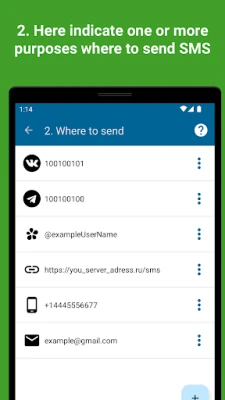
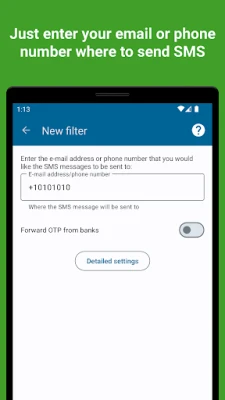
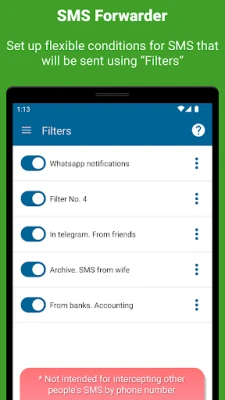
- Flexible forwarding targets: Send SMS to another phone number, an email address, a Telegram chat or a custom web endpoint.
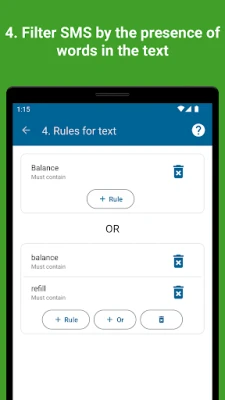
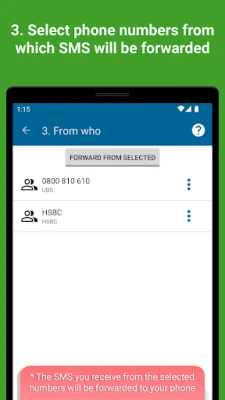
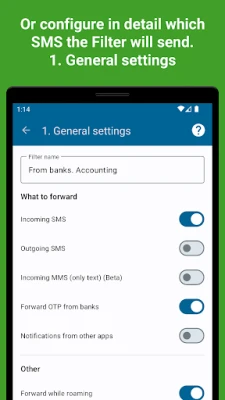
- Selective forwarding: Choose to forward only incoming messages, only outgoing ones, or both.
- Simple setup: A step‑by‑step wizard guides you through account creation (optional) and destination configuration.
- Multiple delivery methods: For email you can use the app’s built‑in server, a Gmail‑compatible API or any SMTP server you control.
- Telegram integration: Forward messages via a bot provided by the developer or by using your own bot token.
How it works
After installation, the app requests permission to read SMS messages. Once granted, it monitors the device’s messaging database. When a message matches your chosen criteria, the app formats the content and sends it to the configured endpoint. The transmission is handled locally on your device, so you remain in control of the data flow.
Practical uses
- Keep a personal archive of important texts by forwarding them to an email inbox.
- Receive work‑related SMS on a Telegram channel where you already collaborate with colleagues.
- Sync messages to a home server for automated processing or logging.
- Forward verification codes to a secondary device when you are away from your phone.
Installation information
Download the APK from a trusted source, install it, and follow the on‑screen setup. The app runs in the background and does not require additional services to be installed.
Things to know before installing
- The app needs permission to read SMS and to send data over the internet.
- Forwarding SMS through your carrier may incur standard messaging fees, depending on your plan.
- All forwarding actions are initiated from your device; no external server stores your messages unless you configure one.
Who may find it useful?
Anyone who wants a reliable way to duplicate text messages to another platform—students, professionals handling two‑factor codes, developers building custom notification pipelines, or anyone who simply prefers reading SMS on a computer.
Frequently asked questions
Do I need an account?
Creating an account is optional. It enables cloud‑based features such as remote management, but the core forwarding functions work without registration.
Can I forward MMS as well?
The app focuses on SMS text content. Multimedia messages are not forwarded.
Is my data secure?
Messages are transmitted directly from your device to the destination you specify. The app does not store message content on external servers unless you set up a custom endpoint.
What Android versions are supported?
The app runs on devices that support the standard Android SMS APIs. Specific version numbers are not listed, but it works on most modern Android releases.
Rate the App
User Reviews













Popular Apps










 Games
Games Entertainment
 Communication
 E-mail
 Security
 Tools
Tools Media
Media Internet
 Finance
 Design
 Education
 IT Tools
 Travel & Local
 Android
 Windows
 Linux
Linux