

Latest Version
Latest
September 14, 2026
TechInnate Solutions
Tools
Android
4
Free
com.techinnate.android.smsforwarder
Report a Problem
More About SMS Auto Forwarder & Messaging – Manage and Forward Your Texts
What is SMS Auto Forwarder & Messaging?
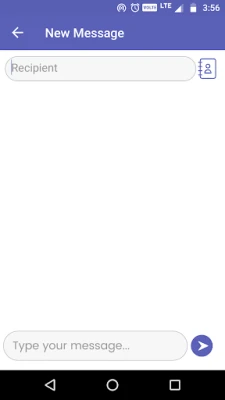
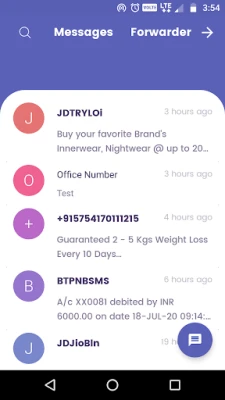
SMS Auto Forwarder & Messaging is a free Android application developed by TechInnate Solutions. It replaces the standard messaging client and adds automation tools that let you forward, schedule, and filter text messages directly on your device.
Main capabilities
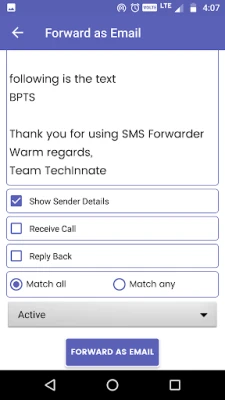
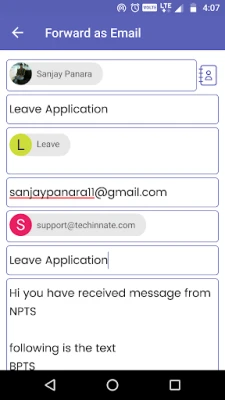
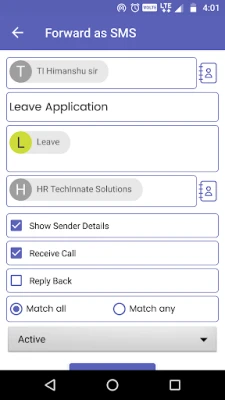
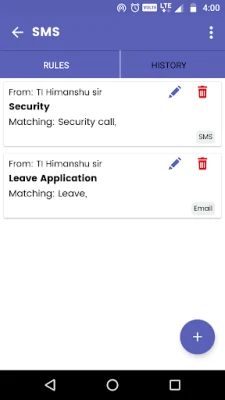
- Automatic forwarding – Define rules so incoming SMS are sent to another phone number without manual effort.
- Scheduled sending – Set a future date and time for a message to be forwarded, useful for reminders or timed alerts.
- Dual‑SIM routing – Choose which SIM card receives messages and which one is used for forwarding, helping you keep work and personal communications separate.
- Message management – Pin important chats, mark messages as unread, archive conversations, and delete individual or bulk messages.
- Blocking – Filter out unwanted numbers or keywords to keep your inbox clean.
How it works
After installing, you set the app as the default SMS/MMS handler. From the settings screen you can create forwarding rules based on the sender’s number, specific keywords, or a combination of both. When a new message arrives, the app evaluates the rules locally and forwards the text to the target number you specified. Scheduling works the same way, but the forward action is delayed until the chosen time.
Practical uses
- Business alerts – Forward order confirmations or service notifications to a dedicated work phone.
- Team coordination – Share important updates with a group chat without copying each message.
- Personal organization – Send reminders to a secondary device that you keep at home.
- Dual‑SIM users – Keep work SMS on one SIM while forwarding personal messages to another device.
Installation notes
The app is available through standard Android distribution channels. After download, grant the required permissions for SMS access and, if needed, phone state to enable dual‑SIM selection. No external accounts or cloud services are required; all processing stays on the device.
Who might benefit?
Anyone who needs more control over incoming text messages – small‑business owners, dual‑SIM phone users, or anyone who wants to automate routine notifications – will find the tool useful.
Frequently asked questions
Do I need an internet connection for forwarding?
Forwarding uses the cellular network of the selected SIM card, so an active mobile connection is required, but the app does not rely on internet‑based services.
Is my data stored remotely?
No. All messages are processed locally; the app does not upload content to external servers.
Can I forward MMS as well as SMS?
The app handles both SMS and MMS as part of its default messaging functions.
Rate the App
User Reviews















Popular Apps










 Games
Games Entertainment
 Communication
 E-mail
 Security
 Tools
Tools Media
Media Internet
 Finance
 Design
 Education
 IT Tools
 Travel & Local
 Android
 Windows
 Linux
Linux