Latest Version
Latest
August 15, 2026
Pixelvoid Games Ltd
Tools
Android
244
Free
roblox.clothes.skin.maker.editor
Report a Problem
More About Skins & Avatars Clothes Maker – Create Custom Roblox Outfits
What is Skins & Avatars Clothes Maker?
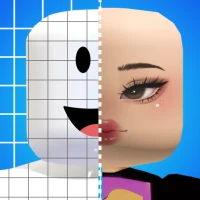
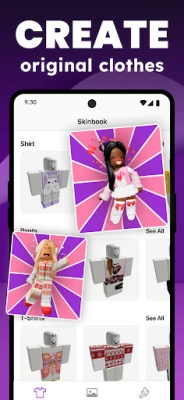
Skins & Avatars Clothes Maker is a free Android tool from Pixelvoid Games Ltd that lets you design custom clothing items for Roblox avatars. The app provides a visual editor where you can start from a blank canvas or modify pre‑made templates, then export the finished design for use in the game.
Main features
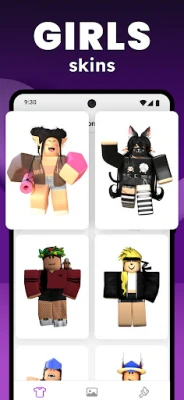
- Template library – A selection of shirt, T‑shirt, pants and other garment outlines to jump‑start your design.
- Layer‑based editing – Work on separate layers for base colors, textures, stickers and details without affecting earlier work.
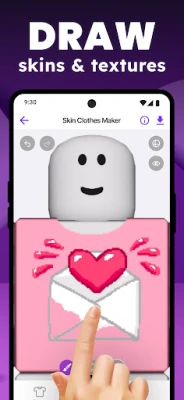
- Drawing tools – Brush, eraser, fill and color picker let you paint pixel‑perfect graphics.
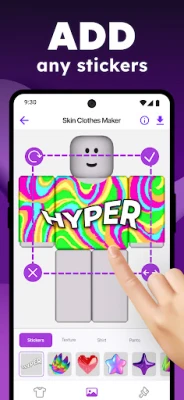
- Stickers and textures – A set of ready‑made decorative elements that can be placed, resized and rotated.
- Undo/redo – Quickly correct mistakes while you experiment.
How it works
After installing the app, open it and choose a template that matches the garment you want to create. The editor shows a grid representing the pixel layout of the clothing item. Select a layer, pick a color or sticker, and draw directly on the canvas. You can add additional layers to separate background colors from foreground details, making it easy to adjust each part independently. When you are satisfied, save the design to your device; the file can then be uploaded to Roblox through the standard avatar customization process.
Practical uses
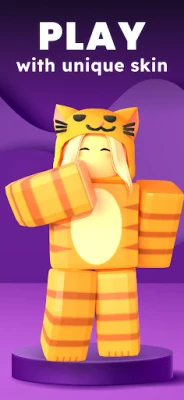
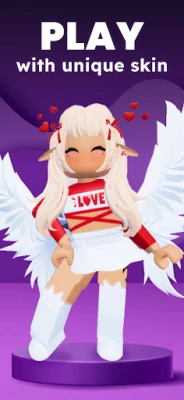
- Personalize your Roblox avatar with outfits that reflect your style.
- Experiment with color schemes and patterns before committing to a final design.
- Create clothing for friends or community groups.
- Develop a portfolio of custom skins if you are interested in Roblox content creation.
Installation information
The app is available as a free download from the Google Play Store. No additional fees are required to access the core editor, although optional in‑app purchases may be offered for extra sticker packs or premium templates.
Things to know before installing
- An active internet connection is required the first time you launch the app to download the template and sticker assets.
- The app works best on devices running a recent version of Android; performance may vary on older hardware.
- To use the clothing you create, you must have the official Roblox mobile app installed on the same device.
Who may find it useful?
Anyone who enjoys customizing Roblox avatars – from casual players looking for a unique look to aspiring designers who want to practice pixel art for the platform. The straightforward interface also makes it suitable for younger users who are new to graphic editing.
Frequently asked questions
- Do I need a Roblox account? Yes, you need a Roblox account to apply the clothing you design within the game.
- Can I share my creations with others? Exported files can be shared manually, and you can upload them to Roblox for public use if you follow the platform’s publishing guidelines.
- Is any personal data collected? The app’s privacy policy (available in‑app) outlines any data handling; no unnecessary personal information is required for basic editing.
Rate the App
User Reviews















Popular Apps










 Games
Games Entertainment
 Communication
 E-mail
 Security
 Tools
Tools Media
Media Internet
 Finance
 Design
 Education
 Android Firmwares
 Travel & Local
 Android
 Windows
 Linux
Linux