


Latest Version
Latest
September 17, 2026
SKEDit Software International
Tools
Android
9
Free
io.skedit.app
Report a Problem
More About SKEDit: Scheduler & Auto Reply – Android
What is SKEDit?
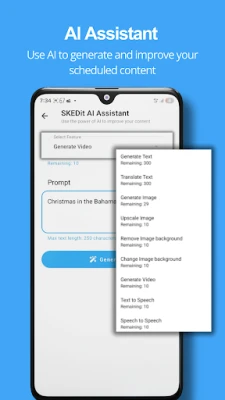
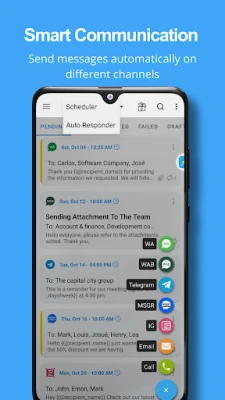
SKEDit is a free Android utility that lets you schedule outgoing messages and configure automatic replies for popular messaging platforms. By letting you write a message once and choose when it should be sent, the app helps you keep up with conversations, reminders, and routine communications without having to be at your phone at the exact moment.
Main features
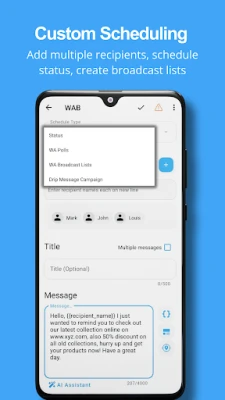
- Message scheduling – Compose a text and set a date and time for it to be sent automatically.
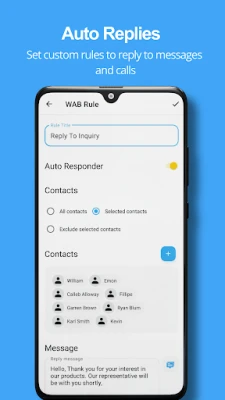
- Auto‑reply support – Define simple rules so the app can answer incoming messages when you are unavailable.
- Multiple chat services – Works with WhatsApp, WhatsApp Business, Telegram, Messenger and email, allowing a single tool for several communication channels.
- Recurring messages – Create repeating schedules for daily, weekly or monthly reminders.
- Template saving – Store frequently used messages for quick reuse.
How it works
After installing SKEDit, you grant the necessary permissions for the messaging apps you want to use. When you open the app, you can select the target service, choose a contact or group, write your message, and then pick a date and time. The app stores the schedule locally and triggers the send action at the appointed moment. For auto‑reply, you set up simple conditions—such as “always reply” or “reply when a specific keyword is received”—and provide the response text. The app monitors incoming messages and replies automatically according to those rules.
Practical uses
- Send birthday wishes or holiday greetings at the right time, even if you are traveling.
- Set reminders for appointments, bill payments, or daily tasks without needing a separate calendar app.
- Provide instant acknowledgment for customer inquiries when you cannot answer immediately.
- Automate routine updates to team members or family groups, such as daily status reports.
Installation information
SKEDit is available through the Google Play Store. Search for the package name io.skedit.app or the app title, then tap “Install.” The download size and Android version requirements are not listed here, so the Play Store will show whether your device is compatible during the installation process.
Things to know before installing
- The app requires access to the messaging apps you intend to schedule or auto‑reply for. This is necessary for it to send messages on your behalf.
- Auto‑reply functionality works while the app is running in the background; battery‑optimisation settings may need adjustment to prevent the system from stopping it.
- Because the app stores scheduled messages locally, you should back up your device if you rely on important scheduled content.
Who may find SKEDit useful?
Anyone who regularly communicates via chat apps and wants to reduce repetitive typing can benefit. This includes busy professionals, small business owners handling customer messages, students managing group project updates, and anyone who likes to plan personal reminders in advance.
Frequently asked questions
Is SKEDit free to use?
Yes, the application is offered as a free download.
Can I schedule messages for multiple contacts at once?
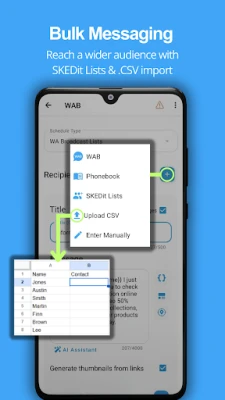
SKEDit allows you to create separate schedules for each contact or group. Bulk import features are not described here.
Does the app work with the latest version of WhatsApp?
Compatibility depends on the permissions and APIs provided by WhatsApp. The Play Store listing will indicate any version constraints.
Will scheduled messages be sent if my phone is turned off?
Messages are sent only when the device is powered on and the app can run in the background.
Rate the App
User Reviews















Popular Apps










 Games
Games Entertainment
 Communication
 E-mail
 Security
 Tools
Tools Media
Media Internet
 Finance
 Design
 Education
 IT Tools
 Travel & Local
 Android
 Windows
 Linux
Linux