Latest Version
September 15, 2026
Sigma Smart Technologies
Tools
Android
9
Free
com.screenmirroring.castingscreen.mirrorscreen
Report a Problem
More About Screen Mirroring Lite: Cast TV – Simple Wireless Screen Sharing
What is Screen Mirroring Lite?
Screen Mirroring Lite is a lightweight utility that lets you project the screen of your Android device onto a TV or other wireless display. The app works over a shared Wi‑Fi network, turning your phone or tablet into a remote source for any compatible display.
Main Features
- Wireless casting – No cables or adapters are required.
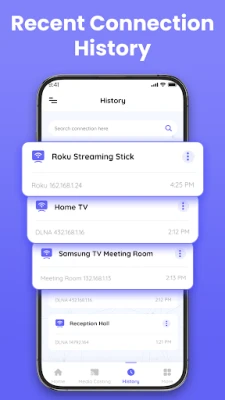
- Fast device discovery – The app scans the local network and lists available receivers in seconds.
- Supports portrait and landscape – Your screen orientation is kept intact while mirroring.
- Lightweight interface – A clean layout keeps the focus on the mirroring process.
How It Works
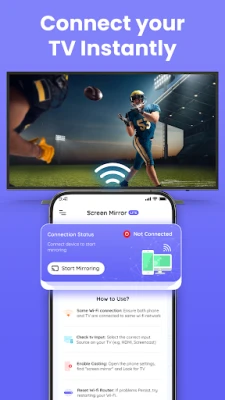
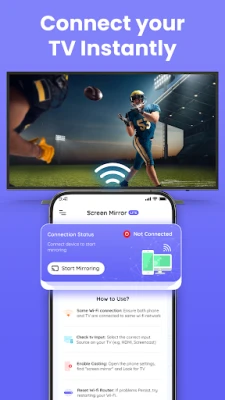
Both your Android device and the target TV (or streaming stick) must be connected to the same Wi‑Fi network. After launching the app, it searches for devices that advertise Miracast, Chromecast, or other standard wireless display protocols. Tap the desired receiver and the mirroring session begins automatically.
Practical Uses
Screen Mirroring Lite can be handy in many everyday situations:
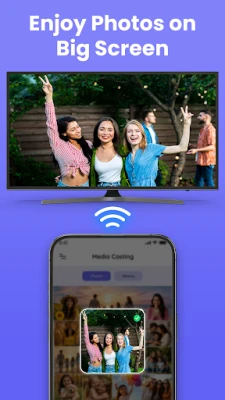
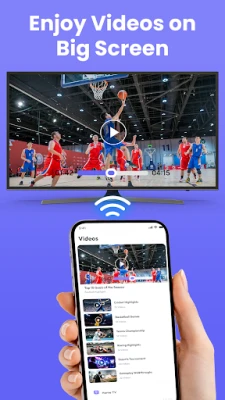
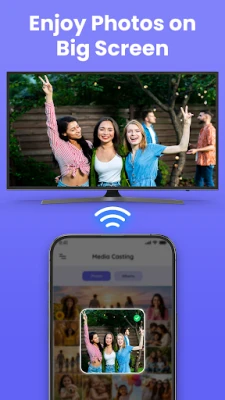
- Media playback – Watch movies, YouTube videos, or personal photo slideshows on a larger screen.
- Presentations – Show slides, PDFs or documents directly from your device during meetings or classes.
- Gaming – Play mobile games that support external displays for a more immersive experience.
- Live demos – Demonstrate apps or features to a group without needing a projector.
Installation Information
The app is offered as a free download from the Google Play Store. Installation follows the standard Android process: tap Install, wait for the download, and open the app once the installation completes.
Compatibility
Screen Mirroring Lite works with Android devices that support the standard wireless display protocols built into the operating system. It can connect to a range of receivers, including:
- Smart TVs that have Miracast, Chromecast or DLNA support.
- External streaming devices such as Google Chromecast, Amazon Fire TV, Roku sticks, and similar.
Exact compatibility depends on the TV model, the Android version of your device, and the stability of the Wi‑Fi network.
Things to Know Before Installing
- Both devices need to be on the same Wi‑Fi network; a dual‑band router can improve performance.
- If the TV does not appear in the list, ensure its wireless display mode (Miracast, Screen Mirroring, etc.) is enabled in the TV settings.
- VPN connections may interfere with device discovery; disabling VPN while casting can help.
- A stable Wi‑Fi connection provides smoother video and reduces latency.
Who May Find It Useful?
Anyone who wants a quick way to share their Android screen with a larger display can benefit from Screen Mirroring Lite. This includes:
- Students and teachers conducting remote or in‑class presentations.
- Families who enjoy watching mobile videos together on a TV.
- Professionals needing to showcase apps or prototypes during meetings.
- Casual gamers looking for a bigger view of compatible titles.
Frequently Asked Questions
Do I need any extra hardware?
No. The app uses the Wi‑Fi network you already have. A compatible TV or streaming device that supports standard wireless display protocols is sufficient.
Will the app work with older Android versions?
Screen Mirroring Lite requires the device to include the native wireless display support provided by Android. If your device runs a very old version of Android that lacks this feature, the app may not be able to initiate a cast.
Can I mirror only a specific app?
The app mirrors the entire screen, so any content displayed on your device will appear on the TV. Selective app mirroring is not a built‑in feature.
Is there any cost after installation?
The application is free to download and use. No in‑app purchases are required for basic mirroring functionality.
Rate the App
User Reviews







Popular Apps










 Games
Games Entertainment
 Communication
 E-mail
 Security
 Tools
Tools Media
Media Internet
 Finance
 Design
 Education
 IT Tools
 Travel & Local
 Android
 Windows
 Linux
Linux