Latest Version
September 05, 2026
Zalor Digital
Tools
Android
2
Free
com.hbasakcioglu.remotephone
Report a Problem
More About Remote Phone Control – Real‑time Android screen sharing
What is Remote Phone Control?
Remote Phone Control is a free Android utility that lets two devices connect so one user can view and interact with the screen of the other in real time. Every session starts only after the device owner approves the request, ensuring transparent and consensual remote assistance.
Main capabilities
- Live screen view – See the remote device’s display as it updates.
- Touch interaction – Perform taps, swipes, long‑presses and scrolls on the remote screen just as if the device were in your hand.
- Session management – Start, pause or end a session at any moment from either side.
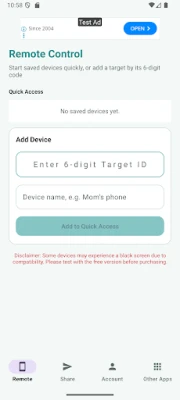
- Saved connections – Frequently used devices can be stored, eliminating the need to re‑enter IDs each time.
How it works
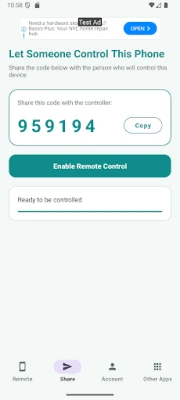
- On the device that needs help, open the Share tab. A six‑digit code is displayed.
- On the helper’s device, open the Remote tab and type the same code.
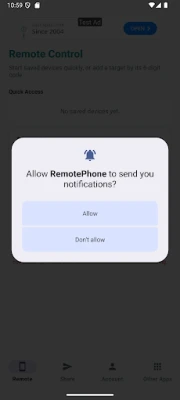
- The owner receives a prompt. After tapping Allow, the shared session begins.
The Android system shows a persistent screen‑sharing indicator for the duration of the connection, and either participant can terminate the session instantly.
Practical scenarios
Remote Phone Control is useful in many everyday situations:
- Family support – Guide a parent through a setting change or help a child complete a school form.
- Technical assistance – Provide on‑the‑spot troubleshooting without being in the same room.
- Device hand‑off – Access a second phone or tablet while you’re away from it.
Installation notes
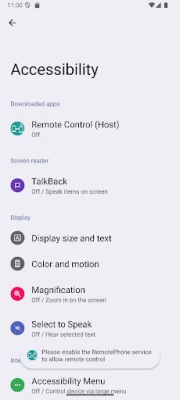
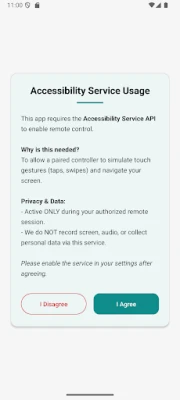
The app is available for free on the Google Play Store. After installation, you will be asked to enable the Android Accessibility Service, which the app uses solely to send touch gestures during an active, approved session. No background monitoring or data collection occurs outside of an active connection.
Things to keep in mind
- Both devices need a stable internet connection for smooth video streaming.
- Screen sharing relies on each device’s video encoder; a small number of models may display a black screen.
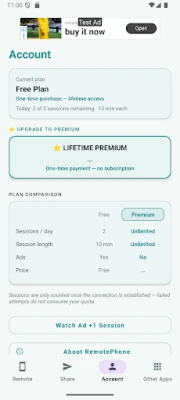
- Each free session is limited to a short duration; longer or unlimited sessions are offered through an optional subscription.
Who might benefit?
Anyone who regularly assists others with Android devices – parents, friends, coworkers, or remote support professionals – will find Remote Phone Control a straightforward way to provide hands‑on help without physical proximity.
Frequently asked questions
Is the remote view visible to the device owner?
Yes. Android shows a visible indicator for the entire session, and the owner must explicitly approve each connection.
Does the app collect personal data?
No. The Accessibility Service is activated only while a session is active and is limited to sending touch commands. It does not record or transmit personal information.
Can I use the app without a subscription?
The free tier allows a limited number of short sessions per day. For unlimited access, a paid plan is available through the Play Store.
Rate the App
User Reviews



Popular Apps










 Games
Games Entertainment
 Communication
 E-mail
 Security
 Tools
Tools Media
Media Internet
 Finance
 Design
 Education
 IT Tools
 Travel & Local
 Android
 Windows
 Linux
Linux