
Latest Version
Latest
August 25, 2026
YNC Mobile
Tools
Android
113
Free
com.ync.reader_browser
Report a Problem
More About Readexa – Web, PDF & EPUB Reader
What is Readexa?
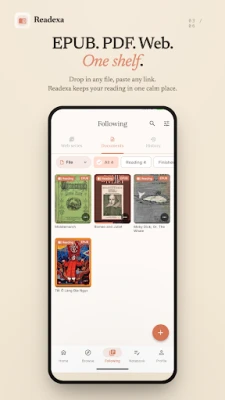
Readexa is a free Android application from YNC Mobile that combines an ebook reader, a PDF viewer and a web‑article reader into a single interface. It is designed for anyone who wants to keep digital reading material—books, documents, comics or web pages—in one place.
Main features
- Multiple formats – Open EPUB, PDF and CBZ files stored on your device.
- Reading modes – Choose between page‑flip, vertical scroll or a simplified reader view for web content.
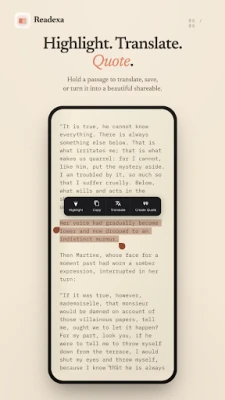
- Bookmarks and highlights – Mark pages, add highlights and write short notes while you read.
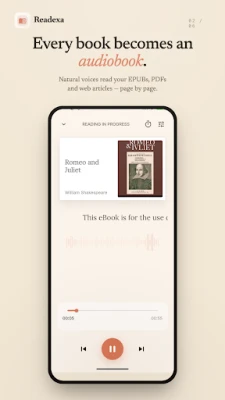
- Text‑to‑speech – Listen to the content with the built‑in read‑aloud function; playback continues in the background.
- Offline access – Save web articles for later reading without an internet connection.
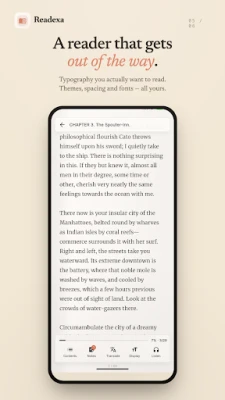
- Customizable appearance – Adjust text size, line spacing, margins and switch between light, dark, sepia or paper themes.
How it works
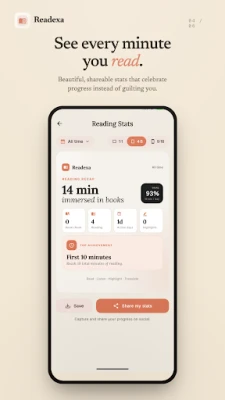
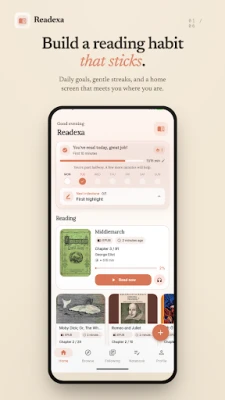
After installing Readexa, you can browse your device storage to locate EPUB, PDF or CBZ files. Selecting a file opens it in the appropriate viewer. For web articles, you can share a link to Readexa or use the built‑in browser to load a page, then switch to Reader Mode to strip away ads and navigation elements. All reading progress is saved automatically, so you can pick up where you left off.
Practical uses
- Students can keep textbooks and research PDFs together, annotate key passages and export notes.
- Casual readers can enjoy novels, comics or web novels without juggling multiple apps.
- Language learners may benefit from the read‑aloud feature and the ability to translate selected text.
Installation information
Search for Readexa: Web, PDF, EPUB Reader in the Google Play Store and tap Install. The app requires Android; specific version requirements are not listed, so it should work on most modern devices. No additional permissions beyond file access and audio output are requested during installation.
Things to know before installing
- The app is free; there is no mention of in‑app purchases or ads in the available information.
- Because the app handles personal documents, consider storing sensitive files in a secure folder before opening them.
Who may find it useful?
Anyone who reads digital books, studies PDFs, follows web novels or prefers a single app for varied reading material will appreciate Readexa’s unified approach.
Frequently asked questions
Can I listen to books with Readexa?
Yes, the built‑in text‑to‑speech engine can read EPUB and PDF content aloud, with adjustable speed.
Does Readexa support cloud storage?
The current description does not mention cloud integration, so files need to be stored locally or accessed through the device’s file manager.
Is there a way to change the font?
Readexa offers custom font selection along with size and spacing adjustments.
Rate the App
User Reviews















Popular Apps










 Games
 Entertainment
 Communication
 E-mail
 Security
 Tools
 Media
 Internet
 Finance
 Design
 Education
 Android Firmwares
 Travel & Local
 Android
 Windows
 Linux