

Latest Version
September 09, 2026
SefanaTech4u Studio
Tools
Android
4
Free
com.jenos.qiblafinder_qibladirection_kaaba
Report a Problem
More About Qibla Finder & Kaaba Compass – Simple Direction Tool
What is Qibla Finder & Kaaba Compass?
Qibla Finder & Kaaba Compass is a lightweight Android utility designed to point users toward the Kaaba in Mecca. By leveraging the device’s location services, the app calculates the shortest great‑circle route to the holy site and displays the direction on a compass interface.
Main features
- GPS‑based direction: Uses the phone’s built‑in GPS to determine your current coordinates and compute the Qibla bearing.
- Offline capability: Once the location is obtained, the compass works without an active internet connection, which is useful while traveling.
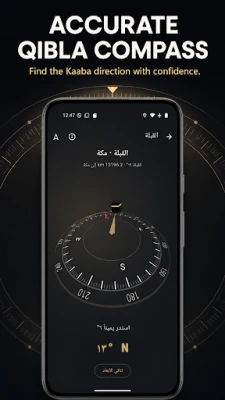
- Clear visual cue: An arrow points directly toward the Kaaba, making it easy to align the device.
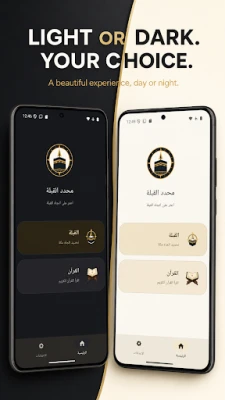
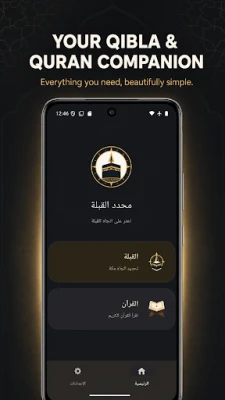
- Simple layout: The interface follows material design principles, offering a clean and intuitive experience.
- Multiple dial styles: Users can choose from several compass designs to suit personal preference.
How it works
When you launch the app, it requests permission to access your location. After acquiring a GPS fix, the application calculates the Qibla bearing using the geographic coordinates of Mecca (21.4225° N, 39.8262° E). The compass then rotates to show the direction you need to face. For best accuracy, place the phone on a flat surface away from metal objects and keep it steady while the reading is taken.
Practical uses
The app is useful for daily prayers, especially when you are in unfamiliar locations such as airports, hotels, or outdoor settings. It also serves travelers who may not have access to a reliable internet connection, as the direction is derived from GPS data alone.
Installation information
Qibla Finder & Kaaba Compass is distributed as a free download from the Google Play Store. The installation process follows the standard Android procedure: tap “Install,” grant location permission when prompted, and the app will be ready to use.
Things to know before installing
- The app requires location services to be enabled for accurate results.
- For optimal precision, allow the device to obtain a clear GPS signal before checking the direction.
- No additional data plan is needed after the initial location is acquired.
Who may find it useful?
Any Muslim who needs a quick and reliable way to determine the Qibla direction can benefit from this tool. It is particularly handy for:
- Travelers and pilgrims visiting new cities.
- People praying outdoors or in locations without a fixed prayer space.
- Individuals who prefer a dedicated compass app over web‑based solutions.
Frequently asked questions
Do I need an internet connection?
No. The app works offline once it has obtained your GPS coordinates.
How accurate is the direction?
Accuracy depends on the quality of the GPS signal. In open areas with a clear view of the sky, the bearing is typically within a few degrees.
Can I use the app on older Android devices?
The app runs on devices that support standard location services. Specific Android version requirements are listed on the Play Store page.
Is my privacy protected?
The app only accesses location data while it is active and does not store or share that information beyond the calculation needed for the compass.
Rate the App
User Reviews















Popular Apps










 Games
Games Entertainment
 Communication
 E-mail
 Security
 Tools
Tools Media
Media Internet
 Finance
 Design
 Education
 IT Tools
 Travel & Local
 Android
 Windows
 Linux
Linux