

Latest Version
Latest
August 26, 2026
PureVPN
Tools
Android
110
Free
com.gaditek.purevpnics
Report a Problem
More About PureVPN: Fast & Secure VPN for Android
What is PureVPN?
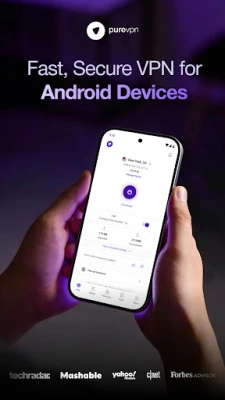
PureVPN is a mobile application that lets Android users create a private, encrypted tunnel for their internet traffic. By routing data through a remote server, the app helps keep online activities hidden from prying eyes and can make it appear as if you are browsing from a different location.
Main Features
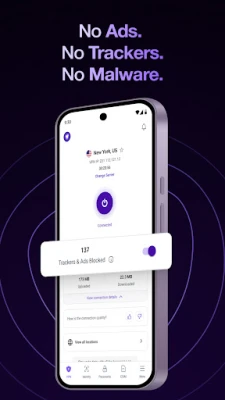
- One‑tap connection: Choose a server and connect with a single tap.
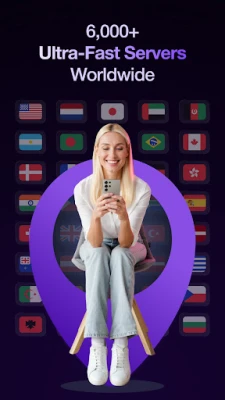
- Multiple server locations: Access servers in many countries, giving you flexibility to reach content that may be region‑restricted.
- Strong encryption: The app uses industry‑standard encryption to protect data while it travels over public networks.
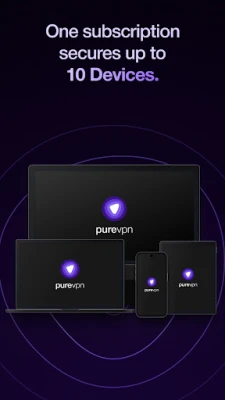
- Device limit per account: A single PureVPN account can be used on several Android devices simultaneously.
- WireGuard protocol support: For users who prefer a modern, lightweight VPN protocol, WireGuard is available within the app.
How It Works
When you launch PureVPN, the app contacts its network of servers and presents a list of available locations. Selecting a server initiates a handshake that establishes an encrypted tunnel between your device and the chosen server. All internet requests are then routed through this tunnel, masking your real IP address and encrypting the data payload.
Practical Uses
- Secure public‑Wi‑Fi browsing – protect credentials on coffee‑shop networks.
- Access geo‑restricted streaming or websites while traveling.
- Maintain privacy from advertisers and trackers.
- Bypass censorship in regions with limited internet freedom.
Installation Information
PureVPN can be downloaded directly from the Google Play Store. After installation, the app may prompt you to create an account or sign in with existing credentials. Once logged in, you can start a free trial if the developer offers one, or proceed with a paid subscription.
Things to Know Before Installing
- Internet connectivity is required for the initial setup and for establishing VPN sessions.
- The app may request permissions to create a VPN connection and to manage network settings; these are standard for VPN functionality.
- Performance can vary based on the selected server, your device’s hardware, and the speed of your underlying internet connection.
Who May Find PureVPN Useful?
Anyone who wants an extra layer of privacy on their Android device can benefit from PureVPN. It is especially helpful for frequent travelers, remote workers using public networks, and users who regularly encounter region‑locked content.
Frequently Asked Questions
Is PureVPN free to use?
The app is offered as a free download, but full VPN access typically requires a subscription. Some developers provide a limited trial period for new users.
Can I use PureVPN on multiple devices?
Yes, a single account can be configured on several Android devices at the same time, allowing you to protect all of your personal hardware.
What encryption does PureVPN use?
PureVPN employs standard AES‑256 encryption, which is widely regarded as secure for protecting data in transit.
Does the app work with all Android versions?
The app is designed for modern Android releases. Compatibility details are listed on the Play Store page, and the app will typically indicate if your device is unsupported.
How can I switch server locations?
From the main screen, tap the location selector, choose a new country or city, and reconnect. The change usually takes only a few seconds.
Rate the App
User Reviews















Popular Apps










 Games
 Entertainment
 Communication
 E-mail
 Security
 Tools
 Media
 Internet
 Finance
 Design
 Education
 Android Firmwares
 Travel & Local
 Android
 Windows
 Linux