

Latest Version
August 13, 2026
Proton AG
Tools
Android
378
Free
ch.protonvpn.android
Report a Problem
More About Proton VPN: Fast & Secure VPN for Android
What is Proton VPN?
Proton VPN is a virtual private network application for Android devices, developed by Proton AG. It provides an encrypted tunnel between your phone and the internet, helping you keep your online activity private and secure. The app is offered for free, meaning you can start using a VPN without a subscription.
Main Features
- Encryption and privacy – All traffic is encrypted, preventing eavesdropping on public Wi‑Fi or other networks.
- No‑logs policy – Proton AG states that it does not retain records of your browsing activity.
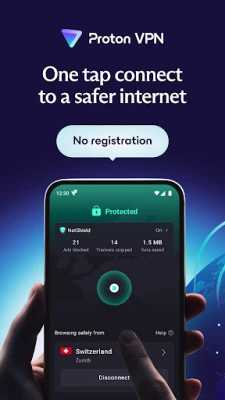
- One‑tap connect – A simple button lets you enable the VPN instantly.
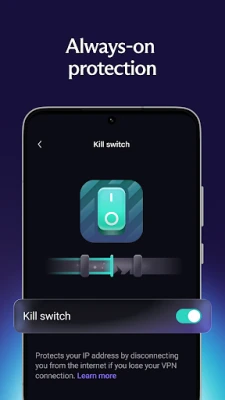
- Kill switch – If the VPN connection drops, network traffic is blocked to avoid accidental exposure.
- DNS leak protection – DNS queries are routed through the VPN, reducing the chance of DNS‑based tracking.
How It Works
When you launch Proton VPN, the app negotiates a secure connection with one of its servers using industry‑standard protocols such as OpenVPN or WireGuard. Once the tunnel is established, all data leaving your device is encrypted and sent to the server, which then forwards it to its final destination. To you, the internet appears to originate from the VPN server rather than your own IP address.
Practical Uses
- Protecting personal information on coffee‑shop or airport Wi‑Fi.
- Bypassing regional content restrictions while traveling.
- Keeping browsing history private from ISPs or network administrators.
- Securing communications for remote work or study.
Installation Information
Search for “Proton VPN: Fast & Secure VPN” in the Google Play Store, then tap Install. The download size is modest, and the app requires standard Android permissions for network access. After installation, open the app, grant the necessary permissions, and follow the on‑screen prompts to enable the VPN service.
Compatibility
Proton VPN runs on Android devices that meet the minimum operating system requirements set by the Play Store. Specific version numbers are not disclosed here, but the app typically supports recent Android releases.
Things to Know Before Installing
- The free tier offers unlimited data, but speed may be lower than premium options during peak times.
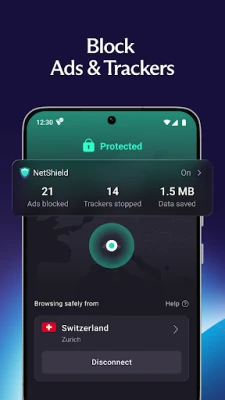
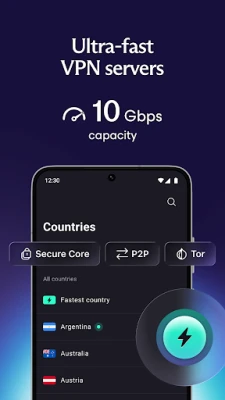
- Some advanced features—such as multi‑hop routing, ad blocking, or access to a larger server pool—are reserved for paid plans.
- Using a VPN does not make you completely anonymous; it protects the connection between your device and the VPN server.
Who May Find It Useful?
Anyone who regularly connects to public Wi‑Fi, values privacy, or needs a simple way to encrypt mobile traffic will benefit from Proton VPN. It is also a good entry point for users new to VPNs because of its free availability and straightforward interface.
Frequently Asked Questions
Is Proton VPN really free?
Yes, the app can be used without a subscription, offering unlimited data on the free tier.
Do I need to create an account?
The free version does not require a sign‑up; you can start the VPN with a single tap.
Which encryption protocols are supported?
Proton VPN uses OpenVPN and WireGuard, both recognized for strong security.
Can I use the VPN for streaming?
The free tier works for general browsing and streaming, though performance may vary based on server load.
What happens if the VPN connection drops?
The built‑in kill switch blocks all network traffic until the VPN reconnects, helping to prevent accidental data leaks.
Rate the App
User Reviews















Popular Apps










 Games
Games Entertainment
 Communication
 E-mail
 Security
 Tools
Tools Media
Media Internet
 Finance
 Design
 Education
 Android Firmwares
 Travel & Local
 Android
 Windows
 Linux
Linux