
Latest Version
September 08, 2026
PIA Private Internet Access, Inc
Tools
Android
121
Free
com.privateinternetaccess.android
Report a Problem
More About Private Internet Access VPN – Secure Android Browsing
What is Private Internet Access VPN?
Private Internet Access (PIA) VPN is a mobile application developed by PIA Private Internet Access, Inc. It creates an encrypted tunnel between your Android device and the internet, helping to keep your data private and your location concealed. The app is offered for free and can be installed directly from the Android marketplace.
Main features
- IP masking – Routes your traffic through a server so your real IP address is hidden.
- Encryption – Uses standard VPN protocols to encrypt data, making it difficult for third parties to read your traffic.
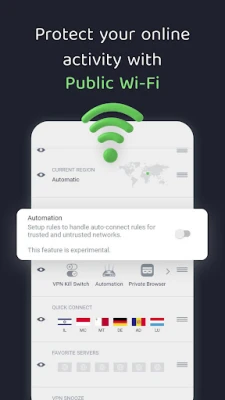
- Public Wi‑Fi protection – Adds a layer of security when you connect to coffee‑shop or airport networks.
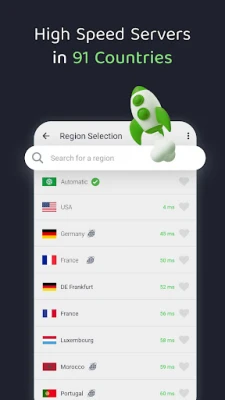
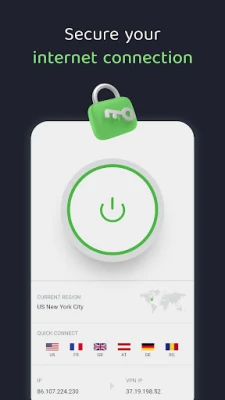
- Server selection – Lets you choose from a list of available servers to change your apparent location.
How it works
When you launch the app, it establishes a secure connection to a PIA server of your choice. All internet traffic from your device is then routed through that server. Because the data is encrypted, anyone monitoring the network sees only scrambled information. The server also replaces your device’s IP address with one from its own pool, which can be located in a different country or region.
Practical uses
- Secure browsing on public networks – Prevents eavesdropping on unsecured Wi‑Fi.
- Accessing geo‑restricted content – Allows you to appear as if you are browsing from another location.
- Protecting personal data – Keeps passwords, messages, and other sensitive information encrypted.
Installation information
Search for “Private Internet Access VPN” in the Google Play Store, tap Install, and follow the on‑screen prompts. After installation, open the app, grant the required VPN permission, and sign in or create an account if needed.
Things to know before installing
- The app requires a VPN permission, which is standard for this type of service.
- Performance may vary depending on the selected server and your network conditions.
- While the app itself is free, some features may require a subscription to the full PIA service.
Who may find it useful?
Anyone who uses an Android device on public Wi‑Fi, travels frequently, or wants to add an extra layer of privacy to everyday browsing will benefit from PIA VPN. It is also helpful for users who need to test websites or services from different geographic locations.
Frequently asked questions
Do I need a separate account?
PIA VPN typically requires an account to manage server access and subscription options. You can create one within the app.
Will the VPN slow down my connection?
Any VPN adds a small amount of overhead due to encryption. Speed depends on the server you choose and your baseline internet speed.
Is the app safe to use?
The app is developed by PIA Private Internet Access, Inc., a known provider of VPN services. It follows standard Android security practices for VPN applications.
Rate the App
User Reviews















Popular Apps










 Games
 Entertainment
 Communication
 E-mail
 Security
 Tools
 Media
 Internet
 Finance
 Design
 Education
 Android Firmwares
 Travel & Local
 Android
 Windows
 Linux