
Latest Version
Latest
August 21, 2026
F2P
Tools
Android
159
Free
com.pingsecure.client.app
Report a Problem
More About Ping VPN – Free Secure VPN for Android
What is Ping VPN?
Ping VPN is a lightweight Android application that creates a virtual private network (VPN) tunnel for your device. By routing your internet traffic through this tunnel, the app adds a layer of encryption that helps protect data from eavesdropping, especially on public Wi‑Fi networks.
Main features
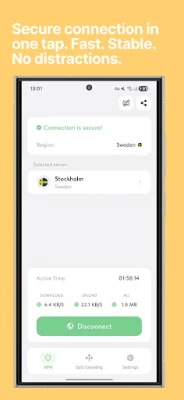
- Instant connection – One‑tap activation establishes a VPN tunnel in seconds.
- Unlimited traffic – No built‑in caps on data usage; you can stay connected as long as you need.
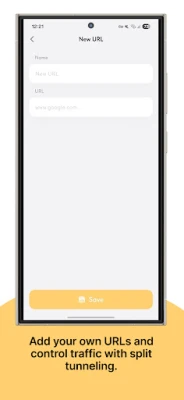
- App‑specific routing – A simple “smart mode” lets you decide which apps should use the VPN and which can connect directly.
- No ads or subscriptions – The app is completely free and does not display advertisements.
How it works
When you turn on Ping VPN, the app creates a virtual network interface on your device. All outbound traffic is encrypted and sent to a server operated by the developer. The server then forwards the traffic to its final destination, masking your original IP address. Because the connection is encrypted, third parties on the same network cannot read the contents of your data packets.
Practical uses
Ping VPN is useful in a variety of everyday scenarios:
- Public Wi‑Fi security – When you connect to coffee‑shop or airport Wi‑Fi, the VPN helps keep passwords and personal messages private.
- Accessing region‑restricted content – By appearing to originate from a different location, the VPN can let you reach services that are otherwise blocked in your country.
- Gaming and streaming – The app’s “smart mode” lets you route only the games or streaming apps through the VPN, preserving speed for other tasks.
Installation information
Download Ping VPN from the Google Play Store, then follow the standard Android installation prompts. After installation, you will be asked to grant the VPN permission, which is required for the app to create the virtual network interface.
Things to know before installing
- The app does not collect subscription fees, but it may collect minimal usage data for operational purposes.
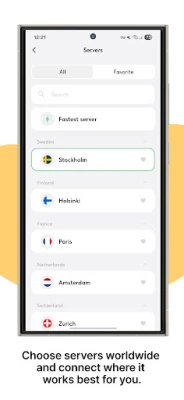
- Performance depends on the quality of the underlying network and the distance to the VPN server.
- While the VPN encrypts traffic, it does not protect against malware or phishing sites; keep your device’s security software up to date.
Who may find Ping VPN useful?
Anyone who regularly uses mobile data or public Wi‑Fi and wants a simple, free way to add encryption will benefit from Ping VPN. It is especially handy for travelers, remote workers, and users who prefer an ad‑free experience.
Frequently asked questions
Is Ping VPN really free?
Yes. The app does not require a subscription and does not show advertisements.
Do I need to create an account?
No account is required; you can start using the VPN immediately after installation.
Will the VPN slow down my internet speed?
Any VPN adds a small amount of overhead due to encryption and routing. Ping VPN aims for a balance between security and speed, but actual performance varies with network conditions.
Can I choose which apps use the VPN?
Yes. The smart mode feature lets you select specific apps to route through the VPN while leaving others on the regular connection.
Rate the App
User Reviews















Popular Apps










 Games
 Entertainment
 Communication
 E-mail
 Security
 Tools
 Media
 Internet
 Finance
 Design
 Education
 Android Firmwares
 Travel & Local
 Android
 Windows
 Linux