






Latest Version
Latest
August 24, 2026
Ping Network
Tools
Android
111
Free
vpn.free.proxy.ping
Report a Problem
More About Ping Network VPN – Fast, Free, One‑Tap Security
What is Ping Network VPN?
Ping Network VPN is a free Android application that creates a secure tunnel between your device and the internet. By routing your traffic through the app, it masks your IP address and encrypts data, helping to keep your online activities private.
Main Features
- One‑tap connection: Start protection instantly with a single button.
- Free and unlimited: No subscription, data caps, or hidden fees.
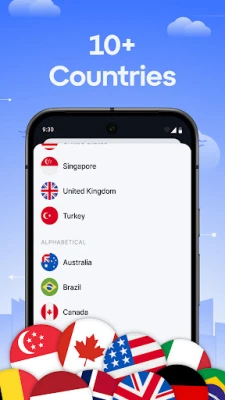
- Broad network coverage: Connect through servers located in multiple regions.
- Lightweight design: Minimal impact on battery life and device performance.
- No account required: Install and use without registration.
How It Works
When you activate the VPN, the app establishes an encrypted link to a remote server. All outgoing and incoming traffic passes through this tunnel, which prevents third parties—such as ISPs, public Wi‑Fi operators, or advertisers—from seeing the contents of your communication. The encryption used meets common standards for protecting data in transit.
Practical Uses
- Secure browsing on public Wi‑Fi networks in cafés, airports, or hotels.
- Accessing content that may be restricted in your current location.
- Protecting personal information while using banking or shopping apps.
- Maintaining privacy from tracking services while browsing social media.
Installation Information
Search for Ping Network VPN Fast & Secure in the Google Play Store, tap Install, and wait for the download to complete. After installation, open the app and follow the on‑screen prompt to enable the VPN connection. Android will ask for permission to create a VPN connection; granting this permission is required for the app to function.
Compatibility
The app is built for Android devices that support the standard VPN API. It works with common connectivity options such as Wi‑Fi, 4G/5G mobile data, and other cellular networks. Specific Android version requirements are not listed, but the app runs on most recent Android releases.
Things to Know Before Installing
- The service is free; there is no paid tier.
- No personal account or email is needed to use the app.
- While the app aims to protect privacy, it does not guarantee anonymity for illegal activities.
- Performance may vary depending on the server you connect to and your network conditions.
Who May Find It Useful?
Anyone who wants a straightforward way to add a layer of encryption to their Android device can benefit from Ping Network VPN. It is especially handy for travelers, students, and professionals who frequently use public Wi‑Fi or wish to keep their browsing habits private.
Frequently Asked Questions
Is the VPN really free?
Yes, the application does not require a subscription or in‑app purchases to use its core features.
Do I need to create an account?
No. The app works without any registration or login.
Will the VPN slow down my internet speed?
VPNs add a small amount of overhead due to encryption. In most cases the impact is modest, but speed can vary based on server load and your own network.
Can I use the VPN on multiple devices?
The free version is designed for a single Android device per installation.
Is my data logged?
The app states that it does not keep logs of user activity, but detailed policy information is not provided within the app description.
Rate the App
User Reviews















Popular Apps










 Games
 Entertainment
 Communication
 E-mail
 Security
 Tools
 Media
 Internet
 Finance
 Design
 Education
 Android Firmwares
 Travel & Local
 Android
 Windows
 Linux