

Latest Version
Latest
August 29, 2026
AppPlanex
Tools
Android
136
$9.99
com.appplanex.pingmasternetworktools.pro
Report a Problem
More About Ping Master: Network Tools PRO – Advanced Network Utilities
What is Ping Master: Network Tools PRO?
Ping Master: Network Tools PRO is a comprehensive toolbox designed for Android devices that brings together a range of network‑related utilities. Whether you are an IT professional, a hobbyist, or simply need to understand why a connection is slow, the app provides quick access to diagnostics, configuration data, and performance measurements.
Main features
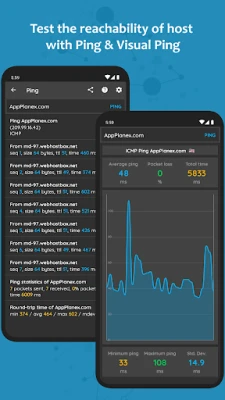
- Ping utilities – Perform ICMP, TCP, HTTP and HTTPS pings to check response times and packet loss.
- Real‑time visual ping – Continuous ping results are displayed on a live graph for easy trend analysis.
- Whois lookup – Retrieve registration details for domains or IP addresses.
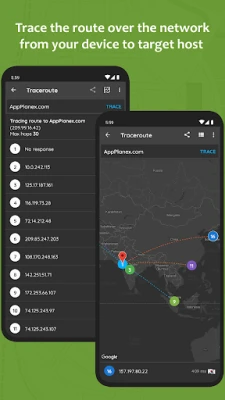
- Traceroute with map view – Follow the path of packets across the internet and see each hop plotted on a map.
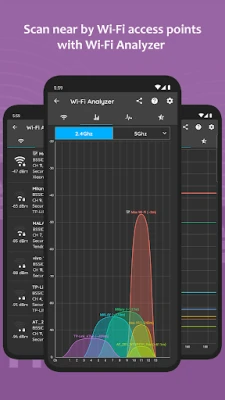
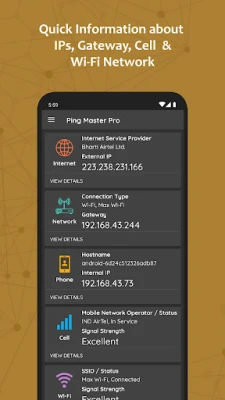
- Wi‑Fi scanner – Detect nearby access points, view channel usage and signal strength, and examine detailed network parameters.
- Local network device discovery – Identify devices connected to the same Wi‑Fi or hotspot network.
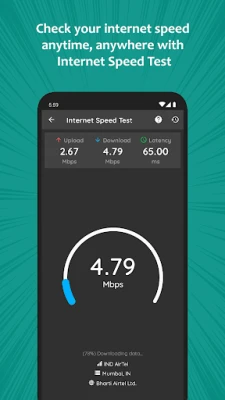
- Speed test – Measure download and upload speeds of the current internet connection.
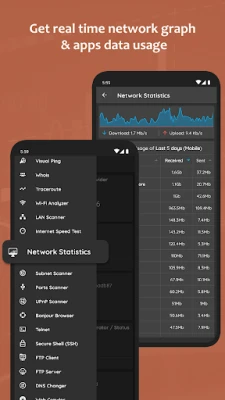
- Data usage monitor – Track overall network consumption and see per‑app usage graphs.
- Port scanner – Scan a range of IP addresses for open ports.
- Telnet and SSH client – Connect to remote servers for command‑line access.
- FTP client and server – Transfer files to and from FTP servers, or host a simple FTP server on the device.
- DNS tools – Change DNS servers, query DNS records, and test DNS response times.
- Wake‑on‑LAN – Send a magic packet to power on compatible computers on the same network.
- Geolocation lookup – Find the approximate location of an IP address or host.
- MAC address info – Resolve manufacturer details from a device’s MAC address.
- IP calculator – Perform subnet calculations and split networks into sub‑nets.
How it works
The app uses standard network protocols that are already built into Android. When you launch a tool, the app sends the appropriate request (for example, an ICMP echo for a ping) and displays the response in a clear, readable format. Graphical components such as the visual ping chart or Wi‑Fi channel graph are generated on the device, so no external services are required for basic diagnostics.
Practical uses
- Diagnosing slow or intermittent internet connections by comparing ping times across different servers.
- Verifying that a newly configured router or DNS server is responding correctly.
- Identifying unauthorized devices on a home or office Wi‑Fi network.
- Testing firewall rules by scanning ports on a target host.
- Gathering domain registration information for security assessments.
Who may find it useful?
Network administrators, IT support staff, developers, and tech‑savvy users who need on‑the‑go diagnostics will benefit most. The tool is also handy for students learning about networking concepts, as it consolidates many common utilities into a single Android interface.
Things to know before installing
The application is a paid product priced at $9.99. It requires standard network permissions to perform scans and connect to remote services. Because many features involve low‑level network access, the app may request additional permissions such as access to Wi‑Fi state and location (the latter is required for Wi‑Fi scanning on recent Android versions).
Frequently asked questions
Is an internet connection required for all tools?
Only features that communicate with external servers—such as speed tests, DNS queries, or remote SSH—need an active internet connection. Local diagnostics like ping, traceroute, and Wi‑Fi scanning work on the device alone.
Can I use the app on tablets?
The interface adapts to larger screens, so tablets running a compatible Android version can run the app without issues.
Does the app store any of my data?
All network queries are performed in real time. The app does not retain logs of your scans or personal information beyond what is necessary for its operation.
Rate the App
User Reviews















Popular Apps










 Games
 Entertainment
 Communication
 E-mail
 Security
 Tools
 Media
 Internet
 Finance
 Design
 Education
 Android Firmwares
 Travel & Local
 Android
 Windows
 Linux