

Latest Version
Latest
August 29, 2026
AppPlanex
Tools
Android
129
Free
com.appplanex.pingmasternetworktools
Report a Problem
More About Ping Master – Network Tools
What is Ping Master?
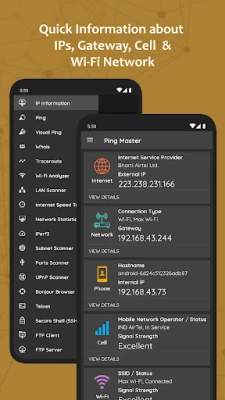
Ping Master is a free Android utility suite created by AppPlanex. It brings together a range of network‑related tools in a single app, allowing users to check connectivity, examine network parameters, and perform basic diagnostics without needing multiple separate applications.
Main features
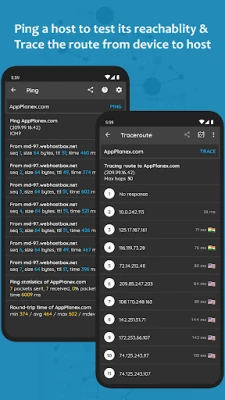
- Ping and visual ping – Send ICMP echo requests to a host and view response times in real time.
- Traceroute – Trace the path packets take to reach a destination and see each hop’s latency.
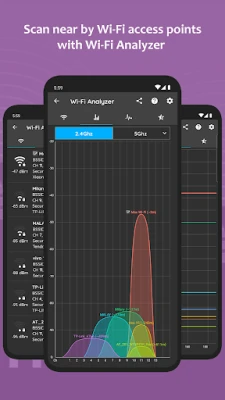
- Wi‑Fi analyzer – Scan nearby wireless networks, view channel information and signal strength.
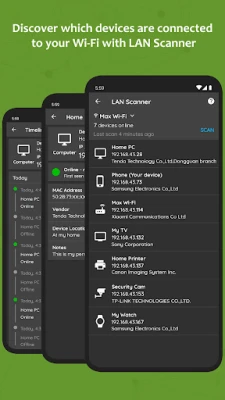
- LAN scanner – Discover devices that are currently connected to the same Wi‑Fi or hotspot.
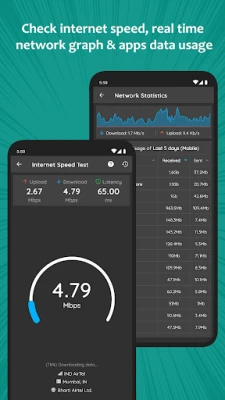
- Internet speed test – Measure download and upload speeds directly from the device.
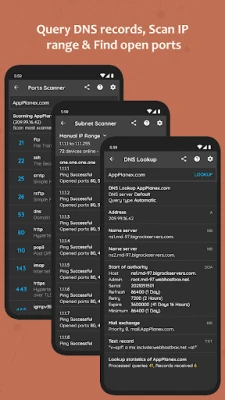
- DNS lookup – Retrieve DNS records for a domain name.
- Port scanner – Check common ports on a target host to see which are open.
- IP lookup – Find geographic information for an IP address.
- Subnet calculator – Perform basic subnet calculations for network planning.
How it works
Each tool operates independently but shares a common interface. For example, the ping utility lets you enter a hostname or IP address, choose the number of packets, and view a live log of responses. The traceroute feature builds on the same input, displaying each hop as a separate line with round‑trip times. Scanners use the device’s current network connection to probe the local subnet, listing discovered hosts along with their IP addresses and, where possible, device names.
Practical uses
- Diagnosing connectivity problems – Quickly verify whether a remote server is reachable.
- Optimising Wi‑Fi placement – Use the analyzer to identify crowded channels and select a clearer frequency.
- Network inventory – Scan a home or office LAN to see which devices are active.
- Testing ISP performance – Run the speed test before and after changes to your router or service plan.
Who may find it useful?
The app is aimed at anyone who needs occasional network insight: hobbyists, students learning about networking, and professionals who prefer a lightweight toolkit on their mobile device.
Things to know before installing
- The app does not require root access; all tools work with standard Android permissions.
- Some functions, such as port scanning, may be limited by the device’s network environment (e.g., firewalls).
- Results depend on the quality of the underlying network connection.
Frequently asked questions
- Do I need an internet connection to use Ping Master? Most tools (ping, traceroute, DNS lookup) require network access, but the subnet calculator works offline.
- Is the app safe to use on public Wi‑Fi? The tools only read network information; they do not transmit personal data unless you initiate a test.
- Can I export the results? The app provides a copy‑to‑clipboard option for most logs, allowing you to paste the information elsewhere.
Rate the App
User Reviews















Popular Apps










 Games
 Entertainment
 Communication
 E-mail
 Security
 Tools
 Media
 Internet
 Finance
 Design
 Education
 Android Firmwares
 Travel & Local
 Android
 Windows
 Linux